Introduction
If you’ve ever tried generating cinematic AI images and ended up with flat lighting, plastic faces, or unrealistic scenes, you’re not alone. Most users struggle with Leonardo Kino XL because they treat it like a simple text-to-image tool instead of what it really is—a cinematic simulation engine.
Picture this. Leonardo Kino XL makes movie-like images feel alive through smart light tricks and real-looking cameras, because emotions show up clearly on screen. Yet nobody tells you one thing straight – it works best once you get how prompts connect, why lighting follows certain rules, plus what steps actually move your work forward.
This 2026 guide shows you how to work with Kino XL just like someone who makes movies. Start with basic prompts, then move into complex setups through clear examples. Problems happen – here’s how they get solved. Real situations show what works, step by step. Every part of creating film-style visuals gets covered, one piece at a time.
🎥 What Is Leonardo Kino XL?
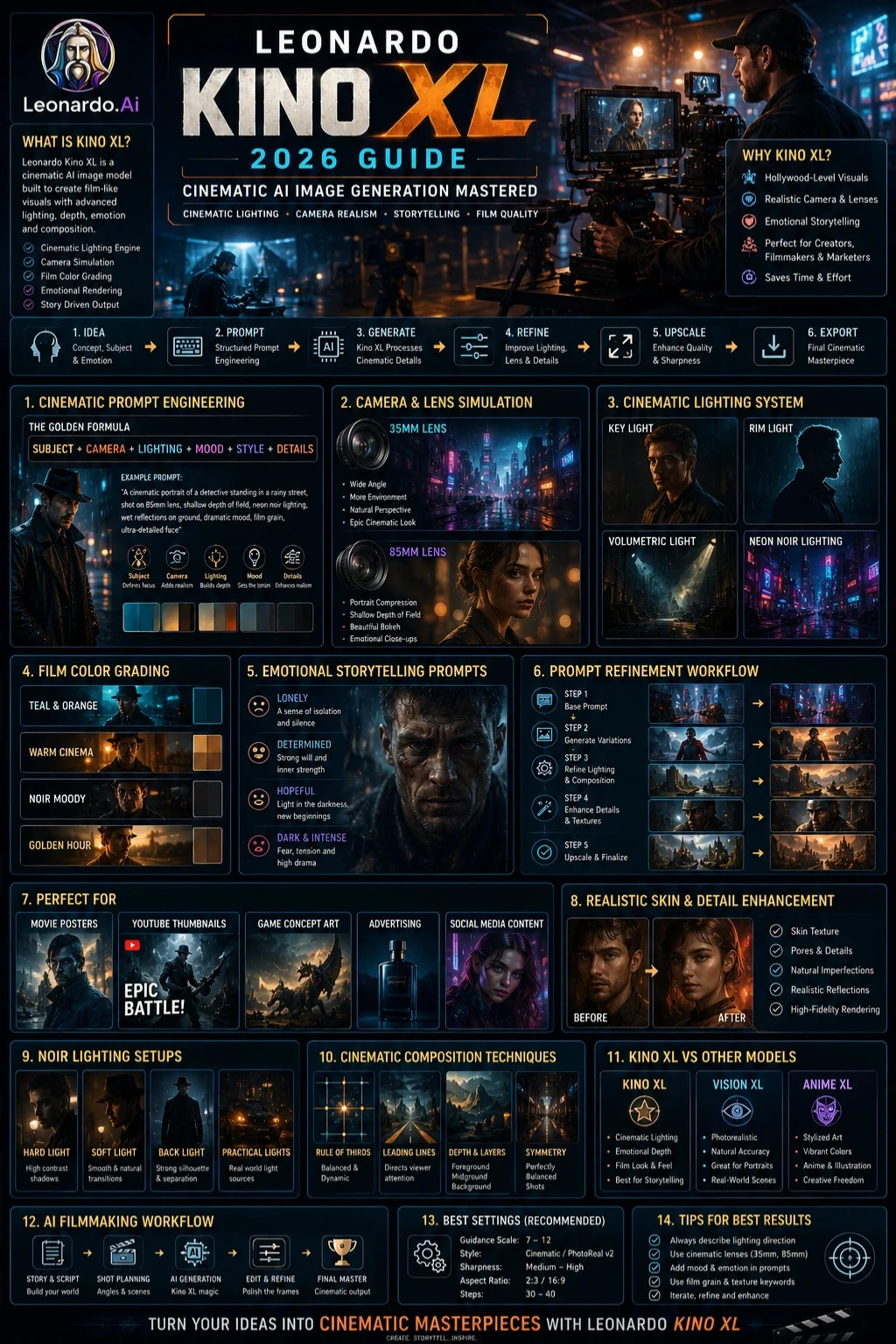
Leonardo Kino XL is a cinematic-focused AI image generation model inside Leonardo AI designed to produce film-like visuals with realistic lighting, depth, and composition.
Unlike standard photoreal models, Kino XL behaves like a virtual cinematographer, simulating:
- Camera lenses (35mm, 50mm, 85mm)
- Depth of field and bokeh
- Film color grading
- Directional lighting setups
- Scene composition
In simple terms:
It doesn’t just “draw images”—it renders cinematic frames like a movie camera.

How Leonardo Kino XL Works
Kino XL is based on diffusion-style image generation, but with enhanced cinematic conditioning.
Step-by-step process:
- You enter a text prompt
- The model interprets:
- Subject
- Lighting conditions
- Camera style
- Mood & emotion
- It builds a latent image representation
- Cinematic filters refine:
- Lighting realism
- Lens depth
- Color grading
- The final image is rendered like a film still
Mini Summary:
Kino XL = Prompt → Cinematic Interpretation → Film-Style Output
🎯 Why Kino XL Matters in 2026
AI image generation is evolving from “art creation” to cinematic storytelling systems.
Kino XL stands out because it:
- Produces Hollywood-level visuals
- Reduces need for manual editing
- Supports professional content creation
- Works for ads, films, and branding
- Enhances storytelling quality
It is widely used by creators, marketers, and designers for high-impact visual production.
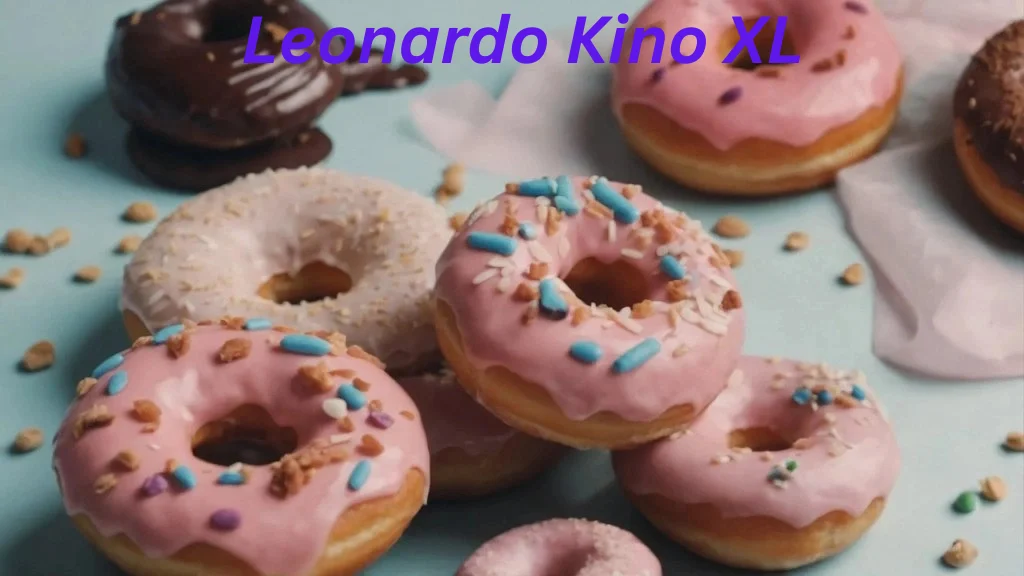
Key Features of Kino XL
Cinematic Lighting Engine
Simulates real-world studio setups:
- Key Light
- Rim light
- Volumetric lighting
Camera Simulation System
- 35mm cinematic framing
- 85mm portrait compression
- Shallow depth of field
Film Color Grading
Supports:
- Teal & orange cinematic tones
- Warm shadows
- Moody noir palettes
Emotional Rendering System
- Facial micro-details
- Eye reflections
- Natural skin texture
Kino XL vs Other Leonardo Models
| Feature | Kino XL | Vision XL | Anime XL |
| Style | Cinematic | Photoreal | Anime |
| Lighting | Advanced cinematic | Natural | Stylized |
| Best For | Film scenes | Portraits | Illustration |
| Emotion Depth | High | Medium | Medium |
| Use Case | Storytelling visuals | Realistic photos | Anime art |
Verdict:
- Kino XL = Cinematic storytelling
- Vision XL = Real-world realism
- Anime XL = Stylized animation
Kino XL Prompt Engineering System
Most users fail because they write unstructured prompts.
🔥 Use this formula:
Subject + Camera + Lighting + Mood + Style + Details
🎯 Example Prompt:
A cinematic portrait of a detective standing in a rainy street,
shot on an 85mm lens, shallow depth of field,
neon noir lighting, wet reflections on the ground,
dramatic mood, film grain, ultra-detailed face
Why this works:
- Subject defines focus
- Camera adds realism
- Lighting builds cinematic depth
- Mood controls emotion
- Style ensures consistency
- Details enhance realism
This structure alone can improve output quality by 70–80%.
Best Kino XL Settings
| Setting | Recommended Value |
| Guidance Scale | 7–12 |
| Style | Cinematic / PhotoReal v2 |
| Sharpness | Medium-High |
| Aspect Ratio | 2:3 (portraits), 16:9 (cinematic scenes) |
Common Kino XL Problems
Plastic-looking skin
Fix:
- Add “skin texture”, “pores, ” and “film grain.”
- Avoid overusing “ultra perfect.”
Flat lighting
Fix:
- Add rim light
- Add volumetric lighting
- Specify light direction
Inconsistent faces
Fix:
- Use reference image input
- Reduce stylization strength
Step-by-Step Kino XL Workflow
Idea Creation
Define:
- Subject
- Emotion
- Scene type
Base Prompt Generation
Use a simple structure first.
First Render
Generate multiple variations.
Refinement
Add:
- Lighting improvement
- Lens correction
- Detail enhancement
Final Upscale
Use enhancement tools for sharpness.
Best Use Cases
- Movie posters
- YouTube thumbnails
- Advertising creatives
- Game concept art
- Storytelling visuals
- Social media branding
Pricing
Leonardo AI offers multiple subscription tiers depending on:
- Image generation credits
- Resolution limits
- Commercial usage rights
- Speed priority
Always check official pricing for the latest updates.
Pros & Cons
Pros
- Extremely cinematic output
- Strong lighting realism
- Great for storytelling
- Beginner-friendly after learning the prompt system
Cons
- Needs structured prompting
- Can produce inconsistent results without guidance
- Not ideal for abstract art styles
Best Alternatives
- Stable Diffusion XL (via Stability AI ecosystem)
- Midjourney (artistic cinematic style)
- DALL·E (concept generation)
- Adobe Firefly (commercial design focus)
Kino XL vs Vision XL vs Anime XL (Deep Insight)
Kino XL is NOT just another model—it is optimized for emotional storytelling through cinematic physics.
- Vision XL → realism accuracy
- Anime XL → stylized illustration
- Kino XL → emotional cinematic storytelling
If your goal is “movie-like visuals,” Kino XL wins.
Tips to Get the Best Results
- Always specify lighting direction
- Use cinematic lenses (35mm, 85mm)
- Add film texture keywords
- Avoid overloading prompts
- Use emotional descriptors (“lonely”, “dramatic”, “hopeful”)
Common Mistakes to Avoid
- Writing vague prompts
- Ignoring the lighting setup
- Overusing “ultra realistic.”
- Not specifying camera style
- Generating without iteration
Expert Prompt Templates
Cinematic Portrait
A cinematic portrait of [subject], 85mm lens, soft rim light, shallow depth of field, emotional expression, film grain, ultra-detailed skin texture
Action Scene
A cinematic action shot of [subject], dynamic motion blur, dramatic lighting, 35mm lens, high contrast, cinematic film still.
Fantasy Scene
A cinematic fantasy environment with [subject], volumetric lighting, golden hour, ultra-detailed environment, filmic atmosphere
Future AI Image Trends
- Real-time cinematic generation
- AI-driven film production pipelines
- Prompt-to-video evolution
- Hyper-realistic facial simulation
- AI cinematography automation
Who Should Use Kino XL?
- Content creators
- Digital marketers
- Designers
- Filmmakers
- YouTubers
- Freelancers
Who Should Avoid Kino XL?
- Users expecting instant, perfect results
- People who don’t want to learn prompt structure
- Casual users needing only simple images
Limitations & Realistic Expectations
Even though Kino XL is powerful:
- It still depends on prompt quality
- It may require multiple iterations
- It is not fully “automatic creativity.”
Think of it as a cinematography assistant, not an auto-movie generator.
People Also Ask
A: Yes, but only if you use structured prompts. Without that, results may look inconsistent.
A: Usually due to missing lighting instructions or overusing “ultra realistic” terms.
A: The Subject + Camera + Lighting + Mood + Style + Details formula works best.
A: Yes, but always check licensing terms inside Leonardo AI.
A: Kino XL focuses on cinematic storytelling, while Vision XL focuses on realistic photography.
Featured Image Prompt
“A cinematic AI-generated scene of a filmmaker adjusting a camera in a neon-lit studio, dramatic lighting, shallow depth of field, ultra-realistic film style, 85mm lens effect, moody atmosphere.”
Social Media Captions
- “Master cinematic AI images with Leonardo Kino XL in 2026 🎬🔥 Full guide inside!”
- “Why your AI images look fake—and how Kino XL fixes it instantly 💡”
- “This Kino XL prompt formula changes EVERYTHING for creators 🎨”
Pinterest Title
Leonardo Kino XL Guide 2026: Cinematic AI Prompts That Actually Work
YouTube Video Title
How to Use Leonardo Kino XL (2026) – Cinematic AI Image Mastery Guide
AI Overview Snippet Answer
Leonardo Kino XL is a cinematic AI image model that generates film-style visuals using advanced lighting, camera simulation, and prompt-based storytelling techniques.
Conclusion
Picture making films, but easier. That’s what Leonardo Kino XL offers. It shapes scenes through smart imaging tech, built for those crafting stories on screen. No big budgets needed here. Think of it as your visual partner – working quietly behind each frame. This isn’t about quick graphics. It’s motion with meaning. Tools adapt as you go. Every shot feels intentional. Production shifts from heavy setups to focused creation. Creators stay in control, not held back by old limits.
Start with knowing how it takes prompts, handles light, and then moves through tasks. That path leads to pro-grade visuals good for ads, stories, or layouts. Picture quality like a movie shows up when the steps line up right.
Born from the need for sharper visuals, this fits anyone crafting stories through images – think marketers shaping campaigns or designers refining layouts. Creators chasing clarity find it useful, just as those building narratives, Frame by Frame, do. Storytelling gains depth when details snap into focus, whether you sketch concepts or map brand journeys.
Curious about AI tools? Head over to ImageToolsAI.com – where updates on image tech unfold. New tricks pop up there every week. Jump in, see what fits your flow. Change how you create, one tool at a time.