
Introduction
AI image generation has evolved rapidly, but speed is now just as important as quality. That’s where Leonardo Lightning XL inside Leonardo AI changes the game completely.
Unlike traditional high-detail models that take time to generate results, Lightning XL focuses on fast, scalable, and production-ready image creation. This makes it ideal for creators who need to produce content daily—whether for YouTube thumbnails, client work, social media posts, or digital design.
In this guide, you’ll learn everything from how Lightning XL works to pro-level prompt systems, workflows, comparisons, and monetization strategies. By the end, you’ll know exactly how to turn this model into a real creative asset—not just a tool.
What Is Leonardo Lightning XL?
Leonardo Lightning XL is a fast-generation AI image model designed to produce high-quality visuals in significantly less time than traditional XL models.
It is optimized for:
- Speed-first image generation
- Lower computational cost
- High batch output
- Commercial content workflows
Simple Explanation:
Think of it as a “production engine” instead of a “perfect artist.”
It sacrifices a little micro-detail precision in exchange for:
- Faster iterations
- Higher volume output
- Efficient creative testing
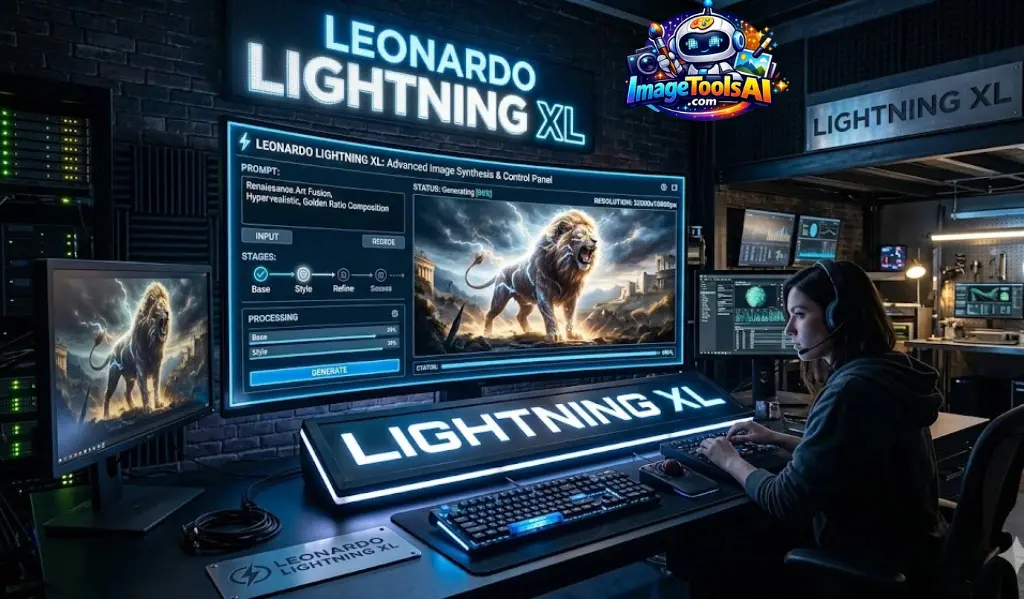
How Leonardo Lightning XL Works
Lightning XL is built on a modern diffusion model architecture optimized for speed.
Step-by-step breakdown:
- You enter a prompt
- The model interprets subject + style + lighting
- It compresses generation steps for speed
- Outputs multiple variations quickly
Why it feels faster:
- Reduced sampling steps
- Optimized inference pipeline
- Efficient token processing
Why Lightning XL Matters in 2026
AI content creation has shifted from “quality-only” to speed + scalability + monetization.
Lightning XL is important because:
- Content creators need daily output
- Agencies require bulk generation
- Freelancers need a fast turnaround
- Social media demands constant posting
Speed is now a competitive advantage.

Key Features of Leonardo Lightning XL
- ⚡ Ultra-fast image generation
- 💰 Lower token usage per image
- 🎯 Strong prompt adherence
- 🧠 Works with Alchemy enhancements
- 🖼 Supports image guidance inputs
- 📦 Perfect for batch workflows
Benefits for Creators & Businesses
Creators:
- Faster Idea Testing
- More creative variations
- Better content consistency
Businesses:
- Scalable marketing visuals
- Reduced design cost
- Faster campaign production
Freelancers:
- Higher client output
- Faster delivery time
- More gigs per day
Step-by-Step: How to Use Lightning XL
Select Model
Choose Lightning XL inside the Leonardo AI dashboard.
Set Image Size
Recommended:
- 1024×1024 (standard)
- 1024×768 (cinematic)
Enable Enhancements
Turn on:
- Alchemy (for better realism)
Use Structured Prompt
Generate Multiple Variations
Always generate 4–8 outputs.
Refine & Re-run
Improve the prompt based on the output.
Best Prompt Formula
Formula:
Subject + Environment + Lighting + Camera + Style + Mood
Example:
“A cinematic portrait of a cyberpunk hacker, neon rainy street, ultra realistic lighting, 35mm DSLR depth of field, moody atmosphere, futuristic city background, highly detailed”

Real-World Use Cases
Content Creation
- YouTube thumbnails
- AI storytelling visuals
Game Development
- Concept art
- Environment design
Social Media Marketing
- Instagram posts
- Ad creatives
Freelancing
- Fiverr gigs
- Client branding visuals
Lightning XL vs Other Models
| Model | Strength | Weakness | Best Use |
| Phoenix | Ultra realism | Slow | High-end art |
| Vision XL | Balanced quality | Moderate speed | Cinematic work |
| Anime XL | Stylized anime | Niche use | Anime content |
| Lightning XL | Fast output | Slight detail loss | Production workflows |
Pro Workflow: Generate → Refine → Upscale
Generate
Create 10–20 variations quickly.
Select Best Output
Pick the strongest composition.
Refine Prompt
Add missing details.
Upscale
Use upscaling tools for final polish.
This replaces traditional slow design pipelines.
Common Mistakes Beginners Make
- Using Vague Prompts
- Expecting Phoenix-level detail
- Not generating multiple variations
- Ignoring lighting/camera terms
Pro Tips for Better Results
- Use cinematic lighting terms
- Add lens references (35mm, 85mm)
- Always batch generate
- Refine instead of restarting
- Keep prompts structured
Pricing & Accessibility
Inside Leonardo AI, Lightning XL is generally included in paid generation credits or plan-based usage.
Always check official pricing for updates.
Pros & Cons
Pros
- Extremely Fast
- Great for scaling content
- Low cost per image
Cons
- Slightly less detail than Phoenix
- Not ideal for ultra-artistic work
Best Alternatives
- Phoenix Model (high realism)
- Vision XL (balanced output)
- Midjourney (artistic style)
- Stable Diffusion XL (open-source flexibility)
Future AI Image Trends
- Real-time generation models
- Video-to-image systems
- Hyper-personalized AI content
- Brand-trained AI models
- Automation-first creative pipelines
Who Should Use It
- Content creators
- Freelancers
- Marketing agencies
- Social media managers
- Game designers
Who Should Avoid It
- Users needing ultra-fine artistic control
- High-detail concept artists
- Print-level commercial designers
Realistic Expectations & Limitations
Lightning XL is not designed for perfection—it is designed for production speed and scalability.
Expect:
- Slight detail trade-offs
- Fast iteration cycles
- Strong commercial usability
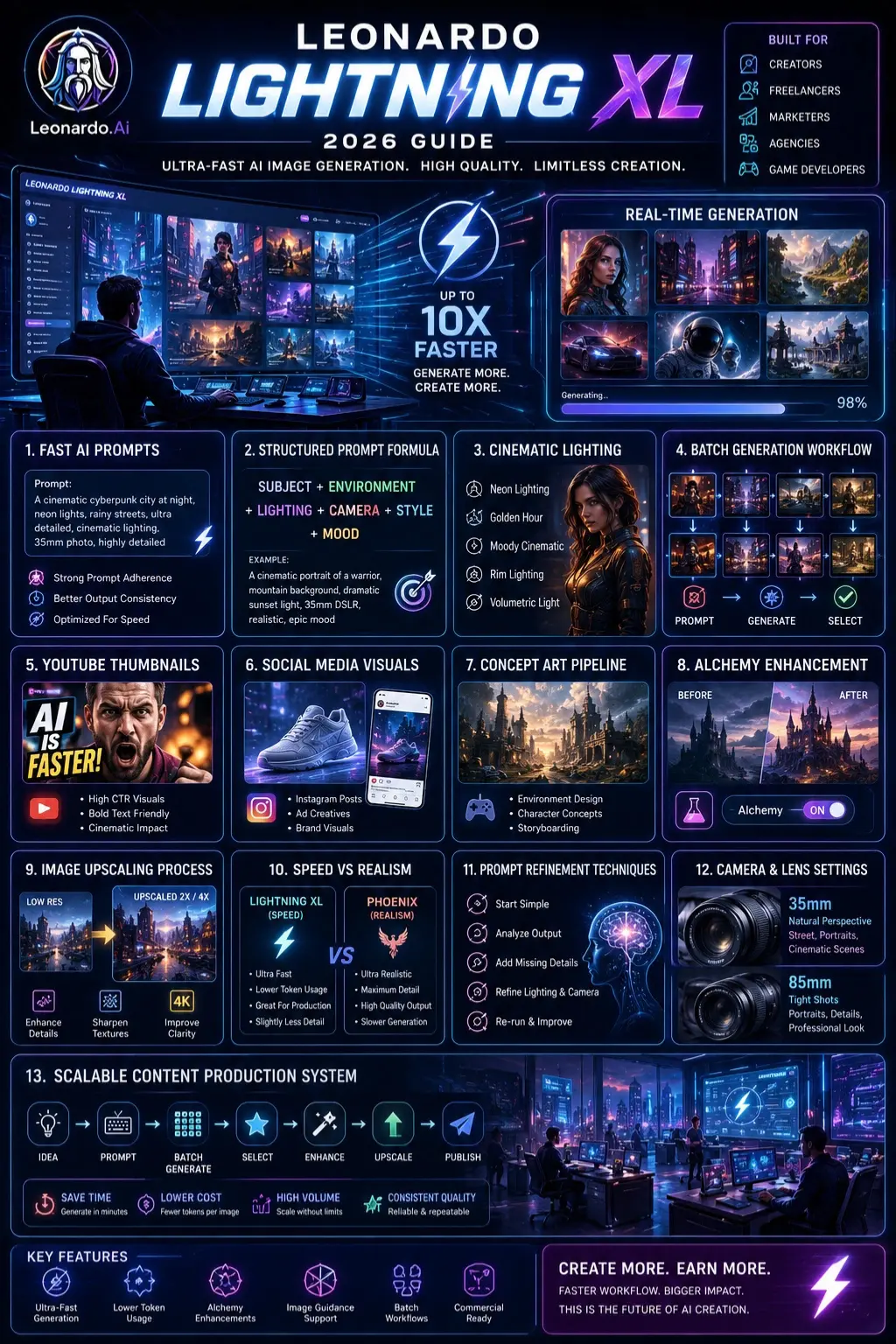
People Also Ask
A: Yes, it is beginner-friendly because it generates good results even with simple prompts. However, structured prompts give much better output.
A: Yes, but always verify licensing terms inside Leonardo AI before using for client work.
A: Lightning XL focuses on speed and batch generation, while Phoenix focuses on maximum detail and realism.
A: Cinematic prompts with lighting, camera lenses, and environment details work best.
A: It depends. Lightning XL is faster for production workflows, while Midjourney is more artistic.
Featured Image Prompt
“A futuristic AI workspace showing Leonardo Lightning XL generating multiple cinematic images in real-time, glowing UI dashboard, creative studio environment, ultra-modern design, digital art style, high-tech atmosphere”
Social Media Captions
1.
Lightning-fast AI image generation is here 🚀 Learn how Leonardo Lightning XL changes creative workflows.
2.
Want faster AI art creation? Discover the power of Lightning XL inside Leonardo AI ⚡
3.
From prompts to profit—see how creators are using Lightning XL for real income 💡
Pinterest Title
Leonardo Lightning XL Guide: Fast AI Image Prompts & Workflow (2026)
YouTube Video Title
Leonardo Lightning XL Explained: Best Prompts, Settings & Workflow (2026 Guide)
AI Overview Snippet Answer
Leonardo Lightning XL is a fast AI image generation model inside Leonardo AI designed for rapid, scalable content creation. It produces high-quality images with reduced generation time, making it ideal for creators, freelancers, and marketers who need bulk visual output with efficient workflows.
Conclusion
Out here, fast work beats careful details. This tool suits those moving quickly, growing ideas, finishing more in less time. Forget old ways that take ages to deliver. Big output matters now, not waiting weeks for flawless results.
Working fast doesn’t mean cutting corners – this tool helps writers, Freelancers, and marketers move more quickly without losing quality, especially with clear directions and grouped tasks. When set up right, it smooths out the process of making content in bulk. Efficiency jumps when steps are planned instead of done randomly. Following a pattern while feeding inputs makes results more consistent. The real gain shows during tight deadlines or heavy workloads. Used well, it fits into daily routines like an extra pair of hands. Output grows without constant oversight if rules stay firm behind the scenes.
Curious about AI content creation? Dive into detailed walkthroughs at ImageToolsAI.com – there you’ll find clear looks at new tools, how they work together, and what paths bring income. A fresh angle hides just past the homepage.