
Introduction
Out of nowhere, artificial intelligence began reshaping how art gets made – particularly when it comes to generating digital images. Instead of relying on skilled illustrators, complex programs, and long hours shaping visuals by hand, people today type a few words. Seconds later, an image appears. Tools powered by machine learning respond to plain descriptions, turning ideas into pictures almost instantly.
Picture this shifting scene. Right at the start, a tool called DALL·E Mini took off fast – later renamed Craiyon. Not long after launch, it began turning words into pictures for anyone online. That simple act helped more people see what artificial intelligence could create. Over time, its influence quietly shaped how we interact with image-making tech.
By 2026, while powerhouses such as DALL·E 3, MidJourney, Stable Diffusion XL, and Adobe Firefly lead the field, Craiyon sticks around – its ease of use keeps it within reach. Though overshadowed by flashier tools, its open access draws users who want no fuss. Simplicity becomes its quiet strength amid complexity everywhere else.
Yet here comes a key thing to wonder about
Is Craiyon still relevant in 2026?
Maybe it’s just outdated now, when stacked against today’s AI tools that make images fast.
This detailed walkthrough covers all things Craiyon, explained plainly so anyone can understand. Built with smart formatting behind the scenes, it still reads like a conversation. Each part flows naturally, helping both readers and search tools grasp the meaning fast.
What is DALL·E Mini?
A once-named DALL·E Mini, now called Craiyon, lives online as a tool made by machines to draw pictures from words you type. Instead of one sketch, it gives several versions each time. Built with smart systems, it turns descriptions into images without needing downloads. The whole process happens inside your browser, relying on code trained to imagine scenes. Though simple to use, results can surprise even those who wrote the prompt.
A picture-making machine powered by words comes alive when people speak plainly to it. Though silent at first, its circuits learn shapes from speech. What shows up next lives where language meets code. Lines form once meanings click inside their logic. From plain phrases grow scenes shaped like thought.
Core Concept
Text Prompt → AI Interpretation → Image Generation → Visual Output
This pipeline represents the fundamental working mechanism of Craiyon.
For example:
If a user enters:
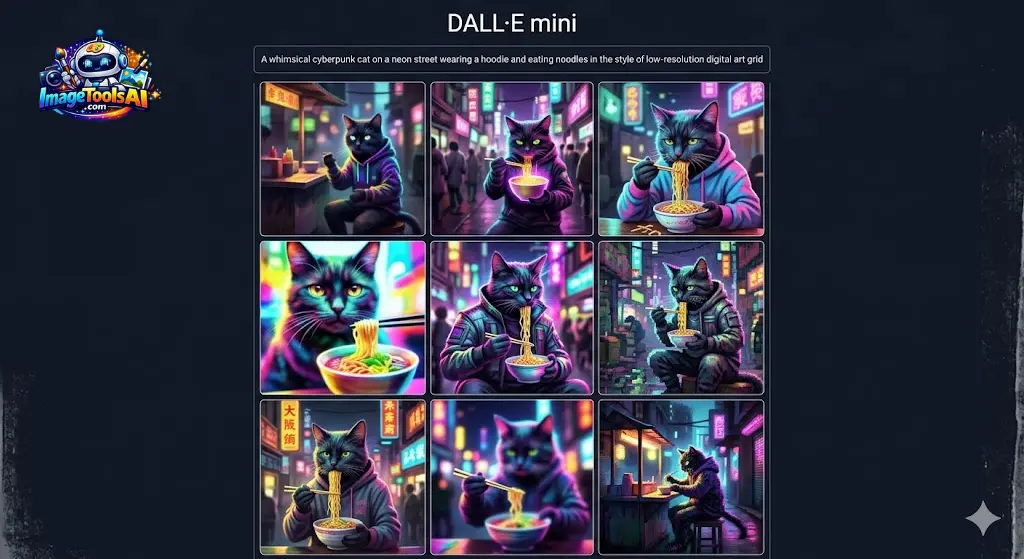
“A futuristic cyber city floating above clouds with neon reflections”
Craiyon will generate multiple variations of that scene in visual form.
Each output is slightly different due to probabilistic AI rendering, meaning no two images are identical.
Why Craiyon Became Globally Popular
Craiyon achieved viral success due to several key psychological and technological factors:
- It was completely free to access
- No registration or login barrier
- Instant image generation capability
- Unexpected and humorous outputs
- Ideal for meme culture
- Beginner-friendly interface
Its unpredictability made it especially attractive for entertainment, social media content creation, and experimental art.
How DALL·E Mini Works
Craiyon operates through a combination of machine learning architectures, natural language processing systems, and deep neural networks.
Let’s break it down into simplified components.
Natural Language Processing
The first stage involves interpreting the user’s text input.
When a prompt is entered, Craiyon analyzes:
- Subject matter
- Action or event
- Environment context
- Emotional tone
- Artistic style references
For example:
“A robotic painter in Paris creating abstract art.”
AI extracts:
- Robot → subject
- Paris → location
- Painting → action
- Abstract art → style
Neural Network Matching
After understanding the prompt, the system compares it with millions of images in its training dataset.
This process involves:
- Pattern recognition
- Semantic mapping
- Feature association
- Visual similarity prediction
Essentially, the AI “imagines” what the described scene should look like based on learned examples.
Image Synthesis
Finally, Craiyon generates multiple image variations.
Each output is produced using probabilistic diffusion techniques that refine random noise into structured visuals.
Mathematical Representation
The simplified conceptual model can be expressed as:
y=f(x)y = f(x)y=f(x)
Where:
- x = textual input prompt
- y = generated image output
This function represents the transformation from language to visual representation.
Key Features of Craiyon in 2026
Even in 2026, Craiyon remains a lightweight yet functional AI tool with several distinctive features:
Core Features
- Completely free usage model
- Browser-based accessibility (no installation required)
- No mandatory account creation
- Generates multiple images per prompt (usually 9 variations)
- Fast rendering time (30–60 seconds average)
- Extremely simple interface
- Meme-style creative outputs
- Lightweight System Requirements
Craiyon prioritizes accessibility over advanced precision, making it suitable for casual users.
Benefits & Use Cases
From Europe to parts of Asia and on into North America, Craiyon stays a go-to choice – people lean on it when they want something playful or offbeat. Though not built for heavy tasks, it finds its place in casual projects where imagination matters more than precision.
Content Creation
Some bloggers sketch early visuals with Craiyon – marketers do too – for posts or cover images. A first draft appears fast when ideas take shape through the tool.
Meme Generation
Craiyon plays a major role in meme culture due to its unpredictable and often humorous outputs.
Social platforms like TikTok, Instagram, and Reddit frequently feature Craiyon-generated visuals.
Educational Applications
Educators use it to visually demonstrate abstract concepts such as:
- Historical events
- Scientific Theories
- Literary interpretations
Freelancing Support
Freelancers utilize Craiyon for:
- Concept sketches
- Idea visualization
- Rapid client drafts
Creative Brainstorming
Designers and artists use Craiyon as an ideation tool before creating professional-grade artwork.
How to Use Craiyon (Step-by-Step Guide)
Using Craiyon is extremely straightforward.
Open the Platform
Visit the official Craiyon website via any modern browser.
Enter Your Prompt
Type a detailed description of the image you want.
Example:
“A cyberpunk street market at night with glowing neon signs and rain reflections”
Click Generate
The AI processes your input and begins image synthesis.
Wait for Processing
Typically, results appear within 30–60 seconds.
Download or Save
You can download, screenshot, or reuse the generated visuals.
Best Prompt Formula for Craiyon
To improve output quality, use structured prompting techniques.
Recommended Formula:
Subject + Action + Environment + Style
Example Prompts
- “A Viking warrior standing on a snowy mountain, cinematic lighting.”
- “A futuristic Tokyo street at night, neon glow, ultra detailed”
- “A robot painting in an art studio, realistic style”
DALL·E Mini Pricing
| Plan | Price | Features |
| Free | €0 | Basic image generation |
| Supporter Plan | Optional donation | Faster processing, ad-free experience |
Craiyon remains primarily free, unlike premium AI tools.
Pros and Cons of Craiyon
Advantages
- No cost barrier
- Easy access
- FastGgeneration
- Beginner-friendly
- Good for humor and memes
Limitations
- Low image resolution
- No editing tools
- Weak text rendering
- Not suitable for professional work
- Occasionally distorted visuals
Craiyon vs Modern AI Tools
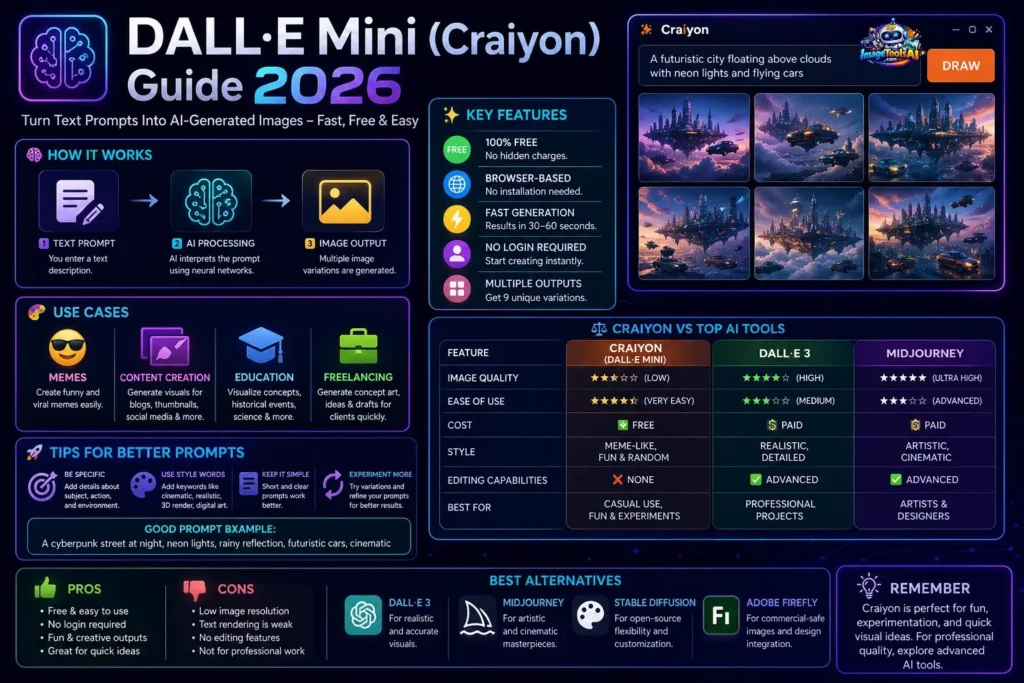
| Feature | Craiyon | DALL·E 3 | MidJourney |
| Quality | Low | High | Ultra High |
| Ease of Use | Very Easy | Medium | Advanced |
| Cost | Free | Paid | Paid |
| Style | Meme-like | Realistic | Artistic |
| Editing | None | Advanced | Advanced |
Final Insight:
- Craiyon → Casual experimentation
- DALL·E 3 → Professional realism
- MidJourney → Artistic mastery
Best Alternatives to Craiyon
DALL·E 3
Highly realistic AI image generation
MidJourney
Best for cinematic and stylized visuals
Stable Diffusion
Open-source customization flexibility
Leonardo AI
Ideal for game assets and concept art
Adobe Firefly
Best for commercial-safe AI content creation
Tips to Get Better Results in Craiyon
- Use descriptive and clear prompts
- Add artistic keywords like “cinematic” or “realistic.”
- Avoid overly complex sentences
- Experiment with multiple variations
- Focus on simplicity over length
How People Make Money Using Craiyon
Even with limitations, Craiyon can be monetized indirectly:
- YouTube thumbnail creation
- Meme page monetization
- Blog illustration assets
- Freelance micro-gigs
- Social media content design
Future of Craiyon in 2026
Craiyon is unlikely to become a professional-grade tool, but it still has a niche future.
Possible improvements may include:
- Enhanced image quality
- Faster rendering systems
- Better prompt understanding
- Possible integration with video generation
However, its core identity will likely remain:
A fun, experimental AI creativity tool rather than a professional design platform.
FAQs
A: Yes, Craiyon remains completely free to use.
A: No, DALL·E 3 is significantly more advanced and realistic.
A: It is not recommended due to inconsistent quality and unclear licensing structure.
A: DALL·E 3 and MidJourney are the strongest alternatives.
A: Because it uses an older AI architecture with limited optimization capabilities.
Conclusion
From nothing more than an online experiment, DALL·E Mini – later known as Craiyon – quietly opened doors for regular people to play with AI-made images. Its rise wasn’t loud, yet today it stands familiar to many along the journey of creative tech. By 2026, it will still hold steady, offering students, new learners, or just curious minds a way to shape words into pictures, free from complex setups. Though basic, its value lies in simplicity, working without demands.
Today’s scene looks nothing like it did just a while back. Tools such as DALL·E 3 have raised the bar fast – so has MidJourney, along with Stable Diffusion XL and even Adobe Firefly. Image clarity leaped forward. Understanding what users ask for? Much sharper now. Output fits right into pro workflows. When placed beside them, Craiyon trails behind. Details lack sharpness. Realism feels out of reach. Shaping ideas exactly how you want? Not so much.
Even so, dismissing it would miss the point. Not built to challenge top-tier tools, Craiyon leans toward ease, trial runs, and a bit of play. Creativity shows up here, relaxed – no rush, no stakes. For first-timers testing AI-made visuals, this space opens quietly.
Final Takeaway
- Craiyon = Easy, free, experimental creativity tool
- Modern AI tools = Advanced, realistic, professional solutions
Starting with AI images? Craiyon can help at the beginning. Yet aiming for pro work means stronger software fits better. Moving up makes sense when quality matters most.











