Introduction
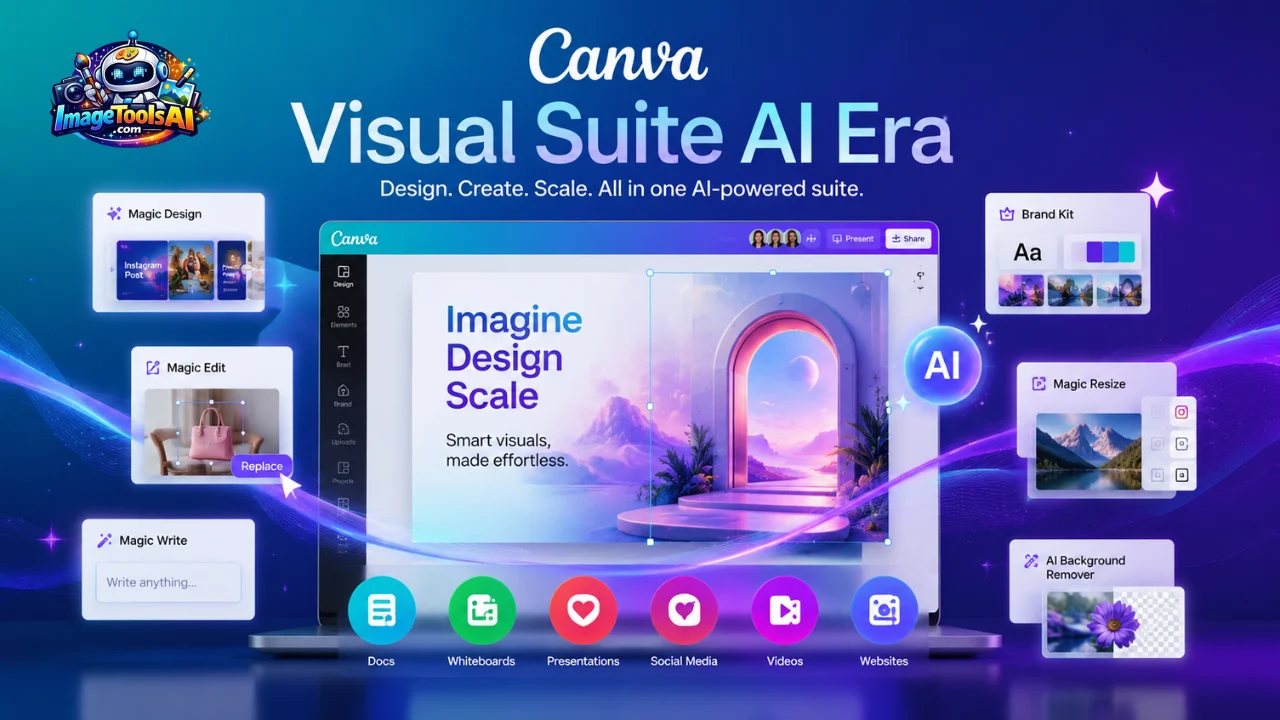
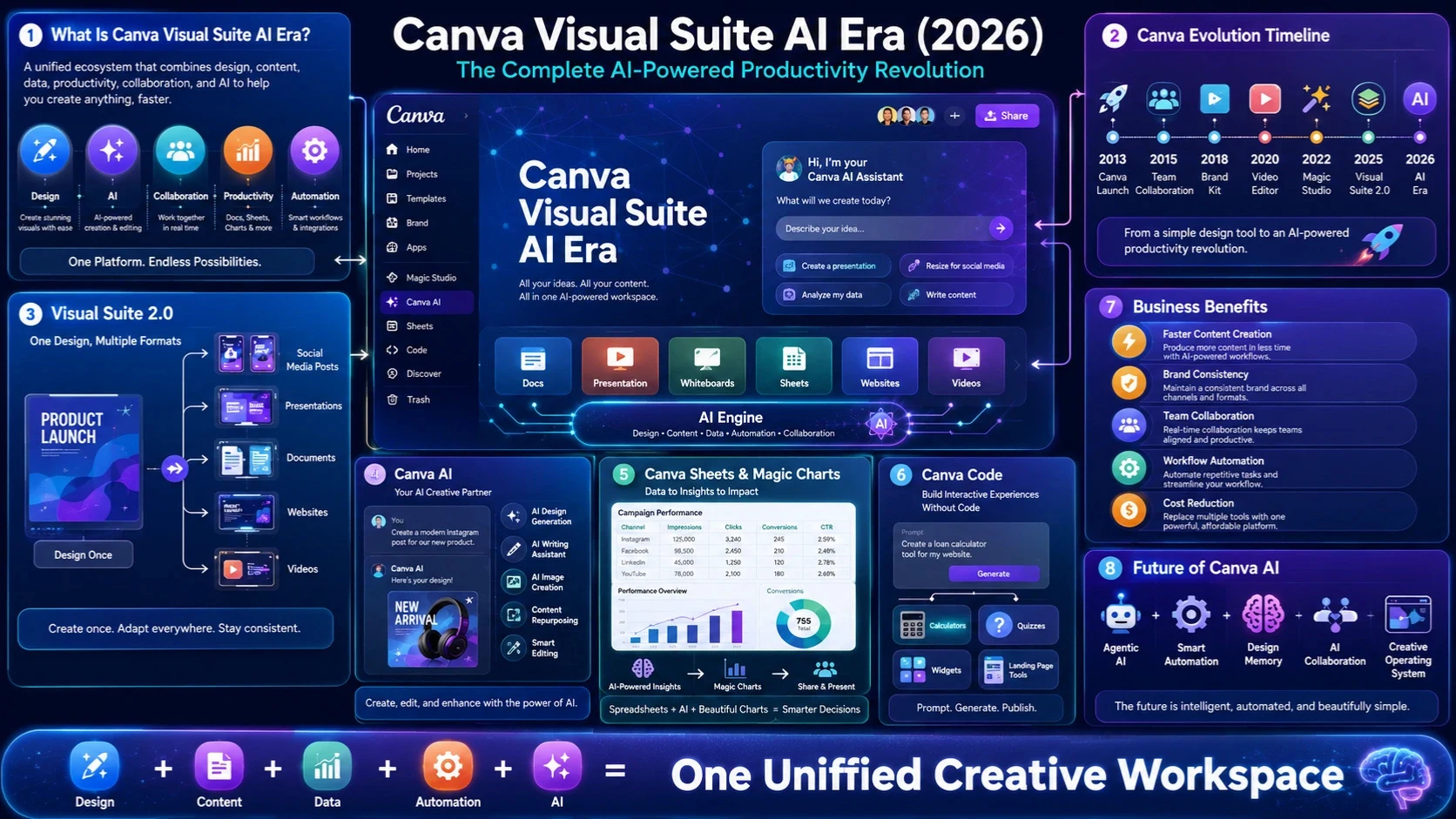
These days, Canva isn’t just about quick graphics anymore. Once seen as a go-to for basic layouts, it now reaches further – spreading into broader tasks. Its latest shift arrives through the Canva Visual Suite AI Era, pulling together once-separated functions. Instead of staying narrow, it blends making visuals with teamwork tools, smart automation, charts, code bits, slides, outreach materials, plus layout work – all inside one place. What started small has quietly grown around users, folding more power into familiar clicks.
Now everything fits in a single space, powered by smart tech. A big move forward for Canva – maybe the biggest yet. Jumping from app to app used to be normal: write here, design there, plan somewhere else. Not anymore. All those steps live together now, linked, smoother, guided quietly behind the scenes. One place does what once needed five.
From marketers to students, understanding how Canva uses AI these days means tasks take less time. It isn’t just about speed – fewer tools are needed now, which cuts expenses. Creative steps link together more smoothly than before. Teachers, freelancers, and even small business owners notice the shift. For creators shaping visuals daily, it changes how they plan their workflow.
Start strong. This full walkthrough covers Visual Suite 2.0 alongside Canva AI, then shifts into Canva Sheets and how they link with Canva Code. Automation workflows appear next because real-world business uses matter just as much. Pricing shows up early since it shapes decisions. Benefits pop in, but so do limits – no ignoring downsides. The last stretch peers ahead, asking where this whole system might go once AI pushes further inside. Length matches exactly.
What Is Canva Visual Suite AI Era?
Canva Visual Suite AI Era is Canva’s vision for combining design, productivity, collaboration, and artificial intelligence into one unified workspace.
Rather than offering separate tools for documents, presentations, social media graphics, spreadsheets, websites, videos, and AI generation, Canva connects them inside a single ecosystem.
The goal is simple:
- Reduce workflow friction
- Eliminate software switching
- Improve collaboration
- Accelerate content production
- Enable AI-assisted creativity
Instead of creating individual assets manually, users can generate, edit, repurpose, and publish content through conversational AI workflows.
Why It Matters
Traditional creative workflows often involve:
- Google Docs
- PowerPoint
- Excel
- Photoshop
- Figma
- Social scheduling tools
Canva aims to replace much of that complexity through an integrated AI-powered workspace.
Quick Summary
| Traditional Workflow | Canva AI Era |
| Multiple apps | Single platform |
| Manual production | AI-assisted creation |
| Separate teams | Collaborative workspace |
| Repetitive tasks | Automated workflows |
| Multiple subscriptions | Unified ecosystem |
Understanding Canva’s Evolution from Design Tool to AI Platform
Canva’s transformation didn’t happen overnight.
Initially, Canva focused on making graphic design accessible to non-designers. Over time, the company expanded into presentations, video editing, websites, whiteboards, and collaborative workspaces.
The AI Era represents the next stage of this evolution.
Design Simplification
Canva made professional-looking designs accessible to everyone.
Creative Collaboration
The platform added team collaboration features, templates, and brand management tools.
AI Integration
Magic Studio introduced:
- AI writing
- AI image generation
- AI editing
- AI enhancement
Visual Suite AI Era
Now Canva is integrating:
- Design
- Content
- Data
- Automation
- Coding
- AI assistance
into a single workflow system.
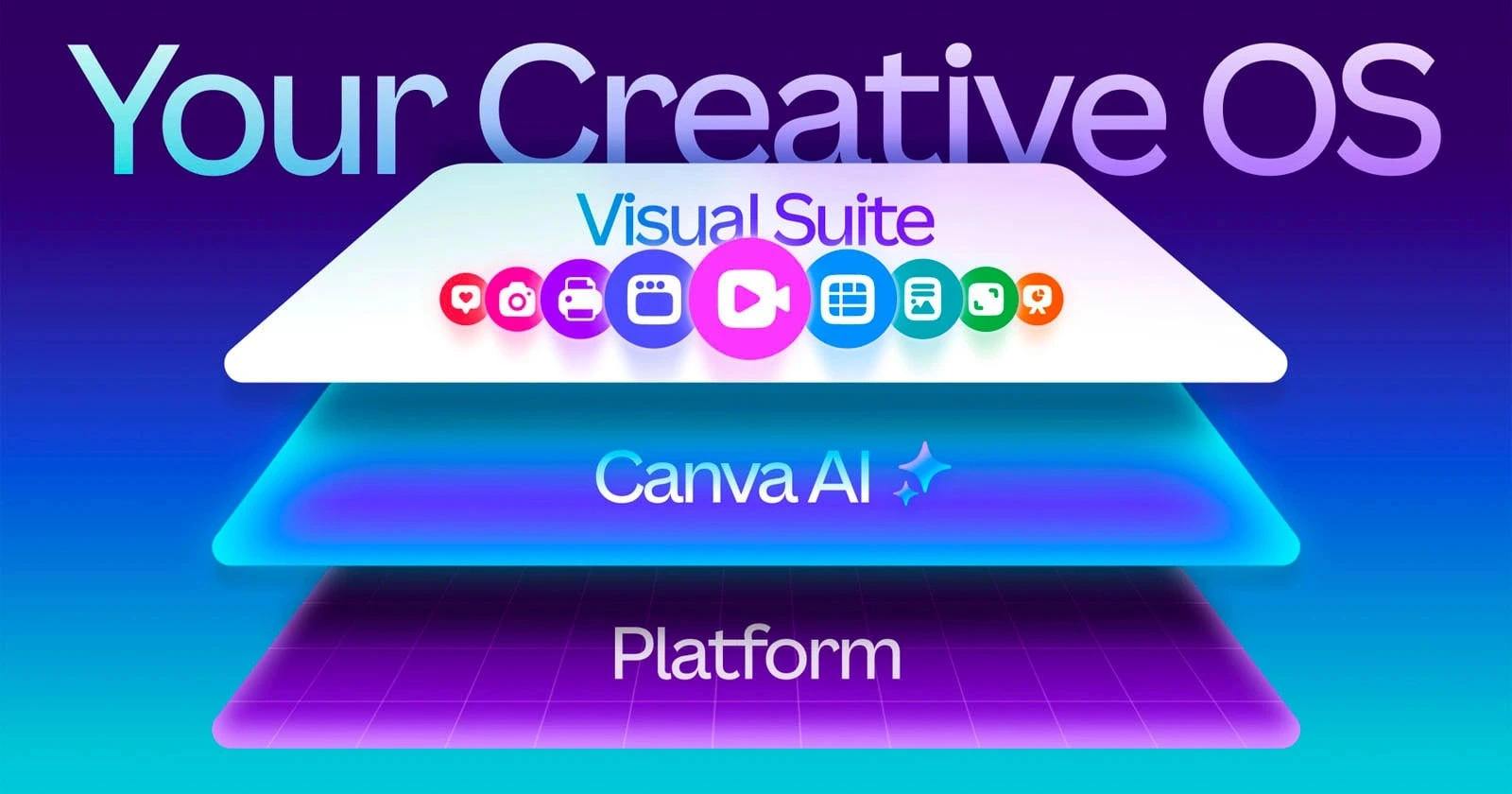
The result is a platform that functions more like a creative operating system than a traditional design application.
The History of Canva Visual Suite
Understanding Canva’s journey helps explain why the AI Era is such an important milestone.
| Year | Milestone |
| 2013 | Canva Launch |
| 2015 | Team Collaboration Features |
| 2018 | Brand Kit Expansion |
| 2020 | Video Editing Launch |
| 2022 | Magic Studio Introduction |
| 2023 | AI Feature Expansion |
| 2025 | Visual Suite 2.0 |
| 2026 | Canva AI Era Evolution |
Key Turning Point
The introduction of AI fundamentally changed Canva’s direction.
Instead of focusing solely on design creation, Canva began solving broader productivity challenges.
This positioned Canva to compete not only with design software but also with productivity and collaboration platforms.
Core Components of Canva Visual Suite AI Era
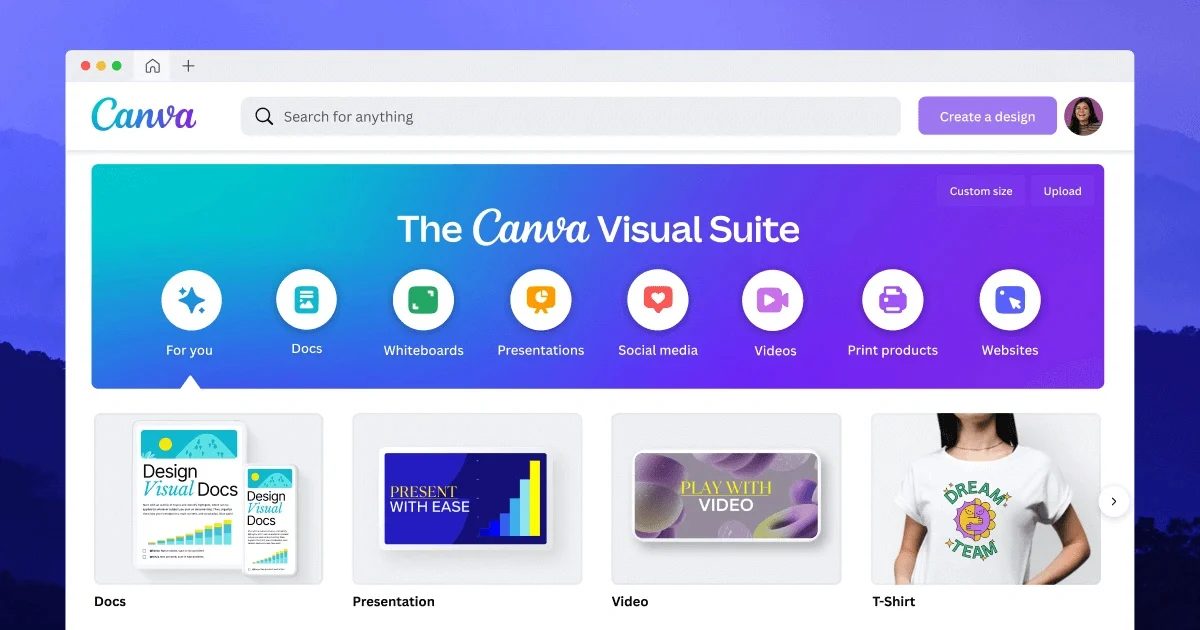
The Visual Suite combines multiple Canva products into one interconnected workspace.
Canva Docs
AI-assisted document creation for:
- Reports
- Meeting notes
- Marketing plans
- Educational Materials
Canva Presentations
Create presentations directly from documents, prompts, or existing content.
Canva Whiteboards
Collaborative brainstorming and planning.
Canva Websites
Build responsive websites without coding.
Canva Video
Produce marketing videos, tutorials, and social content.
Social Content Tools
Design and publish content across multiple platforms.
Brand Management
Maintain consistency across all assets.
AI Integration
Connect AI capabilities throughout every workflow.
Why This Matters
Instead of moving files between applications, everything remains connected inside one ecosystem.
Visual Suite 2.0 Explained
Visual Suite 2.0 is one of Canva’s biggest productivity innovations.
The concept revolves around One Design, Multiple Formats.
Traditional Content Creation
A marketing team might create:
- Blog graphics
- Social posts
- Presentations
- Reports
- Videos
Each asset often requires separate production.
Visual Suite 2.0 Approach
A single project can generate:
- Social media content
- Slide decks
- Documents
- Websites
- Videos
without rebuilding assets from scratch.
Benefits
- Faster production
- Better consistency
- Reduced duplication
- Improved collaboration
Example
A product launch campaign can automatically extend into:
- Instagram posts
- Presentation decks
- Landing pages
- Internal reports
using the same design ecosystem.
Canva AI Explained
At the center of the AI Era sits Canva AI.
Canva AI allows users to create and edit content through natural language prompts.
Core Functions
Design Generation
Create layouts instantly.
Content Writing
Generate:
- Blog outlines
- Marketing copy
- Captions
- Product descriptions
Image Creation
Generate visuals from prompts.
Content Repurposing
Transform one asset into multiple formats.
Editing Assistance
Improve designs automatically.
Why Canva AI Is Different
Unlike standalone AI tools, Canva AI is integrated directly into creative workflows.
Users can generate content and immediately refine it inside the design environment.
Canva AI 2.0 and Conversational Design
One of Canva’s most ambitious goals is conversational design.
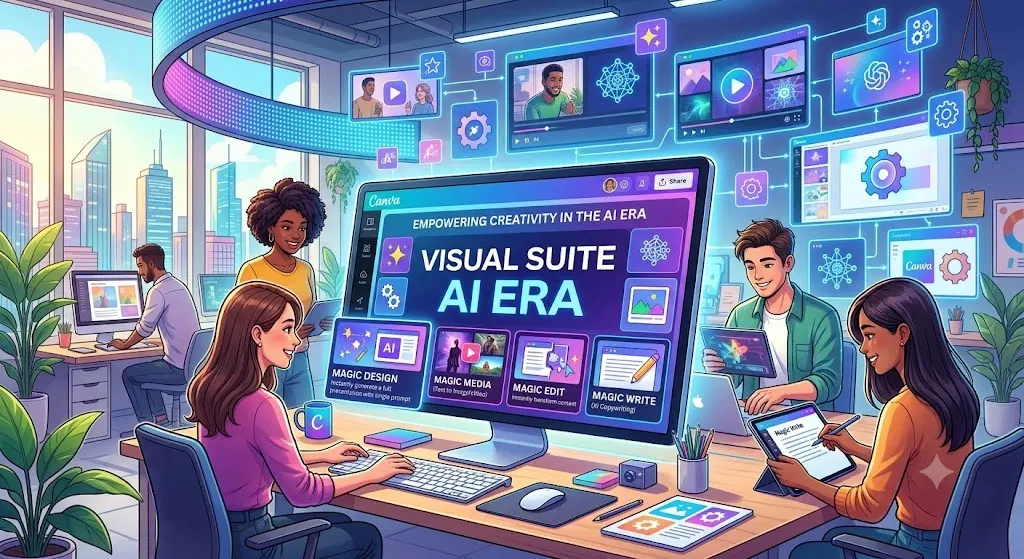
Instead of manually dragging elements, users increasingly communicate with AI through natural language.
Example Prompt
“Create a product launch presentation using my brand colors and convert it into social media content.”
The AI can:
- Build slides
- Generate copy
- Create visuals
- Adapt layouts
Key Innovations
Context Awareness
The AI understands the project context.
Workflow Assistance
It recommends the next steps.
Design Suggestions
Provides layout improvements automatically.
Multi-Format Creation
Converts content into different formats.
Benefits
- Reduced learning curve
- Faster production
- Better accessibility
- Improved productivity
This represents a major shift from traditional design software.
Canva Sheets and Magic Chart
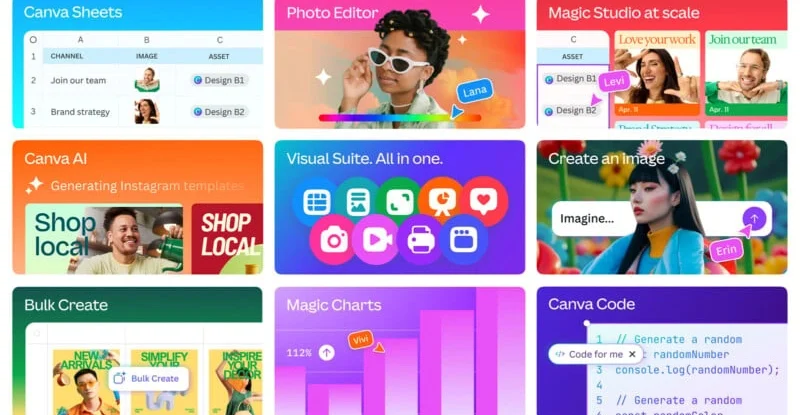
Canva Sheets combines spreadsheets with AI-powered productivity.
Features
- Data organization
- Content planning
- Marketing calendars
- AI assistance
- Workflow automation
Use Cases
- Campaign management
- Editorial planning
- Product databases
- Social scheduling
Magic Charts
Magic Charts transforms raw data into visual stories.
Benefits
- Easier reporting
- Better presentations
- Faster chart creation
- Improved communication
Popular Chart Types
- Bar charts
- Line graphs
- Pie charts
- Comparison charts
- Infographics
Why It Matters
Most professionals struggle to communicate data effectively.
Magic Charts simplifies data visualization for non-technical users.

Canva Code and Interactive Experiences
Canva Code is one of the newest additions to the Visual Suite ecosystem.
It enables users to create interactive experiences through prompts rather than traditional coding.
What Canva Code Can Create
- Calculators
- Interactive quizzes
- Learning tools
- Business widgets
- Web experiences
Business Applications
Companies can quickly develop:
- Lead generation tools
- Product selectors
- ROI calculators
- Interactive landing pages
Educational Applications
Teachers can build:
- Assessments
- Interactive lessons
- Learning activities
Advantages
- Faster Development
- Lower technical barriers
- Increased creativity
- Better engagement
Canva Code represents Canva’s move beyond design into software-assisted creation.
Canva AI Era for Businesses, Marketers, and Creators
The Visual Suite AI Era impacts nearly every type of user.
Marketing Teams
Benefits include:
- Campaign production
- Content repurposing
- Brand consistency
- Faster execution
Businesses
Advantages include:
- Internal communications
- Sales materials
- Training content
- Brand management
Content Creators
Creators can produce:
- YouTube assets
- Blog graphics
- Pinterest content
- Social media campaigns
Educators
Teachers can create:
- Lesson plans
- Presentations
- Learning materials
- Interactive experiences
Agencies
Agencies gain:
- Faster client delivery
- Team collaboration
- Scalable workflows
- Centralized assets
Mini Summary
The AI Era isn’t just for designers. It benefits virtually anyone involved in content creation, communication, education, or marketing.
Canva Visual Suite AI Era Pricing, Pros, and Cons
Pricing Overview
| Plan | Best For |
| Free | Beginners |
| Pro | Individuals |
| Teams | Collaboration |
| Enterprise | Large Organizations |
Pricing structures may change over time, so always verify through Canva’s official website.
Pros
Unified Platform
Everything exists in one ecosystem.
AI-Powered Workflows
Automation reduces manual work.
Collaboration
Excellent team features.
Ease of Use
Beginner-friendly interface.
Multi-Format Creation
Repurpose content efficiently.
Cons
Learning Curve
The growing feature set can feel overwhelming.
AI Limitations
Generated content still requires human review.
Credit Restrictions
Some AI features may have usage limits.
Advanced Design Constraints
Professional designers may still require specialized tools.
Future of Canva’s AI Era
The future of Canva appears focused on intelligent, context-aware productivity.
Emerging Trends
Agentic AI
AI systems that complete multi-step tasks automatically.
Personalized Design Memory
Remembering user preferences and brand guidelines.
Advanced Automation
End-to-end workflow management.
Smarter Collaboration
AI-powered team coordination.
Creative Operating Systems
Unified environments for planning, creating, and publishing.
What to Expect
Future Canva updates may increasingly blur the lines between:
- Design software
- Productivity platforms
- AI assistants
- Content management systems
People Also Ask
Canva Visual Suite AI Era is Canva’s AI-powered ecosystem that combines design, content creation, collaboration, spreadsheets, presentations, coding, and workflow automation in one platform.
Canva offers some AI capabilities within its free plan, but advanced features and higher usage limits are generally available through paid plans.
Visual Suite 2.0 allows users to create multiple content formats from a single design workspace, improving efficiency and consistency.
Canva Code is a prompt-based feature that helps users create interactive experiences such as calculators, quizzes, and widgets without traditional coding.
For many everyday users, Canva can replace several Adobe workflows. However, advanced designers may still prefer specialized Adobe applications for complex projects
Featured Image Prompt
“Futuristic Canva Visual Suite AI Era dashboard, AI-powered design workspace, Canva Sheets, Magic Charts, Canva Code, presentations, automation workflows, blue-purple gradient UI, glassmorphism elements, modern SaaS interface, professional technology illustration, ultra-detailed, 1280×720”
Pinterest Title
Canva Visual Suite AI Era (2026): Complete Guide to Canva AI, Visual Suite 2.0 & Productivity Workflows
YouTube Video Title
Canva Visual Suite AI Era Explained: Visual Suite 2.0, Canva AI, Sheets & Code (2026)
Conclusion:
Now shaping up as more than just image editing software, Canva blends visuals with smart tools across tasks. Instead of sitting apart like older apps once did, it grows into an ecosystem where work flows between formats. Pages form alongside slides, charts appear next to code snippets, and teamwork happens without switching windows. One space holds video edits, site builds, and number crunching – all linked smoothly underneath. Automation hums quietly while people move freely from task to task. This isn’t about replacing old methods but folding them into something smoother, faster, and less fragmented.
Most find Canva useful because it simplifies messy processes. One tool handles tasks that once needed several separate apps – writing, designing, showing work, sharing content – all linked together now. Tools such as Visual Suite 2.0, Canva AI, and Canva Sheets let people move more quickly through projects. Magic Charts turns data into visuals without hassle. Even coding becomes easier using Canva Code. Teams stay aligned visually, keep styles uniform, and produce cleaner results. Speed improves, yet the look stays sharp.
Starting simply, folks who make stuff online – like teachers, brands, new companies, teams, or solo creators – can use Canva to work with smart tech fast, even if they know nothing about coding. Though experts tackling big jobs might stick to niche software, this platform wraps up design, teamwork, and automation neatly into one spot that just works when putting things together daily.