Introduction
These days, figuring out Midjourney means more than sending a basic message on Discord. What started simply now powers a whole workflow – artists lean on it, brands tap into its speed, teams generate sharp images fast. By 2026, typing prompts will be only the beginning. Real results come from shaping the process, Tweaking Each Step. Visuals appear nearly instantly, built not by luck but by method.
Most people start with Midjourney by typing just /imagine, then stop there – yet that’s barely the beginning. This tool ranks among today’s strongest for generating images with artificial intelligence. New users often miss how prompts shape results, treating them as afterthoughts instead of keys. Trying again matters more than getting it right the first time. Features beyond the starting point stay hidden unless explored slowly, piece by piece.
This one solves the problem.
Picture making visuals, then shaping your mind like an experienced creator who crafts clear directions for AI. Start by forming step-by-step cues that guide results with purpose. Tweak each outcome until it fits what you imagined. Work with Midjourney to build logos, video previews, or early-stage designs. See how small changes sharpen the final piece. Build skills through doing, not just watching.
Eventually, operating Midjourney becomes second nature
It will respond as if you’re shaping something by hand.
What Is Midjourney?
Pictures come from words, thanks to Midjourney – a tool running on artificial intelligence. It builds each image step by step, guided by descriptions people type. Diffusion models handle the heavy lifting behind the scenes. Instead of drawing manually, users describe what they want. Step after step, noise fades into clear details. What begins as randomness slowly becomes something recognizable.
Not like old-school tools such as Photoshop – there’s no hand drawing here. Your words shape the image now, spoken plainly. The machine reads what you type, then builds from that thought alone
- Subject
- Style
- Lighting
- Composition
- Artistic direction
Simple Definition:
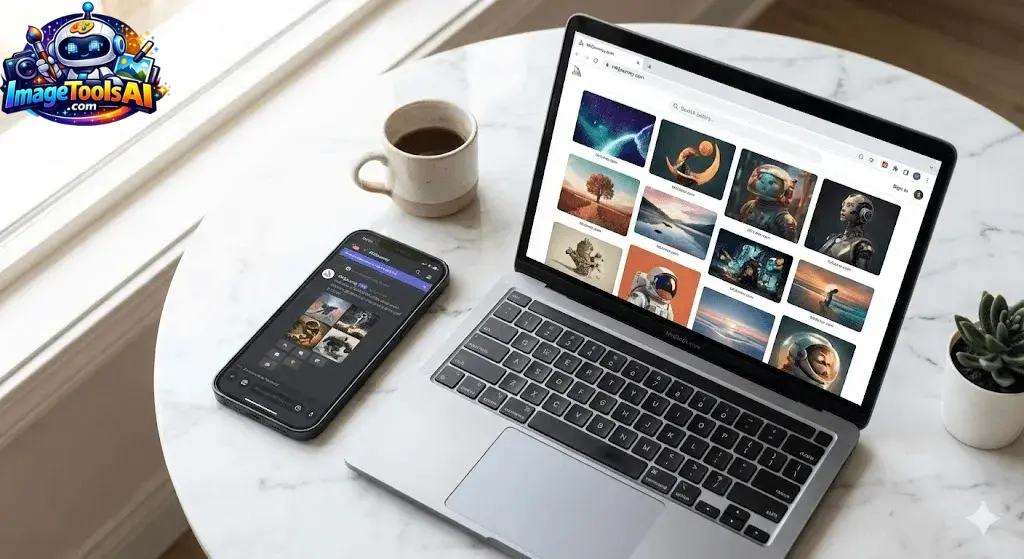
Midjourney is a text-to-image AI tool that creates artwork from prompts inside Discord.
How Midjourney Works
Midjourney uses a diffusion-based AI model:
- Starts with random noise
- Gradually refines it
- Matches your prompt description
- Produces 4 image variations
What happens behind the scenes:
- Natural language understanding (prompt parsing)
- Style interpretation
- Image reconstruction through AI training data
Quick Summary:
You type → AI interprets → AI generates 4 visuals → You refine results
Why Midjourney Matters in 2026
Midjourney is now widely used because:
- It replaces stock images in marketing
- It speeds up creative workflows
- It reduces design costs
- It helps freelancers scale output
- It enables non-designers to create professional visuals
Industries using it:
- Digital marketing
- Game development
- YouTube content creation
- E-commerce branding
- Advertising agencies
Key Features of Midjourney
| Feature | Description |
| Text-to-Image | Generate images from prompts |
| Upscaling | Improve resolution and detail |
| Variations | Create alternate versions |
| Style Reference | Maintain consistent art style |
| Inpainting | Edit specific image parts |
| Discord Integration | Fully bot-based system |
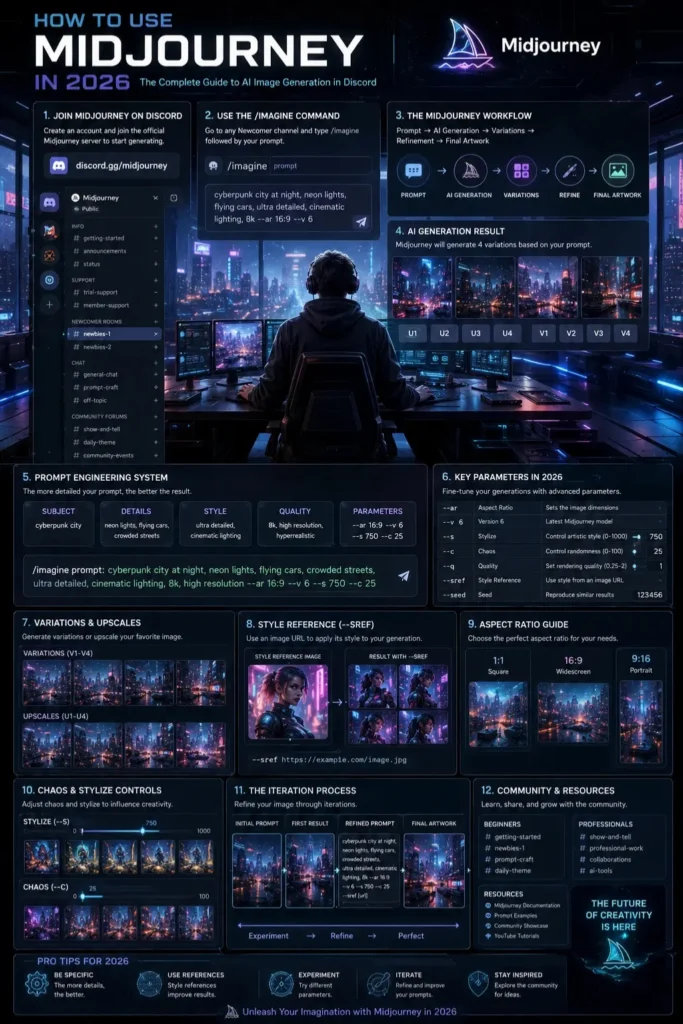
Step-by-Step: How to Use Midjourney
Join Discord
Midjourney works through Discord.
- Create a Discord account
- Join the Midjourney server
- Access beginner channels
Open a Generation Channel
Look for channels like:
- #newbies
- #general
- #image-generation
Use the /imagine Command
Basic structure:
/imagine prompt: futuristic city at sunset, cinematic lighting
The AI generates 4 images.
Understand Your Results
Each output includes:
- 4 variations
- Grid Preview
- Buttons for U (upscale) and V (variation)
Upscale or Iterate
You can:
- Upscale → increase detail
- Variation → create new versions
- Reroll → regenerate prompt
Midjourney Prompt Formula
A strong prompt follows a structure:
Subject + Style + Lighting + Camera + Details
Example:
cyberpunk samurai, neon city, cinematic lighting, 35mm lens, ultra-detailed, fog atmosphere
Why this works:
- Subject defines focus
- Style controls aesthetics
- Lighting sets the mood
- Camera defines realism
- Details improve output quality
Midjourney Parameters Explained
Aspect Ratio
Controls image shape:
| Value | Result |
| ar 1:1 | Square |
| ar 16:9 | Wide cinematic |
| ar 9:16 | Mobile portrait |
Stylize
Controls creativity level:
- Low → realistic output
- High → artistic interpretation
Chaos
Controls randomness:
- 0–20 → stable results
- 50+ → experimental visuals
Version
Selects AI model version:
- V6 → most realistic
- V5 → balanced creativity
Advanced Features Most Beginners Miss
Image Prompting
Upload an image to guide the generation style.
Style Reference (–sref)
Keeps consistent visual identity across images.
Character Consistency
Maintain the same character across scenes.
Inpainting (Vary Region)
Edit only part of the image instead of regenerating everything.
Pro Workflow System
Step-by-step workflow:
- Idea creation
- Prompt drafting
- Generate 4–8 outputs
- Select the best image
- Refine prompt
- Repeat iteration
Why it matters:
Professionals never stop at the first result—they refine continuously.
Best Use Cases of Midjourney
Branding & Marketing
Create ads, logos, and product visuals
YouTube Thumbnails
High CTR visuals with dramatic lighting
Concept Art
Game worlds, characters, environments
E-commerce
Product mockups before production
Pricing Plans
| Plan | Features |
| Basic | Limited generations |
| Standard | Faster generation + more usage |
| Pro | Commercial usage + stealth mode |
| Mega | High-volume creators |
Pros and Cons
Pros
- Extremely high-quality outputs
- Fast generation
- Great artistic control
- Powerful community
Cons
- Requires Discord
- Paid subscription
- Learning curve for prompts
Best Alternatives
- DALL·E
- Stable Diffusion
- Adobe Firefly
- Leonardo AI
Tips to Get the Best Results
- Always specify lighting
- Add camera terms (35mm, cinematic)
- Use style references
- Iterate multiple times
- Save good prompts
Common Mistakes to Avoid
- Writing short prompts
- Ignoring parameters
- Expecting perfect results instantly
- Not iterating outputs
- Overloading prompts with unnecessary words
Who Should Use Midjourney?
- Designers
- Marketers
- Content creators
- Freelancers
- E-commerce sellers
Who Should Avoid It?
- Users expecting fully automated perfection
- People are unwilling to learn prompting
- Non-creative users needing strict templates
Realistic Expectations
Midjourney is powerful, but not magic.
It still requires:
- Good prompts
- Iteration
- Creative direction
People Also Ask
A: Beginners start by joining Discord, using /imagine, and generating basic prompts. The key is learning how prompt structure improves results.
A: No, it operates on a subscription model with different tiers based on usage.
A: Yes, all image generation happens inside Discord channels.
A: Use structured prompts, include lighting/camera details, and iterate multiple times.
A: Yes, but commercial usage depends on your subscription plan and platform policies.
Featured Image Prompt
“A futuristic digital workspace showing a creator using Discord on a glowing screen, surrounded by AI-generated artwork, cinematic lighting, ultra-detailed, cyberpunk aesthetic, modern UI design”
Social Media Captions
- “Master Midjourney in 2026 with this complete beginner-to-pro guide 🚀”
- “Stop guessing prompts—learn how AI artists really use Midjourney 🎨”
- “From basic images to pro-level AI art workflows in minutes ⚡”
Pinterest Title
Ultimate Midjourney Guide 2026: Learn AI Image Creation Like a Pro
YouTube Video Title
How to Use Midjourney (2026) – Complete Beginner to Advanced Tutorial
AI Overview Snippet Answer
Midjourney is an AI image generation tool that creates visuals from text prompts inside Discord. Users type a description, and the system generates four image variations. You can upscale, remix, or refine outputs using prompts and parameters like aspect ratio, stylization, and chaos.
You do not have enough Humanizer words left. Upgrade your Surfer plan.
Conclusion
Midjourney in 2026 isn’t simply pushing buttons for pictures – creativity flows through structured steps, shaping ideas with precision. Instead of guessing, users guide outcomes using /imagine at first, then grow into smarter prompts over time. Style references enter the process later, nudging visuals toward a chosen mood or texture. Editing inside images becomes possible once inpainting tools appear in the toolkit. Control shifts from random results to deliberate choices, one adjustment after another. Visual stories gain strength when each layer answers a clear intention.
What really shifts things happens after basic prompts fade out. Moving into organized steps changes how results feel – tweaking what comes out, trying different versions here and there, shaping each piece with a steady look for identity work, Written Material, or company needs.
Starting? Keep things basic. Learn how prompts work first. Freelancers might want steady results fast – try again and again until it clicks. Marketers or designers could benefit from quick cycles of change and review. Business users may find Midjourney useful – ads, product images, bold ideas – all possible with practice.
One step ahead today might mean falling behind tomorrow, given how quickly Midjourney is moving. Before diving into big jobs or selling anything made with it, look up what’s new straight from the source.
Curious about what else is out there? Head over to ImageToolsAI.com – new tools pop up every week, each one shifting how creators work. Jump into fresh guides whenever inspiration runs low. Comparisons sit ready, breaking down choices without the noise. The landscape changes fast, yet this spot keeps pace, quietly helping those who look. Stay sharp by checking in, not because you must, but because it makes sense.











