Introduction
Midjourney is a leading AI tool for creating cinematic visuals, realistic portraits, anime art, and concept designs using text prompts. In 2026, many users still search for its free trial, but the platform no longer offers a public free version.
Instead, users can access only a limited set of Promotional Methods or use alternative AI tools before subscribing.
This guide covers everything about Midjourney, including how it works, prompt engineering, pricing, workflows, commercial use, and the best alternatives such as DALL·E and Stable Diffusion.
You’ll also learn how creators use AI for freelancing, YouTube, marketing, and digital business, along with practical tips for better AI art generation and platform comparisons.
What Is Midjourney?
Midjourney is an advanced artificial intelligence image generator that converts written text prompts into highly detailed digital artwork.
Users simply type a visual description, and the AI produces original images within seconds.
The platform became globally popular because of its:
- Cinematic image quality
- Hyper-realistic rendering
- Atmospheric lighting
- Fantasy environments
- Anime aesthetics
- Fashion visuals
- Product advertisement concepts
- Architecture visualization
- Social media graphics
- YouTube thumbnail generation
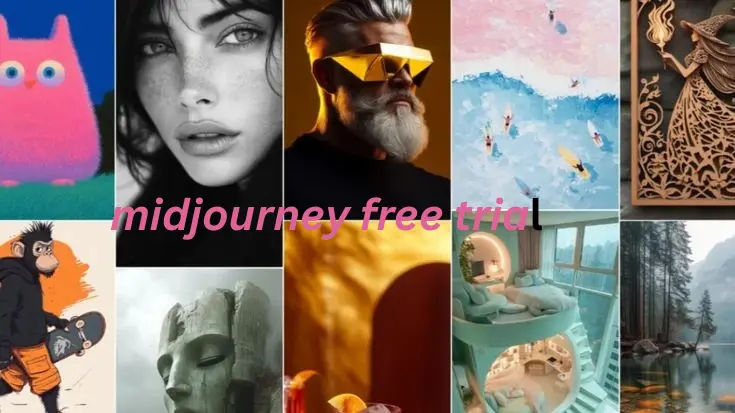
Unlike many AI tools focused purely on productivity, Midjourney emphasizes emotion, storytelling, composition, artistic depth, and visual atmosphere.
Its outputs often resemble movie scenes, luxury advertising campaigns, and professional photography.
Why Midjourney Became So Popular
Midjourney expanded rapidly because its generated visuals often appear more cinematic and emotionally powerful than competing AI generators.
Hyper-Realistic AI Art
Midjourney creates realistic:
- Skin textures
- Reflections
- Shadows
- Environmental depth
- Material surfaces
- Natural lighting effects
The realism level frequently resembles DSLR photography or high-budget CGI production.
Cinematic Lighting
The platform excels at:
- Volumetric lighting
- Rim lighting
- Golden-hour illumination
- Dramatic contrast
- Neon reflections
- Moody environments
- Atmospheric fog effects
This cinematic appearance is one of Midjourney’s biggest competitive advantages.
Faster Creative Workflow
Designers can generate dozens of concepts within minutes instead of spending hours manually sketching ideas.
Creative professionals now use AI-assisted workflows for:
- Advertising campaigns
- Storyboarding
- Brand visualization
- Mood boards
- Thumbnail concepts
- Product mockups
Massive Community Ecosystem
Millions of creators share prompts and workflows through:
- Discord communities
- Reddit discussions
- X (Twitter)
- YouTube tutorials
- TikTok videos
This strong ecosystem accelerated Midjourney’s adoption worldwide.
Commercial Business Applications
Businesses now use Midjourney for:
- Marketing visuals
- Social media campaigns
- Print-on-demand products
- Website banners
- Brand concept art
- E-commerce advertisements
- Product photography simulations
AI-generated visuals significantly reduce creative production costs.
How To Use Midjourney for Free in 2026
Although permanent public trials are mostly unavailable, users can still experience Midjourney-style AI art generation through several methods.
Niji Journey Trial Access
Niji Journey is closely associated with the Midjourney ecosystem and specializes in anime-inspired illustrations.
It focuses heavily on:
- Manga artwork
- Stylized anime portraits
- Fantasy character creation
- Japanese-inspired visuals
- Vibrant illustration aesthetics
Occasionally, onboarding campaigns may provide:
- Limited free generations
- Trial rendering credits
- Temporary promotional access
This option is especially valuable for anime creators and social media artists.
Temporary Community Promotions
Midjourney occasionally launches promotional campaigns through:
- Discord partnerships
- Influencer collaborations
- Creator sponsorships
- Beta testing programs
- Community onboarding events
These promotions sometimes provide:
- Free image generations
- Early web-access testing
- Experimental feature access
- Trial Rendering Sessions
Following AI communities online can help users discover these opportunities quickly.
Educational Access Programs
Some schools, universities, and digital media institutions provide Midjourney access to students.
Educational organizations experimenting with AI-assisted creativity may include Midjourney inside:
- Graphic design programs
- AI workshops
- Digital marketing courses
- Visual storytelling classes
- Creative media education
Students sometimes gain shared educational access through institutional subscriptions.
Shared Team Workspaces
Many creative agencies and design studios use collaborative Midjourney workspaces internally.
Freelancers or team members working with those organizations may indirectly access Midjourney tools through shared workflows.
This approach is common among:
- Creative agencies
- Social media companies
- Marketing teams
- Game development studios
- Branding agencies
AI Creator Bundles
Some creator platforms bundle AI image generation with:
- AI writing software
- Video editing suites
- Creator subscriptions
- Automation platforms
- Marketing tools
These bundled systems occasionally reduce overall access costs.
Midjourney Pricing Plans Explained
Midjourney currently uses a subscription-based business model.
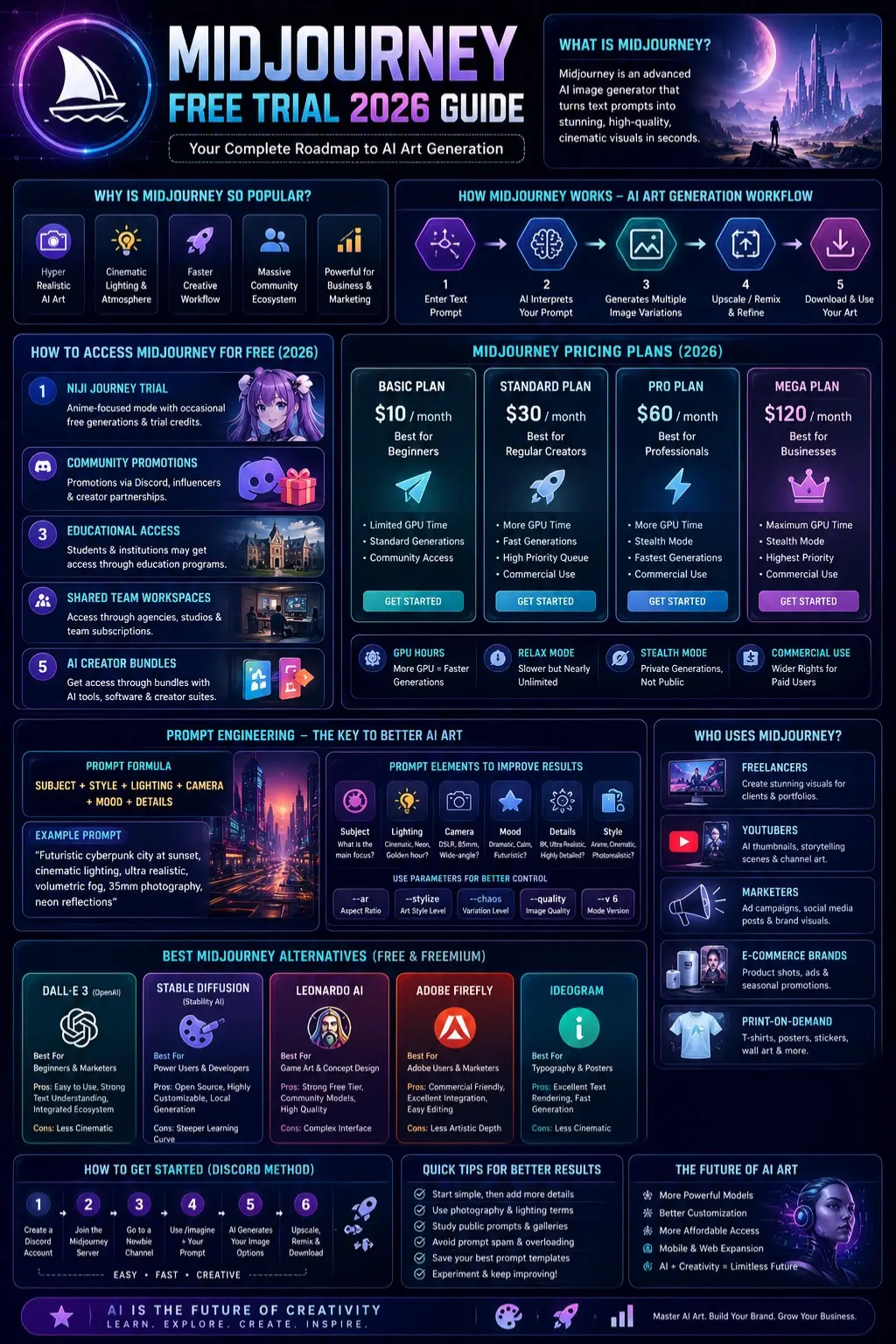
| Plan | Best For | Features |
| Basic Plan | Beginners | Limited GPU generations |
| Standard Plan | Regular creators | More rendering time |
| Pro Plan | Professionals | Faster workflows + stealth mode |
| Mega Plan | Businesses | Maximum GPU priority |
What Midjourney Plans Include
GPU Hours
Fast generations consume GPU resources. Higher plans provide more rendering time.
Relax Mode
Some plans include slower but nearly unlimited image generations.
Stealth Mode
Businesses can generate private visuals without public exposure.
Commercial Usage Rights
Paid subscribers generally receive broader commercial permissions than free-access users.
How Midjourney Works
Midjourney uses advanced machine learning and diffusion models to convert prompts into images.
The process works like this:
- Enter a text prompt
- AI interprets the description
- Multiple image variations are generated
- Users upscale or remix outputs
- Final artwork is refined
The final image quality depends heavily on prompt engineering.
How To Use Midjourney Step-by-Step
Using Midjourney Through Discord
Discord remains one of the primary access methods.
Create a Discord Account
Register a free Discord profile.
Join the Midjourney Server
Access the official Midjourney community server.
Enter a Beginner Channel
New users typically start inside newbie channels.
Use the /imagine Command
Type:
/imagine
Then enter your visual prompt.
Wait for AI Rendering
Midjourney generates multiple image options.
Upscale or Remix
Choose the strongest result and refine it further.
Understanding Midjourney Prompt Structure
Good prompts dramatically improve image quality.
Basic Prompt Formula
Subject + Style + Lighting + Camera + Mood + Detail
Example:
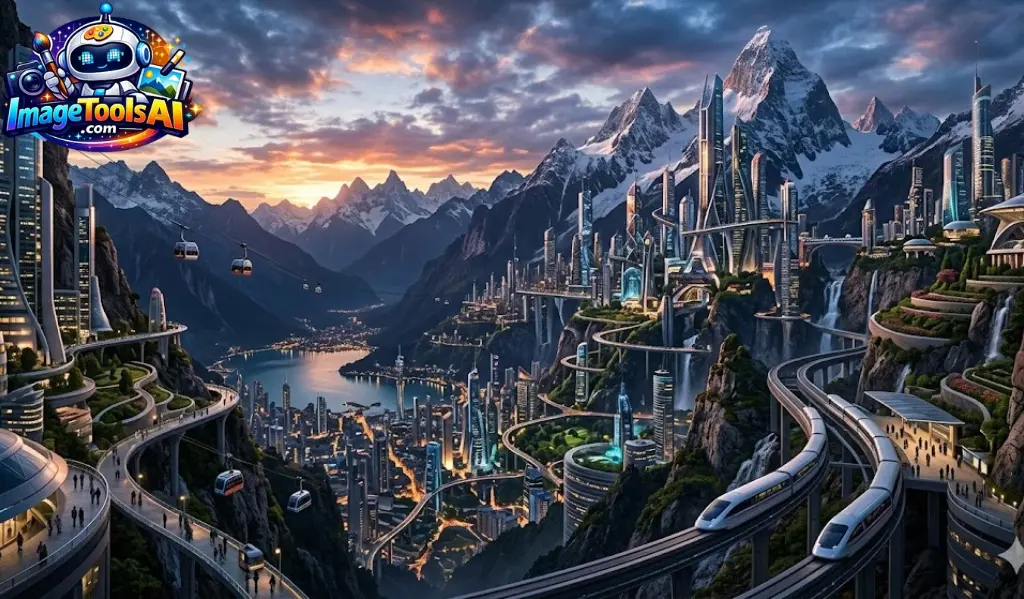
“Futuristic cyberpunk city at sunset, cinematic lighting, ultra realistic, volumetric fog, 35mm photography, neon reflections”
Best Midjourney Prompt Examples
Prompt engineering remains one of the largest ranking opportunities because users constantly search for high-performing examples.
Cinematic AI Prompt
“Epic sci-fi metropolis at night, cinematic lighting, rain reflections, neon atmosphere, ultra realistic, volumetric fog, 8k detail”
Realistic Portrait Prompt
“Professional businesswoman portrait, DSLR photography, natural skin texture, studio illumination, shallow depth of field”
Anime Prompt
“Anime warrior girl in futuristic Tokyo, vibrant neon signs, dynamic pose, highly detailed illustration aesthetic”
Product Photography Prompt
“Luxury smartwatch product photography, reflective black surface, commercial cinematic lighting, hyper realistic”
Fantasy Environment Prompt
“Ancient fantasy castle floating above clouds, golden sunrise atmosphere, dramatic cinematic environment, detailed concept art”
YouTube Thumbnail Prompt
“Gaming YouTube thumbnail, dramatic facial expression, glowing background, highly engaging cinematic composition”
Cyberpunk Prompt
“Cyberpunk hacker workspace, holographic monitors, neon reflections, atmospheric cinematic realism”
Key Features of Midjourney
Advanced Photorealism
Midjourney creates highly realistic:
- Skin textures
- Reflections
- Shadows
- Camera depth
- Lighting effects
- Environmental realism
Artistic Creativity
The platform excels at:
- Fantasy concepts
- Cinematic environments
- Fashion visuals
- Anime rendering
- Commercial advertising art
Prompt Flexibility
Users can combine:
- Camera terminology
- Color grading
- Composition rules
- Mood descriptions
- Artistic Styles
- Lighting systems
High-Resolution Upscaling
Midjourney supports detailed image enhancement suitable for commercial-quality visuals.
Large Creative Community
Public galleries and Discord channels help creators discover new prompting techniques daily.
Benefits of Midjourney for Businesses & Creators
AI-generated imagery is rapidly becoming essential across industries.
Freelancers
Freelancers use Midjourney to:
- Build portfolios
- Generate client concepts
- Create advertising visuals
- Design social media graphics
YouTubers
Creators use AI art for:
- YouTube thumbnails
- Storytelling scenes
- Branding visuals
- Channel graphics
E-commerce Brands
Businesses generate:
- Product campaigns
- Fashion advertisements
- Seasonal promotions
- Commercial branding visuals
Print-on-Demand Sellers
AI-generated art supports:
- T-shirt designs
- Posters
- Wall art
- Stickers
- Digital products
Marketing Agencies
Agencies accelerate:
- Campaign ideation
- Mood board creation
- Ad testing
- Brand concept development
Midjourney vs DALL·E vs Stable Diffusion
This comparison section is extremely important for SEO and topical authority.
| Feature | Midjourney | DALL·E | Stable Diffusion |
| Ease of Use | Easy | Very Easy | Advanced |
| Artistic Quality | Excellent | Very Good | Depends on setup |
| Photorealism | Outstanding | Strong | Variable |
| Customization | Moderate | Moderate | Extremely High |
| Open Source | No | No | Yes |
| Hardware Needed | Cloud-based | Cloud-based | Local GPU possible |
| Best For | Artistic visuals | Beginners | Power users |
Midjourney Strengths
- Exceptional cinematic rendering
- Strong atmospheric visuals
- Fast inspiration workflows
- Artistic depth
DALL·E Strengths
OpenAI developed DALL·E for accessible image generation.
Advantages include:
- Beginner-friendly interface
- Strong prompt interpretation
- Easier editing tools
- Integrated workflows
Stable Diffusion Strengths
Stability AI developed Stable Diffusion.
Advantages include:
- Open-source flexibility
- Full customization
- Local image generation
- Massive community ecosystem
Best Free Midjourney Alternatives
Many users searching for a Midjourney free trial actually need affordable or free alternatives.
DALL·E
DALL·E is ideal for beginners and marketers.
Best For
- Simple image editing
- Fast ideation
- Text-based graphics
Pros
- Easy interface
- Strong text understanding
- Integrated ecosystem
Cons
- Less cinematic than Midjourney
Stable Diffusion
Stable Diffusion is excellent for advanced creators.
Best For
- Local AI generation
- Advanced workflows
- Full customization
Pros
- Open source
- Highly flexible
- Huge community support
Cons
- Steeper learning curve
Adobe Firefly
Adobe Firefly integrates well inside creative business ecosystems.
Best For
- Marketing visuals
- Adobe workflows
- Commercial projects
Pros
- Commercial-friendly
- Strong editing integration
Cons
- Less artistic depth
Leonardo AI
Leonardo AI is rapidly growing among gaming creators.
Best For
- Fantasy artwork
- Game assets
- Concept design
Pros
- Strong free tier
- Community models
Cons
- Slightly complex interface
Ideogram
Ideogram is popular for typography rendering.
Best For
- Posters
- Branding visuals
- Social graphics
Pros
- Excellent text rendering
- Fast generation
Cons
- Weaker cinematic rendering
Step-by-Step Guide to Creating Better AI Art
Start With a Clear Subject
Describe exactly what should appear.
Weak Prompt
“Cool city”
Better Prompt
“Futuristic neon cyberpunk city during heavy rain at night.”
Add Lighting Details
Lighting dramatically improves realism.
Useful keywords:
- Cinematic lighting
- Volumetric fog
- Golden hour
- Rim lighting
- Moody shadows
Use Camera Language
Photography terminology improves image quality.
Examples:
- DSLR photography
- 85mm lens
- Bokeh
- Wide-angle shot
- Shallow depth of field
Add Mood & Atmosphere
Mood creates emotional impact.
Examples:
- Dreamy
- Futuristic
- Cozy
- Dystopian
- Dramatic
Experiment With Parameters
Use parameters like:
- –ar
- –stylize
- –chaos
- –quality
Midjourney Tips for Beginners
Start Simple
Avoid excessively complicated prompts at first.
Study Public Prompts
Learning from experienced creators improves skills quickly.
Use Photography Language
Camera terminology often increases realism.
Examples:
- DSLR
- Cinematic lighting
- 85mm lens
- Bokeh
- Depth of field
Avoid Prompt Spam
Long prompts are not always better.
Clear and focused prompts usually perform best.
Save Your Best Prompt Structures
Professional creators build reusable templates for consistency.
Midjourney Pros & Cons
| Pros | Cons |
| Exceptional artistic quality | Free trial mostly unavailable |
| Cinematic rendering | Subscription required |
| Strong photorealism | Discord can confuse beginners |
| Excellent for marketers | Limited fine control |
| Powerful creative ecosystem | AI laws are still evolving |
Future of Midjourney Free Access
The AI industry is becoming more competitive every year.
Competition from:
- Open-source AI models
- Browser-based generators
- Mobile AI applications
- Adobe integrations
- AI productivity suites
may eventually encourage Midjourney to reintroduce broader freemium options.
However, GPU infrastructure remains extremely expensive.
The future may include:
- Limited free generations
- Educational licensing
- Creator partnerships
- Ad-supported systems
- AI productivity bundles
FAQs
A: No. Midjourney is primarily subscription-based in 2026, although limited educational or promotional access opportunities may occasionally exist.
A: Some temporary methods may provide limited access, but professional usage generally requires a paid subscription.
A: Not always. Midjourney now supports web-based workflows, although Discord remains important for community interaction.
A: The Basic Plan is usually the most affordable subscription option for beginners.
A: Stable Diffusion, Leonardo AI, and DALL·E are among the strongest alternatives depending on your workflow needs.
Conclusion
Midjourney is still one of the most powerful AI image generators in 2026 due to its cinematic quality, realism, and creative flexibility.
Although the free trial is mostly unavailable, users can still explore it through limited access methods, Like Educational Programs, promotions, creator collaborations, and alternative platforms.
Success in AI art now depends more on skills like prompt engineering, visual storytelling, and workflow optimization than free access.
Creators who combine strong prompts, creativity, and AI tools can achieve better results in freelancing, YouTube, marketing, e-commerce, and design.
Alongside Midjourney, tools like DALL·E, Stable Diffusion, Leonardo AI, and Adobe Firefly are expanding creative possibilities even further.
Keep experimenting, improving prompts, and building smart AI workflows for better results.











