Introduction
Out of nowhere, videos made by machines now help real people do real work. Not long ago, it sounded like science fiction. Today? Ads, brands, stories – crafted with artificial minds. More tools pop up every week, each shouting louder than the last. Picking one feels tricky, though. Quality matters, sure – but so does staying out of legal trouble when using clips at work. Some generate slick footage fast; others keep things risk-free. Balancing both isn’t always easy.
Out of nowhere, Adobe steps in with something different. Built inside a powerful design environment, Firefly Video Model uses smart generation tech that turns words, pictures, or sketches into moving scenes. Instead of just making clips fast, it pays close attention to legal use, artist input, and studio-grade processes. While others rush ahead blindly, this tool keeps guardrails firm.
From crafting ads to shaping reels, Firefly Video Model fits every hand – new faces or seasoned builders alike find what works. Starting a project? Tools appear where they’re needed most, without clutter or confusion getting in the way.
Jump into this full walkthrough to see how the Firefly Video Model runs, what it can do, where it costs money, ways to prompt well, actual examples people use, steps pros follow, where it falls short, how it stacks up next to others, plus smart moves for stronger outcomes by 2026.
What Is Firefly Video Model?
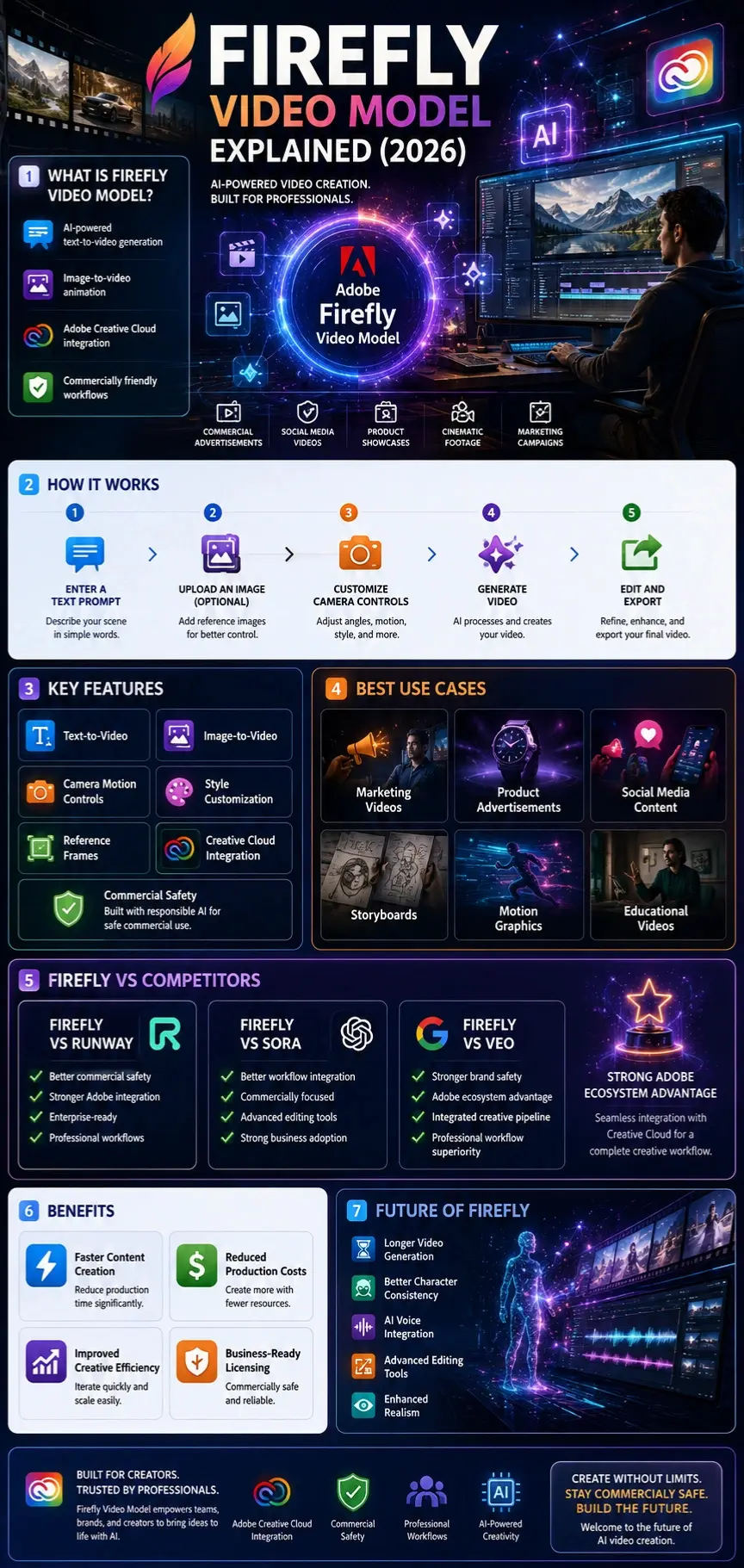
A spark of motion begins where words meet visuals – Adobe’s Firefly Video Model turns descriptions into brief moving scenes. Instead of clicking through menus, people feed it text or pictures as cues. From a sketch or phrase, small videos emerge without needing film reels or cameras. What takes hours one way takes just minutes here. Language guides the flow, shaping frames step by step. Each output builds quietly from what’s given, no extra noise involved.
Inside the Adobe Firefly family, this tool connects directly to Creative Cloud apps. So creators shift smoothly from generating visuals with AI into refining them using trusted design software.
Users can create:
- Marketing videos
- Product showcases
- Cinematic footage
- Storyboards
- Social media content
- Motion graphics
- Concept animations
- Creative advertisements
- Educational videos
- Visual prototypes
Unlike traditional video production, which often requires cameras, actors, locations, and editing software, Firefly can generate visual content directly from simple instructions.
Quick Answer
Firefly Video Model is Adobe’s AI-powered video generator that creates videos from text prompts and images while emphasizing commercial safety, creative control, and professional workflow integration.
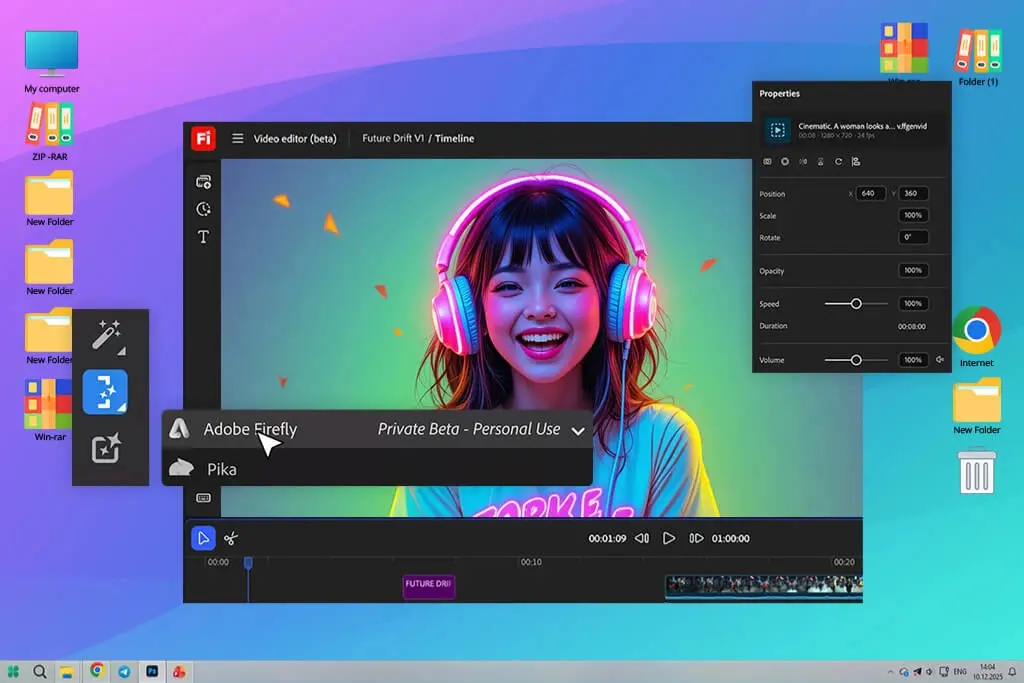
How the Firefly Video Model Works
The technology behind the Firefly Video Model uses advanced machine learning systems trained to understand language, visual patterns, motion, lighting, composition, and cinematic techniques.
The workflow is surprisingly simple.
Enter a Prompt
Describe the scene you want to create.
Example:
“Luxury sports car driving along a coastal highway at sunset, cinematic camera movement, ultra-realistic lighting.”
Customize Creative Settings
Users can adjust:
- Camera angles
- Motion direction
- Scene style
- Aspect ratio
- Visual effects
- Shot composition
Generate Video
The AI processes the request and creates a video sequence.
Refine Results
Modify prompts and regenerate specific elements until satisfied.
Export and Edit
Generated clips can be used inside Adobe workflows for further editing and enhancement.
Mini Summary
Firefly simplifies video creation by turning creative ideas into visual motion through prompts, reference images, and customizable controls.
Why Firefly Video Model Matters in 2026
The AI video market is becoming increasingly crowded, but Firefly has positioned itself differently.
Instead of targeting casual experimentation alone, Adobe focuses on professional creators and businesses.
Several factors make Firefly especially relevant in 2026:
- Increased demand for video content
- Faster content production requirements
- Growing importance of commercial licensing
- Integration with existing Adobe tools
- Improved AI realism
- Better creative control
Businesses now require scalable video production methods, and AI-generated content helps reduce costs while increasing productivity.
For agencies and marketing teams, Firefly can significantly shorten production timelines.
Key Features of Firefly Video Model
Firefly Video Model includes several capabilities designed for professional content creation.
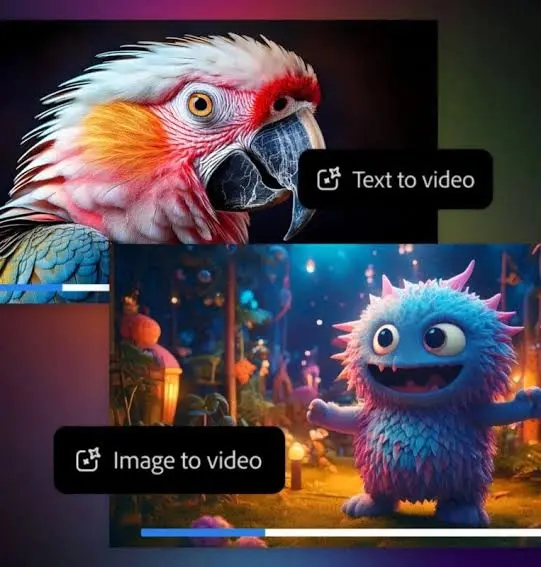
Text-to-Video Generation
Describe a scene using natural language and generate a video automatically.
Image-to-Video Animation
Transform static images into moving visual sequences.
Camera Motion Controls
Users can influence:
- Zoom
- Pan
- Tilt
- Tracking shots
- Drone-style movement
Style Control
Generate content in multiple visual styles:
- Realistic
- Cinematic
- Commercial
- Artistic
- Futuristic
Reference Frames
Provide starting and ending frames to guide motion.
Creative Cloud Integration
Work seamlessly with Adobe tools.
Commercial Safety
Adobe emphasizes IP-friendly content generation for businesses.
Mini Summary
Firefly combines generation, animation, editing, and workflow integration into a single professional ecosystem.
Text-to-Video Generation Explained
Text-to-video remains the most popular feature of Firefly Video Model.
Users simply describe a scene and allow the AI to interpret the instructions.
Example Prompt
“Aerial drone shot flying over snowy mountains during sunrise, cinematic atmosphere, realistic lighting, 4K quality.”
The AI analyzes:
- Subject
- Environment
- Lighting
- Camera movement
- Style
- Composition
The result is a generated video sequence that reflects the requested scene.
Best Practices
- Be specific.
- Include camera directions.
- Mention lighting conditions.
- Define visual style.
- Specify subject behavior.
The more detailed your prompt, the better the outcome.
Image-to-Video Animation Capabilities
Image-to-video allows users to upload a static image and animate it.
Popular use cases include:
- Product advertisements
- Character concepts
- Marketing banners
- Digital artwork
- Photography enhancement
Benefits
- Faster production
- Consistent branding
- Improved storytelling
- Increased engagement
Businesses often use image animation to transform existing assets into social media videos without reshooting content.
Firefly Video Editing Tools
Firefly is evolving beyond generation into a complete editing environment.

Available Editing Functions
| Feature | Purpose |
| Prompt Editing | Modify scenes using text |
| Object Replacement | Replace items instantly |
| Scene Expansion | Extend visuals |
| Background Editing | Change environments |
| Motion Control | Refine movement |
| Style Adjustment | Change visual appearance |
These features allow creators to improve outputs without restarting projects.
Why It Matters
Many competing AI generators focus solely on generation. Firefly increasingly supports post-production workflows.
Benefits for Creators and Businesses
Firefly provides advantages across multiple industries.
Marketers
- Faster campaign production
- Reduced creative costs
- Social content generation
Designers
- Visual prototyping
- Concept presentation
- Motion graphics creation
Agencies
- Client previews
- Advertising concepts
- Rapid iteration
E-commerce Brands
- Product videos
- Promotional content
- Lifestyle campaigns
Educators
- Visual explanations
- Learning content
- Animated presentations
Mini Summary
Firefly improves productivity while reducing production complexity.
Step-by-Step Guide to Using Firefly Video Model
Step 1
Open Adobe Firefly.
Step 2
Select Video Generation.
Step 3
Enter your prompt.
Step 4
Choose aspect ratio.
Step 5
Adjust style controls.
Step 6
Generate video.
Step 7
Review output.
Step 8
Refine using additional prompts.
Step 9
Export the final result.
Step 10
Enhance further in Adobe applications if needed.
This workflow is simple enough for beginners while offering depth for professionals.
Best Firefly Video Prompts
Prompt quality directly affects output quality.
Product Commercial
“Luxury smartwatch rotating on reflective black glass, cinematic lighting, premium advertisement, macro lens.”
Travel Scene
“Drone flying above tropical islands at sunrise, crystal-clear water, cinematic atmosphere.”
Fashion Campaign
“Model walking through futuristic city streets, neon lights, luxury fashion commercial.”
Wildlife Documentary
“Tiger moving through rainforest, natural lighting, realistic documentary footage.”
Startup Marketing Video
“Entrepreneur working inside modern office, inspiring atmosphere, cinematic camera movement.”
Prompt Formula
Subject + Environment + Camera + Lighting + Style
This structure consistently produces stronger results.
Pricing Plans and Generative Credits
Adobe typically offers Firefly access through subscription plans using generative credits.
General Pricing Structure
| Plan | Suitable For |
| Free Plan | Beginners |
| Standard Plan | Casual creators |
| Professional Plan | Businesses |
| Enterprise Plan | Large organizations |
Pricing may change over time as Adobe expands AI capabilities.
Always verify current pricing through official Adobe resources before purchasing.
Firefly Video Model vs Runway
Runway remains one of Firefly’s strongest competitors.
| Feature | Firefly | Runway |
| Commercial Safety | Excellent | Good |
| Adobe Integration | Excellent | Limited |
| Editing Workflow | Strong | Strong |
| Enterprise Adoption | High | Medium |
| Creative Controls | High | High |
Winner
Firefly generally performs better for businesses already invested in Adobe products.
Firefly Video Model vs Sora
Sora has gained attention for impressive realism.
| Feature | Firefly | Sora |
| Workflow Integration | Excellent | Moderate |
| Commercial Focus | Excellent | Moderate |
| Editing Features | Strong | Developing |
| Realism | Very Good | Excellent |
Winner
Sora often leads in realism, while Firefly excels in professional workflows.
Firefly Video Model vs Veo
Google’s Veo represents another major competitor.
| Feature | Firefly | Veo |
| Brand Safety | Excellent | Good |
| Adobe Ecosystem | Excellent | None |
| Cinematic Motion | Very Good | Excellent |
| Creative Control | High | High |
Winner
Veo excels in cinematic generation, while Firefly provides superior integration and business usability.
Pros and Cons
Pros
- Commercially safer approach
- Strong Adobe integration
- Easy-to-use interface
- Powerful editing tools
- Text-to-video generation
- Image-to-video support
- Professional workflows
Cons
- Subscription Costs
- Credit limitations
- Short clip lengths
- Learning curve for advanced controls
No AI video platform is perfect, but Firefly offers one of the strongest balances between usability and professional capability.
Common Mistakes to Avoid
Many beginners make avoidable errors.
Mistake 1
Using vague prompts.
Mistake 2
Ignoring camera instructions.
Mistake 3
Generating without style guidance.
Mistake 4
Overloading prompts with unnecessary details.
Mistake 5
Expecting perfect results from a single generation.
Iterative refinement remains essential.

Commercial Licensing, Privacy, and Safety
One of Firefly’s strongest selling points is commercial safety.
Adobe has consistently emphasized responsible AI development and commercially focused workflows.
Important Considerations
- Review Adobe licensing terms.
- Verify usage rights.
- Follow copyright regulations.
- Understand enterprise policies.
Businesses should always confirm legal requirements before deploying AI-generated content commercially.
Mini Summary
Firefly prioritizes professional usage scenarios where licensing and trust matter.
Who Should Use Firefly Video Model?
Ideal users include:
- Marketing teams
- Agencies
- Designers
- E-commerce brands
- Social media managers
- Content creators
- Educators
- Video editors
These users benefit most from Firefly’s workflow advantages.
Who Should Avoid Firefly Video Model?
Firefly may not be ideal for:
- Users seeking unlimited free generations
- Hobbyists with no Adobe ecosystem needs
- Creators requiring extremely long AI-generated films
- Users focused solely on maximum realism
Alternative platforms may better suit those specific needs.
Realistic Expectations and Limitations
AI video generation remains an evolving technology.
Current limitations include:
- Motion inconsistencies
- Short generation lengths
- Occasional visual artifacts
- Character consistency challenges
- Complex action difficulties
Understanding these limitations helps users achieve better outcomes.
Future of Firefly Video Model
Adobe continues investing heavily in AI-powered creativity.
Expected developments include:
- Longer video generation
- Better character consistency
- Sound generation
- AI voice integration
- Improved editing tools
- Enhanced realism
- Enterprise collaboration features
The future points toward a complete AI-powered production ecosystem.
People Also Ask
A: Adobe typically offers limited free access, but advanced usage often requires paid plans and generative credits.
A: Yes. Firefly supports image-to-video workflows that animate static visuals into moving content.
A: It depends on your needs. Firefly excels in Adobe integration and commercial workflows, while Runway remains strong for creative experimentation.
A: Adobe positions Firefly as commercially friendly, but users should always review current licensing terms before publishing.
A: Yes. Many creators use Firefly for storyboarding, concept development, marketing campaigns, and production planning.
Conclusion
One step ahead in 2026, Firefly Video Model stands out among AI-driven video platforms, not just through turning words into moving images, but also by bringing still pictures to life with motion. Tools for refining clips sit alongside precise camera movements, working together seamlessly. Built right into Adobe Creative Cloud, it fits smoothly into how creators already work. Power meets simplicity when making videos today.
What stands out most isn’t just how real it looks, but the way everything fits together smoothly from start to finish. Companies, people who sell products, teams that promote brands, visual artists, plus those making digital work find they move quicker – without second-guessing if it’s safe to use publicly.
Even if others like Runway, Sora, or Veo keep moving fast, Firefly sticks around because it lets people shape ideas freely, work without slowdowns, tied neatly into familiar tools.
Faster tools inside Firefly might soon reshape how videos are made with artificial intelligence. Adobe’s steady upgrades could make it a central piece in that shift.
Finding an AI tool that slots smoothly into real work routines? Firefly Video Model steps up without fuss. Not flashy, just functional – ideal for teams who need results, not noise. Worth a look when simplicity and reliability matter most.
Just so you know, things like tools, costs, rules, or what the AI can do might shift down the line. Check Adobe’s official guides yourself before deciding anything for work or buying.











