Introduction
Out of nowhere, visuals made by machines took a sharp turn when Stable Diffusion XL showed up. Even though fresh systems pop up every few weeks, this one still holds its ground. By 2026, it’s among the strongest free-to-use image tools around. Power like that doesn’t come along often.
Why?
Freedom is what SDXL offers – a rare thing in locked-down AI spaces. Most tools hold back control, but this one hands it over.
Running it on your machine opens doors. Workflows shift to match how you move. Training new looks fits into the daily rhythm. ControlNet tools adapt when guidance tightens. Automation grows step by step. Quality outputs arrive, built at home, no online access needed.
Because it bends so easily, SDXL became the base for countless creators – those making videos on YouTube, shaping ad campaigns, designing games, sketching ideas, posting online, selling products, plus building brand visuals. Every workflow found a place for it.
In this guide, you will learn:
- How SDXL works
- Why creators still use it heavily in 2026
- Best SDXL models and checkpoints
- Prompt engineering systems
- ComfyUI workflows
- GPU optimization
- SDXL vs Flux vs Midjourney comparisons
- Commercial use cases
- Common mistakes and fixes
Whether you are a beginner or advanced creator, this guide will help you master the modern SDXL ecosystem.
What Is Stable Diffusion XL (SDXL)?
Stable Diffusion XL (SDXL) is a next-generation open-source AI image generation model designed to create highly detailed images from text prompts.
It was developed as a major upgrade over earlier Stable Diffusion versions and introduced several critical improvements:
- Native 1024×1024 image generation
- Better prompt understanding
- Improved realism
- More accurate composition
- Dual text encoders
- Enhanced lighting and textures
- Refiner-based workflows
Unlike closed platforms, SDXL allows creators to:
- Run models locally
- Use custom checkpoints
- Install extensions
- Train LoRAs
- Build automated workflows
- Remove platform limitations
That openness is the main reason SDXL still dominates the open-source AI art world.
How Stable Diffusion XL Works
SDXL uses a process called latent diffusion.
Instead of generating images pixel-by-pixel directly, the model creates images inside a compressed latent space and gradually refines them into final visuals.
Core SDXL Architecture
Larger UNet
SDXL includes a significantly larger UNet architecture compared to SD 1.5.
Benefits include:
- Better image coherence
- Improved realism
- More detailed lighting
- Stronger anatomy handling
- Better composition accuracy
Dual Text Encoders
One of SDXL’s biggest improvements is its dual text encoder system.
This helps the model understand:
- Context
- Style
- Relationships
- Scene composition
- Artistic direction
As a result, prompts become more accurate and responsive.
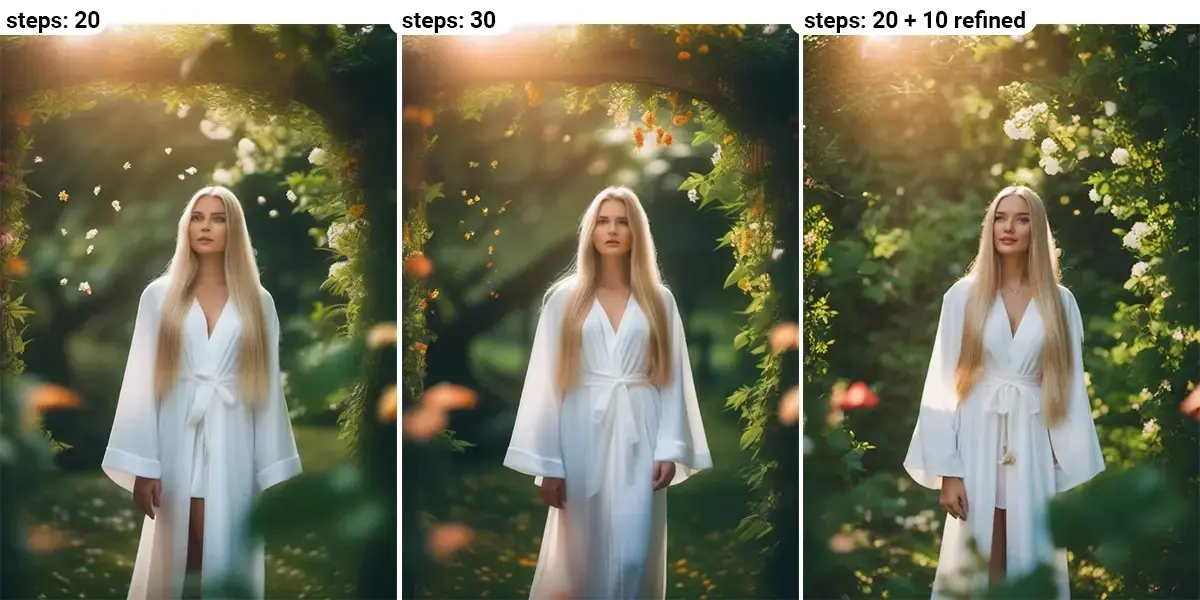
Refiner Pipeline
The SDXL refiner improves:
- Texture detail
- Edge sharpness
- Skin realism
- Lighting quality
This is why SDXL often produces more cinematic outputs than older diffusion models.
Why SDXL Still Matters in 2026
Many people assume newer models automatically replace older ones.
That has not happened with SDXL.
Why Creators Still Use SDXL
Massive Ecosystem
SDXL has:
- Thousands of checkpoints
- Huge LoRA libraries
- Advanced ControlNet support
- Community-built workflows
- ComfyUI automation systems
No other open ecosystem currently matches this scale.
Full Customization
Unlike cloud-only AI tools, SDXL lets creators fully control:
- Training
- Styles
- Filters
- Outputs
- Privacy
- Automation
Offline AI Generation
Businesses and professionals often prefer SDXL because it can run locally without sending sensitive data to external servers.
SDXL vs Stable Diffusion 1.5
| Feature | SDXL | SD 1.5 |
| Native Resolution | 1024×1024 | 512×512 |
| Realism | Very High | Medium |
| Prompt Understanding | Excellent | Moderate |
| Composition | Advanced | Basic |
| VRAM Usage | Higher | Lower |
| Text Rendering | Better | Weak |
| Modern Ecosystem | Strong | Legacy |
Which One Should You Use?
Use SDXL If You Want:
- Realistic images
- Cinematic quality
- Professional Workflows
- Advanced prompting
- Commercial visuals
Use SD 1.5 If You Want:
- Faster low-end generation
- Lightweight workflows
- Older community models

SDXL vs Flux vs Midjourney
SDXL
Best for:
- Local workflows
- Customization
- Fine-tuning
- Advanced control
- Professional automation
Flux
Best for:
- Strong prompt understanding
- Cleaner outputs
- Modern realism
- Simpler prompting
Midjourney
Best for:
- Artistic aesthetics
- Stylized imagery
- Fast creativity
- Easy generation
Comparison Table
| Tool | Best Strength | Weakness |
| SDXL | Customization | Higher learning curve |
| Flux | Prompt intelligence | Smaller ecosystem |
| Midjourney | Artistic quality | Closed ecosystem |
SDXL System Requirements
Minimum Requirements
- RTX 3060 12GB
- 16GB RAM
- SSD storage
- CUDA-compatible GPU
Recommended Setup
- RTX 4070 / 4080 / 4090
- 32GB RAM
- NVMe SSD
- CUDA 12+
- Fast CPU
How To Install SDXL Locally
Forge UI
Forge became one of the most popular SDXL interfaces because it is:
- Faster
- More optimized
- Easier to install
- Better for low VRAM systems
Installation Steps
- Install Python
- Install Git
- Download Forge
- Download SDXL checkpoint
- Launch WebUI
- Start generating images
ComfyUI
ComfyUI is now considered the professional standard for SDXL workflows.
Why Creators Prefer ComfyUI
- Node-based systems
- Advanced automation
- Better memory management
- Reusable pipelines
- Professional workflow scaling
Best SDXL Models & Checkpoints
RealVisXL
Best for:
- Photorealism
- Portraits
- Advertising visuals
- Product photography
Juggernaut XL
Best for:
- Cinematic scenes
- DSLR-style images
- Dramatic lighting
DreamShaper XL
Best for:
- Fantasy art
- Stylized concepts
- Creative illustration
Anime-Based SDXL Models
Popular for:
- Anime characters
- Manga aesthetics
- VTuber art
- Stylized rendering
Best SDXL Prompt Structure
Most beginners fail because their prompts lack structure.
A strong SDXL prompt usually follows this format:
Recommended Prompt Formula
Subject + Environment + Lighting + Camera + Style + Detail
Example:
cinematic portrait of a futuristic warrior, neon cyberpunk city, volumetric lighting, 85mm lens, ultra detailed skin texture, cinematic photography
SDXL Prompt Templates
Photorealism Prompt
ultra realistic portrait of a fashion model, studio lighting, Canon EOS R5, shallow depth of field, realistic skin pores, cinematic color grading
Anime Prompt
anime warrior girl, dramatic lighting, fantasy castle background, highly detailed anime art, vibrant colors
Product Photography Prompt
luxury smartwatch on reflective black surface, soft studio lighting, ultra-detailed product photography, commercial advertising style
SDXL Negative Prompts Explained
Negative prompts remove unwanted elements.
Common Negative Prompts
- blurry
- low quality
- watermark
- distorted hands
- extra fingers
- ugly
- cropped
- duplicate
Negative prompting is essential for consistent quality.
Best SDXL Settings
| Setting | Recommended Value |
| Steps | 25–40 |
| CFG Scale | 5–8 |
| Resolution | 1024×1024 |
| Sampler | DPM++ 2M Karras |
| Clip Skip | 1–2 |
SDXL LoRA & Fine-Tuning Guide
LoRAs changed the entire SDXL ecosystem.
Instead of retraining full models, creators can add lightweight style modules.
Popular SDXL LoRA Types
- Cinematic lighting
- Character consistency
- Clothing realism
- Product photography
- Anime styles
- Architecture rendering
SDXL ControlNet Workflows
ControlNet allows advanced image conditioning.
Common ControlNet Inputs
- Pose maps
- Edge maps
- Depth maps
- Reference images
- Sketches
This is critical for:
- Consistent characters
- Professional compositions
- Brand asset generation
- Animation pipelines
SDXL Inpainting & Outpainting
SDXL performs extremely well for editing workflows.
Inpainting Use Cases
- Face repair
- Object replacement
- Clothing edits
- Background cleanup
Outpainting Use Cases
- Scene extension
- Thumbnail expansion
- Landscape widening
- Banner creation
SDXL Turbo, Lightning & Hyper Models
Acceleration models transformed SDXL performance.
Popular Fast SDXL Variants
SDXL Turbo
Generates images rapidly with fewer steps.
SDXL Lightning
Optimized for extremely fast inference.
Hyper-SDXL
Capable of producing quality outputs in very low step counts.
These models are ideal for:
- Real-time generation
- YouTube thumbnails
- Social content
- Rapid concept testing
Best SDXL Use Cases in 2026
Content Creation
Creators use SDXL for:
- YouTube thumbnails
- Social media graphics
- Blog visuals
- Shorts covers
Marketing
Businesses generate:
- Ad creatives
- Product images
- Promotional banners
- Campaign concepts
Gaming & Entertainment
Studios use SDXL for:
- Character concepts
- Environment art
- Storyboarding
- Texture generation
Pricing & Cost Expectations
Local SDXL Costs
| Expense | Typical Cost |
| Software | Free |
| GPU | Medium to High |
| Storage | Moderate |
| Electricity | Variable |
Cloud Options
Some users prefer cloud SDXL services for:
- Convenience
- Scalability
- Faster deployment
Pros & Cons of SDXL
Pros
Open-source flexibility
✅ Massive ecosystem
✅ Strong realism
✅ Excellent customization
✅ Local deployment
✅ Huge creator community
Cons
❌ Requires powerful GPUs
❌ Learning curve for beginners
❌ Workflow complexity
❌ Model management can become messy
Common SDXL Mistakes To Avoid
Using Weak Prompts
Vague prompts create weak outputs.
Ignoring Negative Prompts
This causes artifacts and anatomical problems.
Using Low Resolutions
SDXL performs best at native resolutions.
Overloading LoRAs
Too many LoRAs reduce image consistency.
Ignoring VRAM Optimization
Poor optimization leads to crashes and slow performance.
Best Tips for Better SDXL Results
Use Cinematic Language
Words like:
- volumetric lighting
- cinematic composition
- shallow depth of field
often improve realism.
Use Camera Terminology
Examples:
- 85mm lens
- DSLR photography
- bokeh
- film grain
These help guide the model stylistically.
Privacy, Safety & Commercial Usage
One major advantage of SDXL is local deployment.
This gives creators better:
- Privacy
- Ownership
- Workflow Control
However, always verify:
- Model licenses
- LoRA permissions
- Commercial usage rights
Some community models have restrictions.
Who Should Use SDXL?
Best For
- Designers
- YouTubers
- Freelancers
- AI creators
- Agencies
- Game developers
- Marketing teams
Who Should Avoid SDXL?
SDXL may not be ideal for users who:
- Want one-click simplicity
- Have very weak hardware
- Do not want the technical setup
- Prefer cloud-only tools
The Future of SDXL in 2026
SDXL continues evolving through:
- Distilled models
- Faster inference systems
- Better LoRAs
- Workflow automation
- AI video integration
- Hybrid image pipelines
Many experts believe SDXL will remain a major foundation for open AI creativity for years.
People Also Ask
A: Yes. SDXL is open-source and free to run locally, although hardware costs can be high.
A: For customization and local workflows, many professionals prefer SDXL. Midjourney remains easier for artistic generation.
A: Yes, but performance and workflow complexity may be limited. Optimized UIs like Forge help reduce VRAM pressure.
A: ComfyUI is the leading advanced workflow environment, while Forge is excellent for beginners.
A: RealVisXL and Juggernaut XL remain among the most popular realism-focused checkpoints.
Conclusion
Stable Diffusion XL remains one of the most powerful AI image ecosystems in 2026 because it combines professional-quality image generation with complete creative freedom.
Unlike many closed AI tools, SDXL allows creators to fully customize workflows, train styles, optimize outputs, and build advanced automation systems. That flexibility makes it valuable for designers, marketers, YouTubers, developers, freelancers, and businesses worldwide.
If you want:
- cinematic realism
- anime art
- Product Photography
- commercial visuals
- advanced AI workflows
SDXL is still one of the best ecosystems to master.
As the AI image industry evolves, creators who understand open-source workflows, prompt engineering, and AI automation will have a major competitive advantage.
For more in-depth AI creator guides, workflow tutorials, and AI image tool research, explore additional resources on ImageToolsAI.com.











