Introduction
AI image generation changed dramatically when Stable Diffusion XL 1.0 arrived. Before SDXL, most open-source image models struggled with anatomy, prompt accuracy, lighting realism, and high-resolution rendering. Creators often needed heavy prompt engineering and endless rerolls just to get usable images.
SDXL changed that.
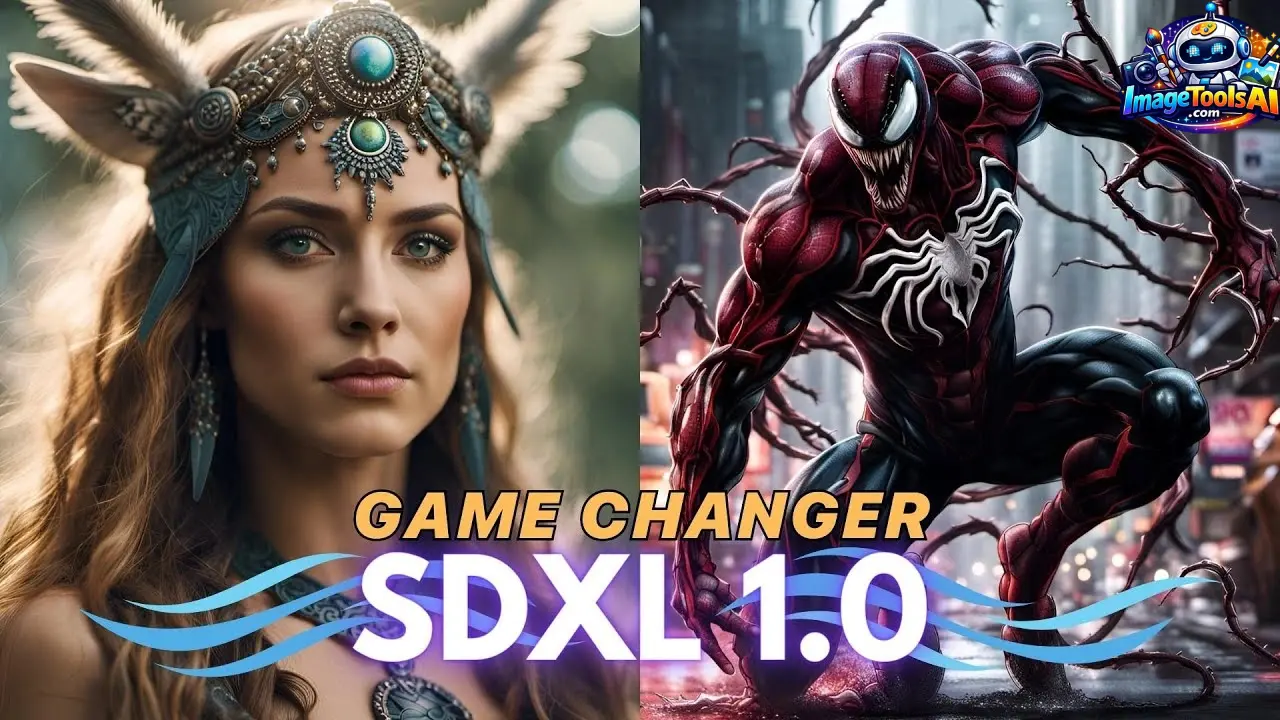
Released by Stability AI, Stable Diffusion XL 1.0 introduced native 1024×1024 image generation, stronger prompt understanding, cinematic lighting quality, and a workflow ecosystem that rapidly became the backbone of modern AI art creation.
Even in 2026, SDXL remains one of the most important AI image models because it balances:
- High-quality image generation
- Open-source freedom
- Local GPU workflows
- Massive community support
- Commercial flexibility
- Advanced customization
This guide explains everything you need to know about SDXL 1.0 — including workflows, prompts, checkpoints, ComfyUI setups, optimization tips, hardware requirements, and how SDXL compares to newer systems like Flux and Midjourney.
What Is Stable Diffusion XL 1.0?
Stable Diffusion XL 1.0 (SDXL) is a next-generation open-source latent diffusion AI model designed for high-quality text-to-image generation.
Unlike earlier Stable Diffusion versions, SDXL was built to produce:
- Sharper details
- Better anatomy
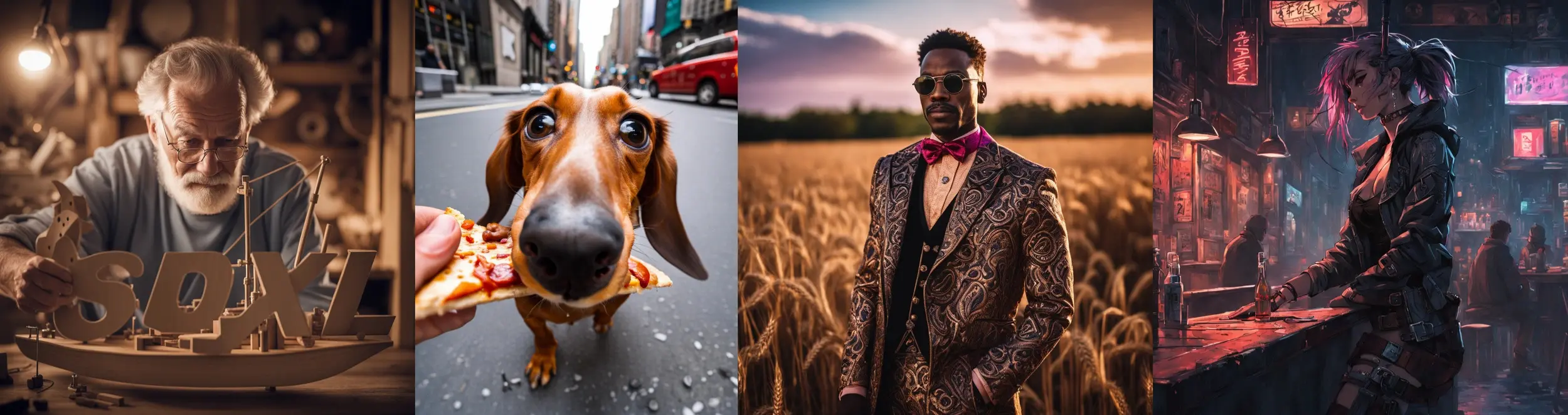
- Cleaner typography
- Improved composition
- More cinematic lighting
- Better realism
- Higher-resolution outputs
At its core, SDXL uses a latent diffusion architecture trained on massive image-text datasets. Users provide a text prompt, and the model transforms that prompt into a generated image.
SDXL became popular because it gave creators something rare:
Professional-level AI image generation without depending entirely on closed ecosystems.
That flexibility made SDXL a favorite among:
- AI artists
- Designers
- YouTubers
- Game developers
- SaaS founders
- Marketing agencies
- E-commerce creators
Why Stable Diffusion XL 1.0 Still Matters in 2026
Even with newer AI image systems entering the market, SDXL continues to dominate many creator workflows.
Here’s why.
Massive Open Ecosystem
Unlike closed AI platforms, SDXL supports:
- Community checkpoints
- Custom LoRAs
- Fine-tuning
- Local workflows
- API deployment
- Custom pipelines
This created one of the largest AI image ecosystems ever built.
Better Long-Term Ownership
Many creators prefer SDXL because they can:
- Run models locally
- Keep project privacy
- Customize workflows deeply
- Avoid subscription dependency
- Integrate SDXL into business systems
Mature Workflow Infrastructure
The SDXL ecosystem matured rapidly through:
- ComfyUI workflows
- Automatic1111 support
- ControlNet integrations
- Advanced upscalers
- Inpainting pipelines
- API ecosystems
That maturity still gives SDXL an advantage for production environments.
How Stable Diffusion XL 1.0 Works
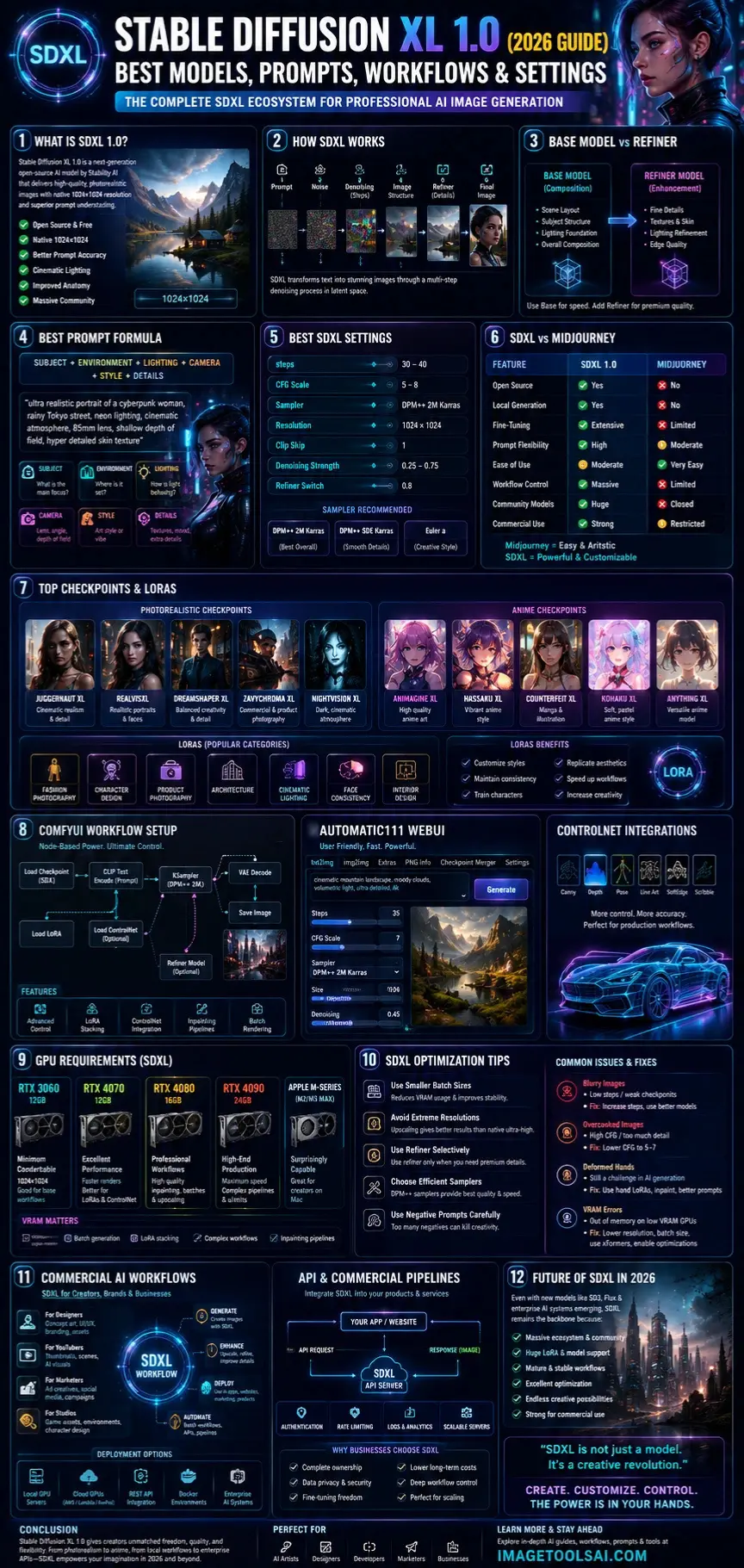
Stable Diffusion XL converts text prompts into images through a multi-step denoising process.
Simplified SDXL Workflow
- User enters a prompt
- Noise is generated
- AI gradually denoises the latent space
- Image structure emerges
- Refiner enhances details
- The final image is decoded
SDXL Architecture Improvements
SDXL introduced major upgrades over Stable Diffusion 1.5:
| Feature | SD 1.5 | SDXL 1.0 |
| Native Resolution | 512×512 | 1024×1024 |
| Prompt Understanding | Moderate | Excellent |
| Anatomy Quality | Weak | Improved |
| Lighting | Basic | Cinematic |
| Typography | Poor | Better |
| Detail Fidelity | Medium | High |
| Composition | Inconsistent | More Coherent |
Base Model vs Refiner
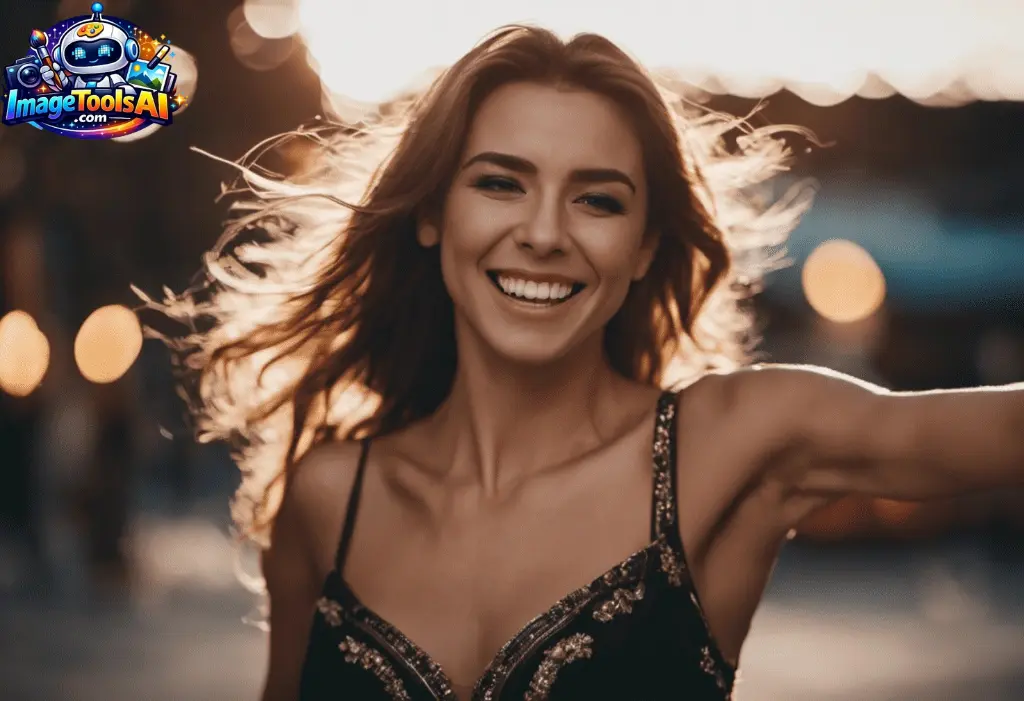
One of SDXL’s most important innovations was its dual-model pipeline.
SDXL Base Model
The base model handles:
- Scene composition
- Subject structure
- Lighting foundation
- General image generation
SDXL Refiner
The refiner improves:
- Facial details
- Textures
- Edge quality
- Surface realism
- Lighting Refinement
Many creators now use base-only workflows for speed, while others use the refiner selectively for premium-quality renders.
SDXL 1.0 vs Stable Diffusion 1.5
This remains one of the biggest comparison searches.
Key Differences
| Category | SDXL 1.0 | Stable Diffusion 1.5 |
| Resolution | 1024×1024 native | 512×512 native |
| Prompt Accuracy | Much stronger | Limited |
| Realism | High | Moderate |
| GPU Demand | Higher | Lower |
| Ecosystem | Massive | Mature but older |
| Lighting | Cinematic | Flat |
| Multi-Subject Scenes | Better | Weaker |
Which One Should You Use?
Choose SDXL If You Want:
- Professional realism
- Better compositions
- Commercial image workflows
- Cinematic art
- High-end AI photography
Choose SD 1.5 If You Want:
- Faster low-end GPU rendering
- Lightweight workflows
- Older LoRA compatibility
- Simpler experimentation
Mini Summary:
For most creators in 2026, SDXL delivers significantly better visual quality and long-term flexibility.
SDXL 1.0 vs Midjourney
This comparison drives enormous search traffic.
| Feature | SDXL 1.0 | Midjourney |
| Open Source | Yes | No |
| Local Generation | Yes | No |
| Fine-Tuning | Extensive | Limited |
| Prompt Flexibility | High | Moderate |
| Ease of Use | Moderate | Very Easy |
| Workflow Customization | Massive | Limited |
| Community Models | Huge | Closed |
| Commercial Flexibility | Strong | More Restricted |
Where Midjourney Wins
Midjourney often excels at:
- Instant stylization
- Artistic composition
- Beginner simplicity
- Fast creative inspiration
Where SDXL Wins
SDXL dominates in:
- Workflow ownership
- Fine-tuning
- API integrations
- Business deployment
- Local generation
- Customization
Best SDXL Prompt Structures
Prompt engineering matters enormously with SDXL.
Recommended Prompt Formula
A strong SDXL prompt usually follows this structure:
Subject + Environment + Lighting + Camera + Style + Details
Example:
ultra realistic portrait of a cyberpunk woman, rainy Tokyo street, neon lighting, cinematic atmosphere, 85mm lens, shallow depth of field, hyper detailed skin texture
Why This Structure Works
SDXL responds especially well to:
- Camera terminology
- Lighting descriptions
- Texture keywords
- Cinematic framing
- Environmental context
Best Prompt Keywords for SDXL
Realism Keywords
- ultra realistic
- cinematic lighting
- natural skin texture
- detailed photography
- volumetric light
Camera Keywords
- 85mm lens
- Canon EOS R5
- shallow depth of field
- bokeh
- HDR photography
Style Keywords
- cinematic
- editorial photography
- sci-fi concept art
- fashion photography
- dark fantasy
Best SDXL Settings for High-Quality Images
Choosing the right settings can dramatically improve image quality.
| Setting | Recommended Range |
| Steps | 30–40 |
| CFG Scale | 5–8 |
| Sampler | DPM++ 2M Karras |
| Resolution | 1024×1024 |
| Clip Skip | 1 |
| Denoising Strength | 0.25–0.75 |
| Refiner Switch | 0.8 |
Why CFG Scale Matters
Higher CFG values can overcook images.
Common problems include:
- Harsh contrast
- Plastic-looking skin
- Oversaturated lighting
Most creators now prefer moderate CFG ranges for natural outputs.
How to Install Stable Diffusion XL 1.0
ComfyUI
ComfyUI became the preferred SDXL workflow system because it offers:
- Better optimization
- Node-based control
- Faster rendering
- Advanced customization
- Cleaner workflow scaling
Basic ComfyUI Setup
- Install Python
- Download ComfyUI
- Add SDXL checkpoints
- Install dependencies
- Launch workflow
- Import SDXL workflow JSON
Why Professionals Prefer ComfyUI
ComfyUI gives creators granular control over:
- Samplers
- LoRAs
- Upscalers
- ControlNet
- Inpainting
- Batch rendering
That flexibility is extremely valuable for production workflows.
Automatic1111
AUTOMATIC1111 Stable Diffusion WebUI remains popular because it is easier for beginners.
Advantages include:
- Simple interface
- Large extension ecosystem
- Faster onboarding
- Easy plugin support
However, many advanced users eventually move to ComfyUI for deeper workflow optimization.
Top Photorealistic SDXL Models
| Checkpoint | Best For |
| Juggernaut XL | Cinematic realism |
| RealVisXL | Human portraits |
| DreamShaper XL | Balanced creativity |
| ZavyChroma XL | Commercial realism |
| NightVision XL | Dark cinematic scenes |
Top Anime SDXL Models
| Checkpoint | Focus |
| Animagine XL | Anime art |
| Hassaku XL | Stylized anime |
| Counterfeit XL | Manga aesthetics |
| Kohaku XL | Soft anime rendering |
Mini Summary:
Choosing the right checkpoint matters more than endlessly tweaking prompts.
Best SDXL LoRAs
LoRAs became one of SDXL’s biggest strengths.
Popular LoRA Categories
- Fashion photography
- Character design
- Product photography
- Architecture
- Cinematic lighting
- Anime styles
- Face consistency
- Interior design
Why LoRAs Matter
LoRAs allow creators to:
- Customize styles
- Improve consistency
- Train characters
- Replicate aesthetics
- Speed up workflows
This dramatically expands SDXL’s capabilities without retraining entire models.
SDXL for Photorealism
SDXL remains one of the strongest open-source realism models available.
Best Practices for Realism
- Use realistic checkpoints
- Keep CFG moderate
- Add camera language
- Use cinematic lighting
- Include texture keywords
- Avoid overly long prompts
GPU Requirements for SDXL
SDXL is more demanding than earlier Stable Diffusion models.
Recommended Hardware
| GPU | Experience |
| RTX 3060 12GB | Minimum comfortable |
| RTX 4070 | Excellent |
| RTX 4080 | Professional |
| RTX 4090 | High-end production |
| Apple Silicon M-Series | Surprisingly capable |
Why VRAM Matters
Higher VRAM helps with:
- Large resolutions
- Batch generation
- LoRA stacking
- Complex workflows
- Inpainting Pipelines
Mini Summary:
SDXL can run on mid-range hardware, but high-end workflows benefit enormously from larger VRAM capacity.
SDXL Optimization Tips
Use Smaller Batch Sizes
Reduces VRAM pressure and improves stability.
Avoid Extreme Resolutions
Upscaling often works better than native ultra-high rendering.
Use Refiner Selectively
Only use the refiner for premium outputs.
Choose Efficient Samplers
DPM++ samplers remain community favorites.
Use Negative Prompts Carefully
Too many negative prompts can flatten image creativity.
Common SDXL Problems
Blurry Images
Usually caused by:
- Low steps
- Weak checkpoints
- Poor sampler choices
Fix
Increase steps and use better checkpoints.
Overcooked Images
Caused by:
- High CFG
- Excessive detail prompts
Fix
Lower the CFG scale to 5–7.
Deformed Hands
Still possible despite SDXL improvements.
Fix
- Use hand-focused LoRAs
- Use inpainting corrections
- Improve prompt clarity
VRAM Errors
Common on lower-end GPUs.
Fixes
- Lower resolution
- Reduce batch size
- Enable memory optimization
- Use xFormers
SDXL API & Commercial Usage
SDXL can be integrated into:
- SaaS platforms
- AI creator apps
- E-commerce systems
- Marketing tools
- Design workflows
Common Deployment Methods
- Local GPU servers
- Cloud GPUs
- REST APIs
- Docker environments
- Enterprise AI systems
Why Businesses Still Use SDXL
Businesses value:
- Ownership
- Privacy
- Workflow control
- Fine-tuning freedom
- Lower long-term costs
Privacy, Safety & Commercial Use
SDXL offers more privacy than many cloud-only AI tools because local workflows keep data on your own hardware.
However, creators should still verify:
- Commercial licensing
- Dataset compliance
- Brand usage rights
- Model-specific restrictions
This is especially important for commercial client work.
Who Should Use Stable Diffusion XL 1.0?
SDXL is ideal for:
- AI artists
- Freelancers
- Game studios
- Designers
- YouTubers
- Marketing Agencies
- E-commerce brands
- AI startups
It is especially powerful for creators who value customization and ownership.
Future of SDXL in 2026
New AI models continue to emerge rapidly, including:
- Flux
- SD3
- Proprietary enterprise systems
- Multimodal AI pipelines
Yet SDXL remains highly relevant because:
- The ecosystem is enormous
- LoRA support is massive
- Workflows are mature
- Optimization is excellent
- Community support remains strong
Many professionals still use SDXL daily in commercial production pipelines.
People Also Ask
A: Yes. SDXL is open source and can be downloaded freely. However, running it locally may require capable hardware or cloud GPU services.
A: It depends on your goals. Midjourney is easier and more artistic by default, while SDXL offers deeper customization, local generation, and advanced workflow control.
A: An RTX 3060 12GB is usually considered the minimum comfortable setup. Higher VRAM GPUs perform much better for professional workflows.
A: The refiner is a secondary model that improves textures, lighting, and fine details after the base model generates the image.
A: Yes. One of SDXL’s biggest strengths is local generation through tools like ComfyUI and Automatic1111.
Conclusion
Stable Diffusion XL 1.0 permanently changed the AI image generation industry.
Its combination of:
- Open-source freedom
- High-quality outputs
- Massive Customization
- Advanced workflows
- Commercial flexibility
- Huge creator ecosystem
continues to make it one of the most important AI image models in 2026.
While newer models continue appearing, SDXL still offers one of the best balances between quality, ownership, scalability, and community support.
For creators who want complete control over AI image generation, SDXL remains an outstanding choice.
Whether you are building AI art workflows, launching creative services, generating marketing visuals, or experimenting with AI design pipelines, SDXL still delivers exceptional long-term value.
Explore more in-depth AI creator guides on ImageToolsAI.com to stay ahead of the rapidly evolving AI image ecosystem.











