Introduction
Out here, artificial intelligence is reshaping how people create images, ads, blog headers, video previews, and even online art pieces. A big name leading that shift? Midjourney stands out. Looking into how newcomers start with Midjourney? This full walkthrough breaks down each part plainly, step by step.
Picture this: Midjourney takes your written ideas, drops them into a text box, then spins them into vivid visuals fast – like, really fast. Words become photos that look real, cartoons with flair, ads ready to go, fake-ups of products you haven’t built yet, dreamy worlds pulled from thin air, posts made for scrolling feeds – you name it. One moment it’s letters on a screen, next thing? Full-on imagery, shaped exactly how you described.
Midjourney feels less tricky in 2026, since most folks have shifted to its web-based panel rather than wrestling with Discord. Because of this change, new users jump right in using a tidy layout where everything makes sense. Instead of learning complex steps, they find their way around through clear buttons and fewer distractions.
Whether you are:
- A blogger in the United Kingdom
- A designer in Germany
- A startup owner in Spain
- A marketer in France
- A student learning AI software
This guide will teach you step by step.
By the end, you will know:
- How to register
- How to choose a subscription
- How to write prompts
- How to create better visuals
- How to use Midjourney without Discord
- Midjourney pricing plans 2026
- Best Midjourney prompts for beginners
- Strong Alternatives
What Is Midjourney?
Pictures come from words when Midjourney works. A prompt leads to a generated scene instead of staying as text.
Start typing your idea, then watch as the system shapes it into an image. Words become visuals through automated design. What you write guides what appears. The tool interprets phrases and forms pictures. Input leads to output without extra steps. Description fuels creation behind the scenes.
Example Prompt
modern luxury living room, Scandinavian interior, natural light, ultra realistic
Pictures can differ wildly when Midjourney tries once. Four come out every time, never the same twice. Each version stands apart from the others somehow. One prompt leads to separate visuals without overlap.
What You Can Create With Midjourney
- Realistic portraits
- Anime characters
- Product advertisements
- Logos
- Book covers
- YouTube thumbnails
- Social media graphics
- Fantasy landscapes
- Fashion concepts
- Brand mockups
This is why many creators search for how to use Midjourney for beginners every day.
How Midjourney Works
Midjourney uses machine learning to interpret words, styles, objects, lighting, mood, and composition.
Simple Process
- Type your concept
- Add style keywords
- Click generate
- Review image results
- Upscale or refine the best one
- Download the final version
Example
Prompt:
cyberpunk city in London, rain at night, neon lights, cinematic, realistic
Result:
Four image variations ready to improve.
Why Midjourney Is Popular in 2026
Midjourney remains one of the strongest AI art platforms because it offers:
- Excellent artistic quality
- Realistic textures
- Strong lighting effects
- Fast rendering speed
- Advanced style controls
- Commercial usage options
- Massive creator community
- Better browser workflow
For companies, it saves time and lowers design expenses.
Step-by-Step Guide: How to Use Midjourney for Beginners
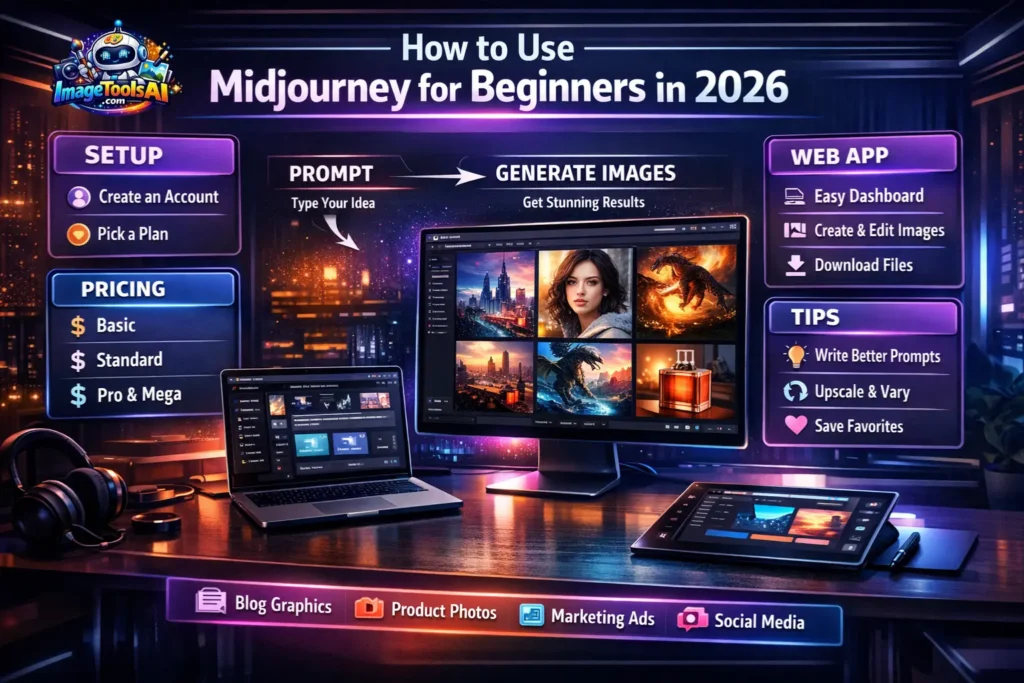
Step 1: Create a Midjourney Account
Visit the official Midjourney website.
You can usually sign in using:
- Google account
- Discord account
- Email login (depends on updates)
After signing in, open your dashboard.
Step 2: Choose a Pricing Plan
Midjourney usually operates through paid subscriptions.
| Plan | Best For | Use Case |
| Basic | Beginners | Learning & casual use |
| Standard | Creators | Frequent image work |
| Pro | Professionals | Heavy usage |
| Mega | Teams | Large-scale production |
Always review the official pricing page because plans may change.
Step 3: Open the Midjourney Web App
Many people now search for how to use Midjourney without Discord because the web app is simpler.
Inside the dashboard, you can:
- Create images
- View history
- Organize folders
- Reuse prompts
- Download files
- Adjust settings
This makes Midjourney beginner-friendly.
Step 4: Write Your First Prompt
Use this beginner formula:
Subject + Style + Lighting + Mood + Camera Angle
Example
sports car, futuristic city, cinematic lighting, realistic, low angle
This gives much stronger results than typing only:
car
Step 5: Generate Images
Click Generate.
Midjourney often gives multiple image options.
Then you can:
- Upscale the best version
- Create variations
- Remix prompt
- Edit details
- Download the final image
Step 6: Download Final Image
Once satisfied:
- Open the selected image
- Upscale it
- Download high-resolution version
Now use it for:
- Blogs
- Ads
- E-commerce stores
- Social media
- YouTube thumbnails
Best Midjourney Prompt Examples for Beginners
If you want to learn the best Midjourney prompts for beginners, copy these examples.
Realistic Portrait
young woman portrait, soft sunlight, DSLR photo, shallow depth of field
Product Photo
luxury perfume bottle, premium studio lighting, elegant ad photography
Anime Art
anime warrior girl, cherry blossom background, vibrant style
Fantasy Scene
dragon flying over medieval castle, sunset sky, epic cinematic
Logo Idea
minimal lion logo, black and gold, premium brand identity
Understanding Midjourney Buttons & Tools
| Tool | What It Does |
| Upscale | Enhances quality and size |
| Vary | Similar versions |
| Remix | Changes prompt while regenerating |
| Zoom Out | Expands scene |
| Pan | Moves the image direction |
| Re-run | Fresh outputs |
Learning these tools is important when studying how to use Midjourney for beginners.
Best Midjourney Settings for Beginners
Aspect Ratio
Choose size based on platform:
- 1:1 = Instagram posts
- 16:9 = YouTube thumbnails
- 9:16 = TikTok / Shorts
- 4:5 = Facebook ads
Stylize
Higher stylization = more artistic visuals.
Raw Mode
Good for realism and prompt precision.
Chaos
Adds randomness and creative variety.
How to Use Midjourney Without Discord
Many newcomers prefer the browser method.
Benefits of Web App
- Cleaner layout
- Easier to learn
- Better image history
- Faster workflow
- Beginner friendly
- Less confusing than chat rooms
So yes, how to use Midjourney without Discord is easier than before.
Midjourney for Businesses in Europe
Many companies use Midjourney to grow faster.
E-commerce Brands
Create:
- Product ads
- Seasonal banners
- Lifestyle mockups
Bloggers
Create:
- Featured images
- Pinterest pins
- Social graphics
Agencies
Use it for:
- Client mood boards
- Ad concepts
- Creative drafts
Students & Startups
Useful for:
- Presentations
- Brand ideas
- Posters
- Campaign visuals
Midjourney Pricing
Many users search for Midjourney pricing plans 2026 before joining.
| Plan Type | Suitable For | Estimated Value |
| Basic | Beginners | Affordable |
| Standard | Creators | Best balance |
| Pro | Agencies | Advanced features |
| Mega | Teams | Maximum production |
Always verify prices on the official website.
Midjourney Pros and Cons
Pros
- Premium image quality
- Fast output generation
- Huge style variety
- Great for creators
- Strong community inspiration
- Web app workflow
Cons
- Usually paid
- Prompt learning takes practice
- Some images need editing
- Heavy users need larger plans
Midjourney vs Best Alternatives
| Tool | Best For | Strength |
| Midjourney | Artistic visuals | Premium quality |
| OpenAI image tools | Easy use | Simplicity |
| Leonardo AI | Marketing assets | Business focused |
| Stable Diffusion | Full control | Open ecosystem |
| Adobe Firefly | Commercial workflows | Adobe integration |
Best Alternatives to Midjourney
1. OpenAI Image Tools
Simple and beginner-friendly.
2. Leonardo AI
Excellent for ads and gaming assets.
3. Stable Diffusion
Best for advanced users.
4. Adobe Firefly
Great for Photoshop users.
5. Ideogram
Strong for text inside images.
How to Use These AI Tools Effectively
- Start with clear prompts
- Test multiple styles
- Compare outputs
- Upscale winners
- Save strong prompts
- Build Brand Consistency
Tips to Write Your Own AI Generations
Use this framework:
Subject + Environment + Lighting + Style + Camera + Mood
Example
smartphone product shot on marble table, luxury lighting, premium commercial photography
Advanced Midjourney Beginner Tips
Once you learn the basics, do this:
Use Prompt Templates
Save repeatable formulas for speed.
Create Brand Style Packs
Use the same colors, lighting, and mood for consistent visuals.
Organize Prompt Library
Store best prompts in Google Docs or Notion.
Learn Daily
Spend 15 minutes daily testing prompts. That alone improves skill quickly.
Best Use Cases in 2026
Midjourney is perfect for:
- Blog thumbnails
- E-commerce products
- Real estate visuals
- Travel marketing
- Posters
- Course covers
- Print-on-demand designs
- Business presentations
- Social media
FAQ
A: Yes. The web app made Midjourney easier for new users.
A: Usually, yes, depending on the plan and license. Check the latest terms.
A: Not always. Many users now use browser workflow.
A: Basics can be learned in 1–3 days. Advanced prompting takes weeks.
A: Often, yes, for premium quality and artistic style.
A: Yes, but manual editing may still be needed.
A: Yes. Many creators use it daily.
Conclusion
Midjourney might just be what clicks for you now, even if it feels odd at first glance. Picture making images for blogs or posts without years of training – this tool helps that happen faster than most expect. It handles thumbnails, ads, art, pretty much anything visual, really. Starting? No problem. The system works well enough to surprise someone who thought they weren’t artistic. What counts here isn’t skill – it’s trying things differently each time around.
Start by signing up, then pick a plan that fits. After that, explore the web app – get familiar with how it works. Try out different prompts every day instead of waiting for perfect ones. Strong outcomes don’t require design experience at all. Over time, better wording plus careful adjustments make images sharper. Progress comes fast when you stay consistent.
Picture this: Midjourney helps bloggers get ahead when time matters. Marketers find it handy for quick visuals that fit tight schedules. E-commerce Sellers use it to build product images fast. Students tap into it for assignments needing creative flair. Agencies rely on the tool to keep client work moving smoothly. Creators lean on it when ideas flow quicker than hands can draw.
Begin with tiny steps. Try new things regularly instead. Store the prompts that work well. Learning never stops, though. Within weeks, strong images appear alongside real skill growth. Premium results in 2026? Midjourney still leads the pack, somehow.











