Introduction
Picture this – snapped a great shot, then noticed right away it won’t work in the size required.
Some thumbnails look cramped when they are vertical. A product shot might feel squeezed on a full-width web layout. Expanding a close-up into a broad landscape could keep faces fully visible.
Right here, things shift – Generative Expand AI steps in, altering how outcomes unfold.
Out of nowhere, blank spaces around a photo fill in – no pixel dragging needed. These days, artificial intelligence paints additions so smooth they look like they were always there. Hours spent fixing edges by hand? Gone quiet. In moments, what used to take experts half a day just appears. The old grind fades fast when machines learn how scenes should grow.
Out there, a new kind of image tool is reshaping how visuals get stretched beyond their original edges. Thanks to smart systems like Adobe Firefly, parts that never existed can now appear almost instantly. Artists shaping ads notice it first – blank spaces fill in while keeping the mood right. Photographers slide into wider crops without losing detail. Sellers online adjust banners fast when formats shift overnight. Even social media posts grow smoother, frame by frame, as invisible pixels learn to blend. What once took hours now slips by unnoticed.
Picture a tool that grows ideas from tiny seeds into full scenes. Right now, experts tap it to stretch rough thoughts further than before. Some link steps in ways that flow smoothly, others trip on loops they repeat. Mistakes pop up when inputs are too vague or goals are unclear. By 2026, watch how it learns context faster, almost like reading between the lines. Change creeps in slowly, then shifts how teams build content every day. Each version feels familiar yet somehow sharper at guessing next needs.
What Is Generative Expand AI?
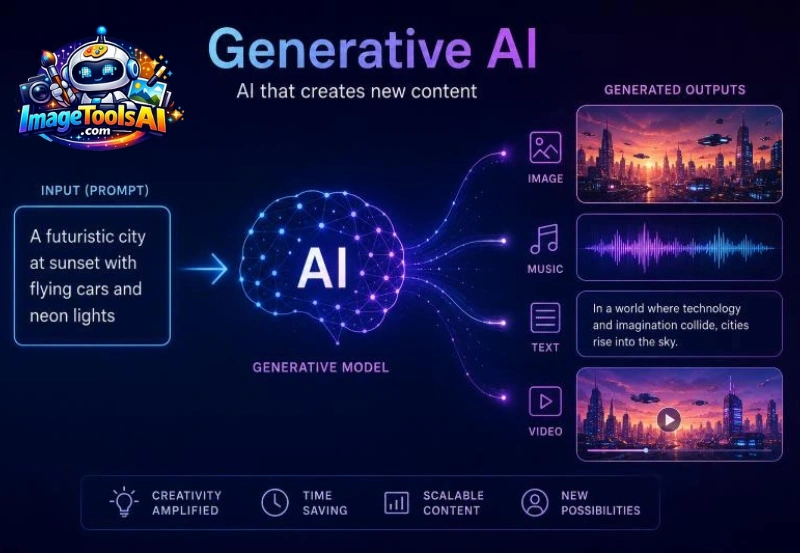
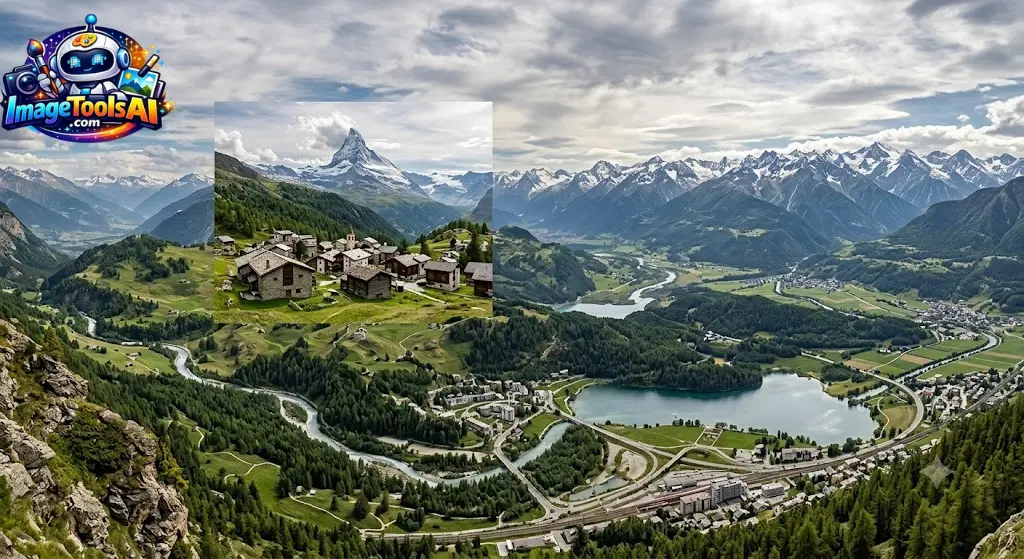
Rather than enlarging an image using traditional scaling methods, the AI creates entirely new pixels based on context, patterns, lighting, perspective, colors, and objects already present in the image.
This process is often referred to as:
- AI Outpainting
- AI Canvas Expansion
- AI Image Extension
- AI Background Expansion
- Generative Image Expansion
All of these concepts describe the same fundamental capability: extending visual content beyond its original frame.
Traditional Expansion vs AI Expansion
| Traditional Editing | Generative Expand AI |
| Stretches existing pixels | Creates new pixels |
| Often reduces quality | Maintains visual realism |
| Requires manual editing | Mostly automated |
| Time consuming | Fast workflow |
| Limited creative flexibility | Highly flexible |
The difference is dramatic.
Instead of merely enlarging an image, AI effectively imagines what should exist beyond the visible frame.
Real-World Example
Imagine you have:
- A portrait photo of a traveler
- The image was taken vertically
- You need a horizontal website banner
Traditionally, you might:
- Crop the image
- Lose important content
- Rebuild the background manually
With Generative Expand AI:
- The canvas becomes wider
- AI generates additional scenery
- Mountains, sky, trees, roads, or architecture continue naturally
- The image fits the banner format
The result often appears as though the photograph was originally captured with a wider camera lens.
How Generative Expand AI Works
At first glance, the technology feels almost magical.
In reality, several advanced AI systems work together to produce realistic image extensions.
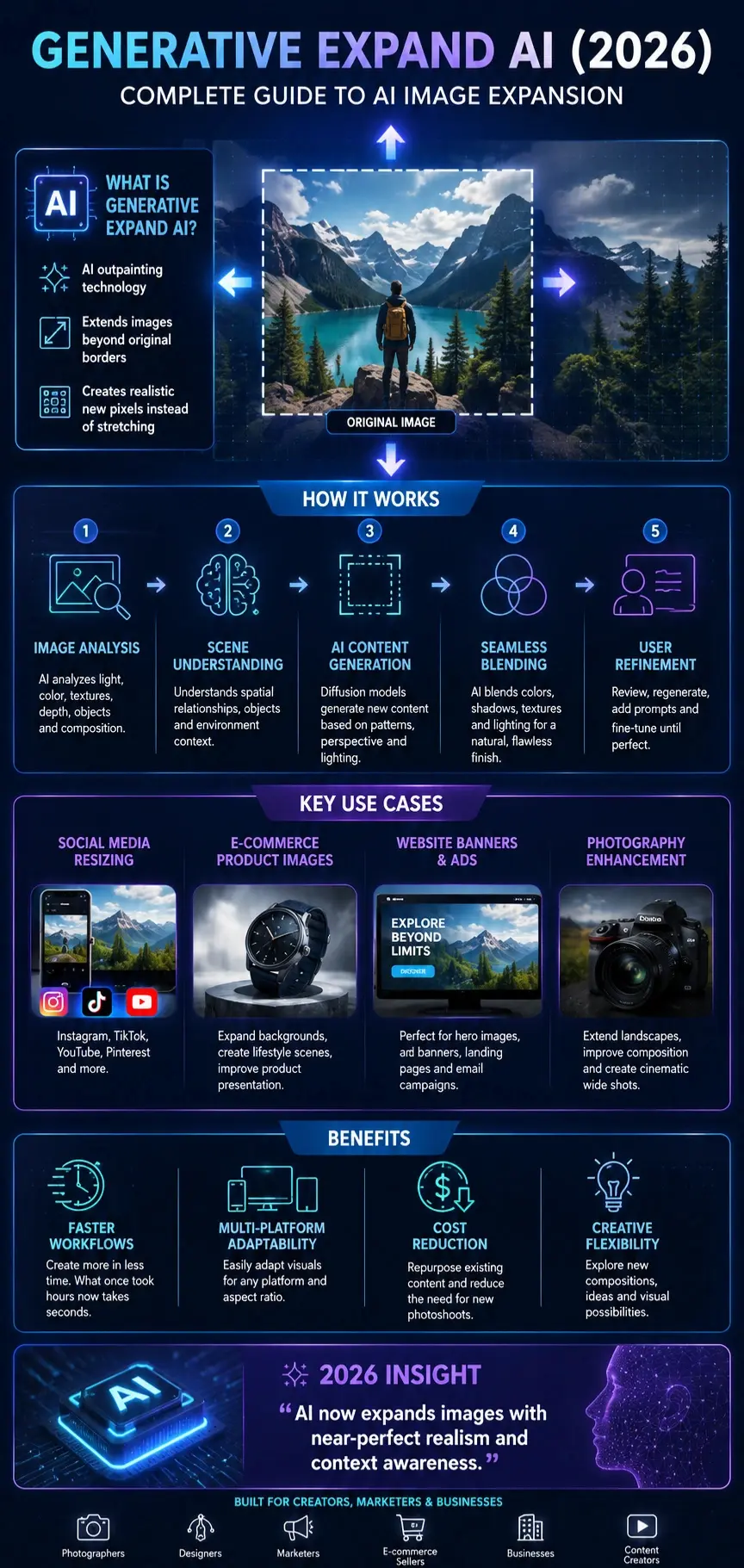
Image Analysis
The AI first analyzes:
- Colors
- Lighting
- Textures
- Objects
- Perspective
- Depth
- Visual composition
It builds a contextual understanding of the image.
For example:
A beach image might contain:
- Sand
- Waves
- Sky
- Clouds
- Horizon
The AI learns these relationships before generating anything new.
Scene Understanding
Modern models identify:
- Foreground elements
- Background elements
- Object relationships
- Spatial positioning
This allows the system to predict what could logically exist outside the frame.
Generative Prediction
The AI generates new content by predicting:
- Patterns
- Shapes
- Environmental details
- Lighting consistency
- Natural continuation
This is where diffusion models and generative image systems perform most of the heavy lifting.
Seamless Blending
After generating content, the AI blends:
- Colors
- Shadows
- Textures
- Contrast
- Lighting
This minimizes visible transitions between original and generated regions.
User Refinement
Most tools allow:
- Regeneration
- Alternative variations
- Prompt-based guidance
- Additional edits
Users can continue refining until the desired result is achieved.
The Technology Behind AI Outpainting
What Is AI Outpainting?
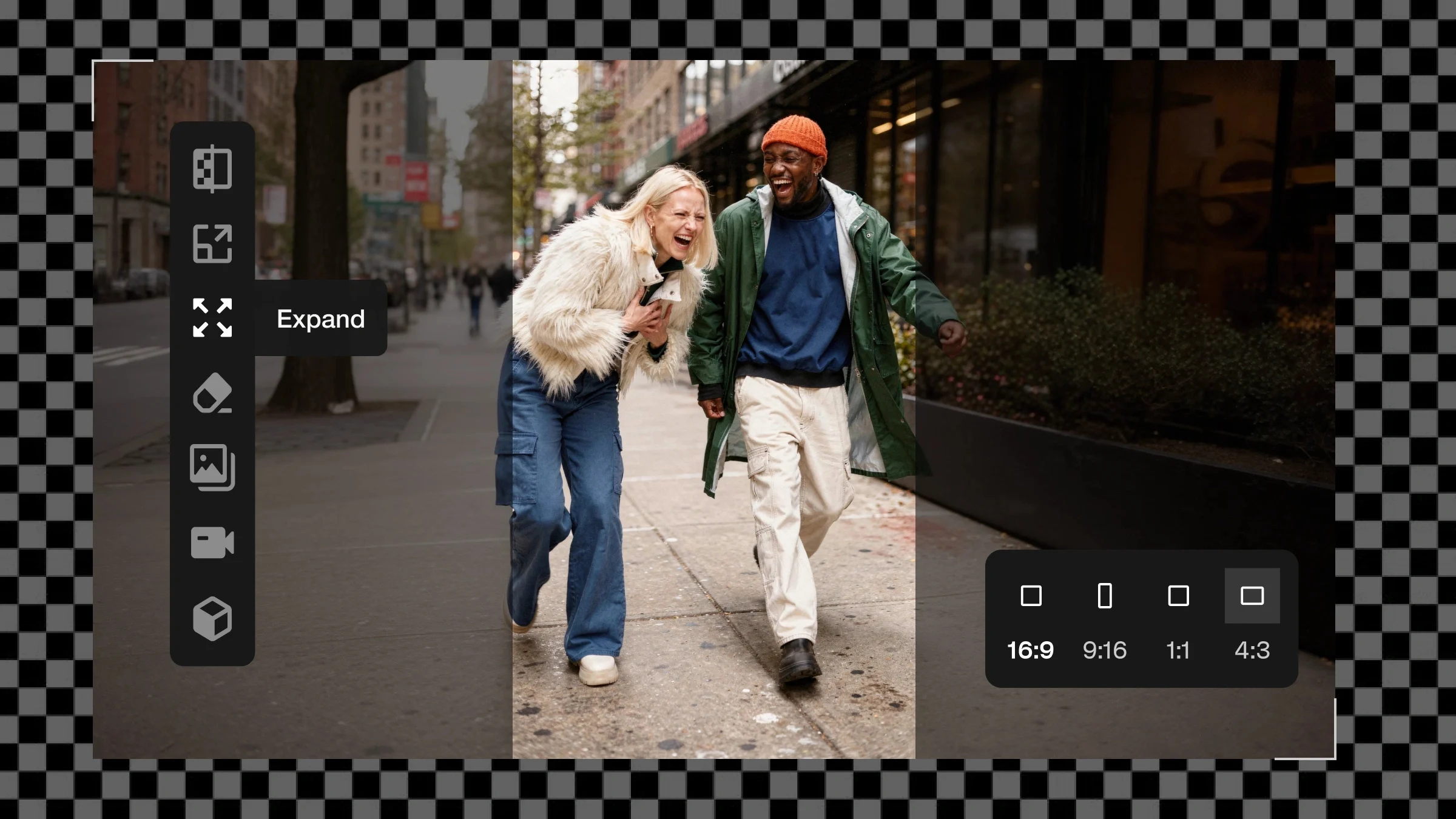
Outpainting is the process of generating image content beyond the original borders.
Think of it as the opposite of cropping.
Instead of removing content, the AI adds content.
Diffusion Models
Most modern systems rely on diffusion-based image generation.
These models:
- Learn from millions of images
- Understand visual patterns
- Predict realistic content
- Generate high-quality imagery
Diffusion models are largely responsible for the recent leap in image generation quality.
Context-Aware Generation
One reason modern expansion tools perform so well is context awareness.
The AI doesn’t randomly create pixels.
It analyzes:
- Nearby Objects
- Environmental cues
- Artistic style
- Camera perspective
The generated content becomes significantly more believable.
Why Results Keep Improving
Every generation of AI models improves:
- Visual realism
- Edge consistency
- Lighting accuracy
- Object coherence
- Texture quality
This is why 2026 image expansion tools are dramatically better than early AI editing systems from only a few years ago.
Adobe Firefly and Generative Expand
When discussing Generative Expand AI, Adobe’s ecosystem deserves special attention.
Adobe has become one of the most influential companies in AI-assisted creative workflows.
Adobe developed Generative Expand as part of its broader Firefly initiative, bringing AI-powered image generation directly into professional creative applications.
What Is Adobe Firefly?
Adobe Firefly is Adobe’s family of generative AI models designed for creative tasks such as:
- Image generation
- Generative Fill
- Text effects
- Vector creation
- Image expansion
The platform focuses heavily on commercial-friendly workflows and integration with Adobe’s creative ecosystem.
Generative Expand in Photoshop
One of the most popular implementations appears inside:
Adobe Photoshop
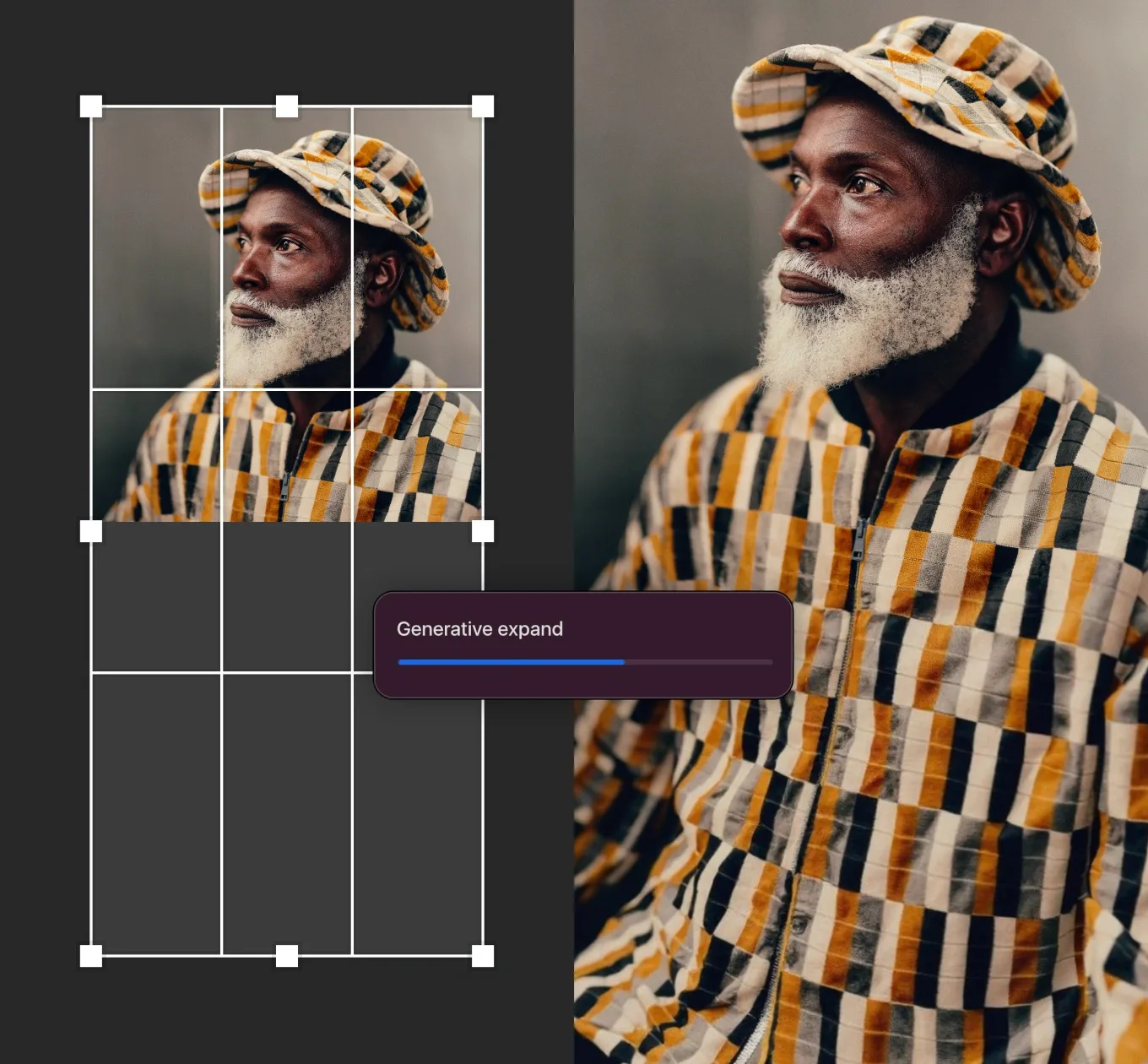
Users can:
- Select Crop Tool
- Extend canvas
- Click Generate
- Review AI-generated variations
The process takes only a few seconds.
Why Photoshop Became the Industry Standard
Professional creators often choose Photoshop because it combines:
- AI generation
- Layer editing
- Masking
- Retouching
- Advanced color workflows
This allows AI-generated content to fit naturally into professional production pipelines.
Firefly Model Evolution
Many older tutorials ignore one important reality:
Adobe’s AI ecosystem continues evolving.
Recent improvements include:
- Better image realism
- Enhanced edge consistency
- Improved object generation
- Faster processing
- Higher quality outputs
As AI models improve, Generative Expand results continue becoming more realistic and commercially viable.
Why Generative Expand AI Matters in 2026
Generative Expand is no longer a novelty feature.
It has become a practical production tool.
Several industry trends explain why.
Content Demand Is Exploding
Modern brands need images for:
- Websites
- Blogs
- YouTube
- TikTok
- Email campaigns
- Digital advertising
A single campaign may require dozens of aspect ratios.
Generative Expansion dramatically reduces the time required to create them.
Multi-Platform Publishing
Creators now publish everywhere.
Instead of redesigning assets from scratch, AI can quickly adapt existing visuals for:
- 16:9
- 1:1
- 4:5
- 9:16
- Banner formats
This saves enormous amounts of production time.
AI-Assisted Creativity
Rather than replacing creators, Generative Expand often acts as a creative assistant.
It helps:
- Designers explore layouts
- Photographers improve compositions
- Marketers test ad concepts
- Businesses scale content production
The result is faster iteration and increased creative flexibility.
Key Features of Generative Expand AI
Not all tools offer the same capabilities, but leading platforms generally include the following features.
| Feature | Benefit |
| Canvas Expansion | Extend image boundaries |
| AI Outpainting | Generate new visual content |
| Prompt Guidance | Control generated results |
| Multiple Variations | Choose preferred outputs |
| Style Consistency | Match the original image |
| Aspect Ratio Conversion | Adapt content for platforms |
| High Resolution Support | Professional-quality exports |
| Non-Destructive Editing | Preserve the original image |
Mini Summary
Generative Expand AI has evolved from a niche editing feature into one of the most valuable tools in modern creative production. Intelligently extending images beyond their original boundaries, it helps creators, businesses, photographers, and marketers adapt visual content faster than ever before.
Step-by-Step Tutorial: How to Use Generative Expand AI
Now that you understand the technology behind Generative Expand AI, let’s look at how professionals actually use it in production environments.
Although workflows vary slightly between tools, the overall process remains similar.
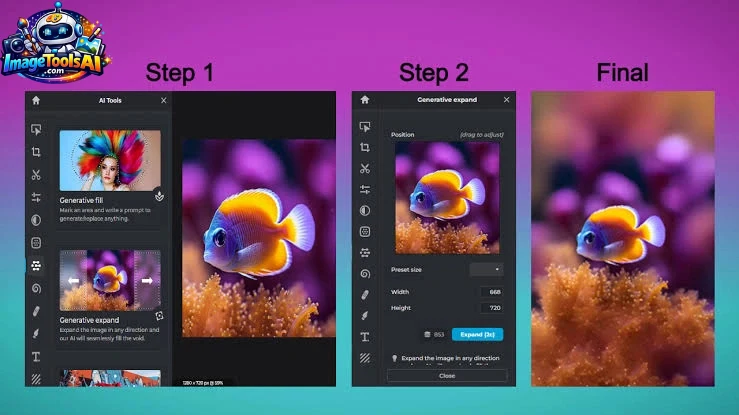
Step 1: Open Your Image
Choose a high-quality image whenever possible.
Best results usually come from images with:
- Good lighting
- Clear subjects
- Sharp details
- Minimal compression artifacts
- Consistent colors
Pro Tip
AI can fix many issues, but poor source images often produce weaker expansion results.
Step 2: Select the Crop or Expand Tool
In tools such as Photoshop, users can:
- Activate Crop Tool
- Drag canvas boundaries outward
- Create empty areas around the image
These blank spaces become the generation area.
Step 3: Choose Expansion Direction
You can expand:
- Left
- Right
- Top
- Bottom
- All sides simultaneously
Different directions serve different goals.
| Expansion Type | Common Use |
| Horizontal | Website banners |
| Vertical | Pinterest graphics |
| Top Expansion | Social posts |
| Bottom Expansion | Product descriptions |
| Full Expansion | Posters and advertising |
Step 4: Generate Automatically
Many users leave the prompt blank.
The AI analyzes surrounding pixels and generates a natural continuation automatically.
This works surprisingly well for:
- Landscapes
- Nature scenes
- Simple backgrounds
- Architecture
Step 5: Add a Prompt
Prompt guidance often produces superior results.
Instead of relying entirely on automatic generation, describe what should appear beyond the frame.
Example:
Weak Prompt
Expand image
Better Prompt
Continue the mountain landscape with pine trees, misty atmosphere, golden sunrise lighting, and realistic photography
The more context you provide, the more controlled the output becomes.
Step 6: Review Multiple Variations
Most AI expansion tools generate several versions.
Evaluate:
- Realism
- Object consistency
- Lighting
- Perspective
- Composition
Never settle for the first result.
Professional designers often test multiple generations before selecting a final image.
Step 7: Refine and Regenerate
If something looks wrong:
- Regenerate
- Modify Prompts
- Expand in smaller increments
- Use masking tools
Small refinements often create dramatic improvements.
Best Prompts for Generative Expand AI
One of the biggest competitor weaknesses is the lack of prompt guidance.
Many tutorials simply say:
Leave the prompt blank.
While blank prompts can work, professionals frequently achieve better results using intentional prompt engineering.
Landscape Expansion Prompts
Mountains
Continue mountain range with realistic rocky peaks, soft clouds, sunrise lighting, and ultra-detailed landscape photography
Forest
Extend dense forest with tall pine trees, natural sunlight, realistic shadows, cinematic outdoor photography
Beach
Expand sandy beach with gentle ocean waves, blue sky, realistic coastal atmosphere
Desert
Continue desert dunes with natural wind patterns, golden hour lighting, and realistic textures
Waterfall
Extend the waterfall environment with moss-covered rocks, flowing water, mist effects, and nature photography
Portrait Expansion Prompts
Outdoor Portrait
Continue natural park environment with trees, grass, soft sunlight, shallow depth of field
Urban Portrait
Expand modern city street with realistic buildings, reflections, and soft evening lighting
Fashion Photography
Extend luxury fashion backdrop with elegant architecture, clean composition, and premium editorial style
Studio Portrait
Continue seamless professional studio background with soft gradient lighting
Travel Portrait
Expand scenic travel destination with mountains, pathways, and atmospheric depth
Product Photography Prompts
Luxury Product
Extend a premium studio environment with soft reflections, elegant lighting, and luxury commercial photography
Cosmetics
Continue beauty product background with clean surfaces, soft shadows, and high-end advertising style
Technology Product
Expand a futuristic technology environment with sleek surfaces and modern lighting
Jewelry
Continue the luxury jewelry photography setup with subtle reflections and a premium atmosphere
Home Decor
Expand the interior design setting with modern furniture and realistic room continuation
Social Media Content Prompts
Expand lifestyle scene with bright colors, modern aesthetic, engaging social media composition
TikTok
Continue vibrant background optimized for vertical mobile content
YouTube Thumbnail
Expand dramatic background with strong contrast and attention-grabbing composition
Extend the creative design environment with a clean vertical layout and visual balance
Expand a professional business environment with a modern office atmosphere
Brand Consistency Prompts
Corporate Branding
Continue a professional, branded environment, maintaining the existing color palette and visual style
Minimalist Design
Expand a clean, minimalist background with subtle textures and balanced composition
Luxury Branding
Continue premium luxury aesthetic with elegant materials and sophisticated lighting
Startup Marketing
Extend a modern, innovative workspace with an energetic and creative atmosphere
E-Commerce
Expand product-friendly background with clean space for promotional messaging
Professional Workflows Using Generative Expand AI
Most online guides stop after explaining the feature.
Professional users go much further.
Display Advertising
Ads often require multiple dimensions:
| Format | Example |
| Leaderboard | Website banners |
| Square | Social ads |
| Vertical | Mobile ads |
| Rectangle | Display networks |
Generative Expand speeds adaptation significantly.
Landing Pages
Marketers frequently need wide hero images.
Instead of searching for alternative photos, AI can extend existing imagery.
Email Marketing
Email headers often require unusual dimensions.
Generative Expand makes resizing significantly easier.
Paid Social Campaigns
Advertising platforms demand multiple creative formats.
AI-assisted expansion enables faster testing and optimization.
Pros and Cons of Generative Expand AI
Advantages
Saves Time
Tasks that once required hours can often be completed in minutes.
Reduces Production Costs
Businesses can repurpose existing content instead of creating new assets.
Improves Creative Flexibility
Users can experiment with compositions that were previously impossible.
Supports Multiple Platforms
Images adapt easily across modern publishing channels.
Beginner Friendly
Most tools require minimal technical knowledge.
Limitations
Not Always Accurate
Generated content can occasionally look unrealistic.
Perspective Errors
Complex scenes sometimes confuse AI systems.
Object Hallucinations
Unexpected elements may appear.
Text Problems
AI still struggles with precise typography generation.
Inconsistent Results
The same prompt can produce different outcomes.
People Also Ask
A: Some platforms offer limited free generations, while professional tools typically use subscription or credit-based pricing models.
A: Not necessarily. Modern AI expansion tools often preserve quality better than traditional image stretching methods.
A: Generative Expand is essentially a form of AI outpainting. Both terms describe the process of extending image boundaries using AI-generated content.
A:L In many cases, yes. However, licensing policies differ by provider, so always verify commercial usage rights before publishing.
A: Landscapes, product photography, architecture, travel photos, and simple backgrounds generally produce the most reliable results.
Conclusion:
Out of nowhere, Generative Expand AI shifted from being just an odd experiment to something people actually rely on for making new work. Though it started as a curiosity, now creators turn to it regularly when ideas feel stuck or slow.
Images shift easily between formats, helping designers, marketers, photographers, content makers, and companies skip the expensive redoing of shoots. Editing by hand takes ages, yet this method cuts through that delay quietly.
Its biggest strengths include:
- Faster Workflows
- Greater creative flexibility
- Better content repurposing
- Improved platform adaptation
- Reduced production costs
While working with these tools, keep expectations grounded. Generated additions might show odd details, warped views, or mismatches – things a person will need to check. Still, results often depend on careful oversight.
Working well means seeing Generative Expand as a helper, not taking over the designer’s role. Some folks get far by using it alongside skill instead of depending on it fully.
Picture handling ads, online posts, promo images, snaps of goods, or sharing across sites? This tool reshapes space around visuals smarter than most. A quiet leap in fixing photos shows up right where it counts.
By 2026, sharper AI could make expanded images feel seamless – speed creeping up unnoticed. Picture stretching edges without breaking stride in design routines. Realism might blend so smoothly that it fades into the background of daily creation. Progress ticks forward, pulling tools closer to instinctive use.
Curious about how AI reshapes image work? Peek at what’s new through real tests and side-by-side looks over at Imagetoolsai.com – fresh takes show up often. New tricks pop out daily, so wandering into their deep dives helps make sense of it all. See where the tools actually shine, no fluff.











