Introduction
Out of nowhere, tools that make pictures with artificial intelligence have changed fast. Still, plenty of people find it tough to get images that look sharp and stay uniform. Weak descriptions, picking the wrong system by mistake, or messy steps in between – these trip things up now and then. Results end up flat when those hiccups pile up.
Here’s when Leonardo AI Image Generator begins to shine.
Picture making gets easier when smart tech fits into one place. Inside this system, different ways to build images live together. Real-time shaping of visuals happens alongside adjustments on a digital surface. Turning one picture into another flows without stopping. Business-ready options come built in. Blog writers find help here just like online sellers do. Game makers tap into shortcuts, same as marketers. Designers see faster results, along with others who make content daily.
Start here – this walkthrough shows what happens behind the scenes with Leonardo AI. Peek under the hood to see which models actually deliver results worth keeping. Settings that tend to stick? They’re laid out plainly. Dig into smart ways of shaping prompts that others skip entirely. Real routines used by pros appear without filters. Watch for stumbles that almost everyone makes early on. Examples pulled from actual work replace theory every time.
What Is Leonardo AI Image Generator?
Images come from words, powered by Leonardo AI. This tool runs in the cloud, turning descriptions into visuals. Instead of drawing, users type ideas. The system builds pictures based on those details. It works entirely online, needing no local setup. Each prompt shapes a unique image through artificial intelligence. Access happens through browsers, skipping heavy downloads.
Users can create:
- Marketing graphics
- Product photos
- Social media visuals
- Logos
- Character designs
- Concept art
- Book covers
- Game assets
- Advertising creatives
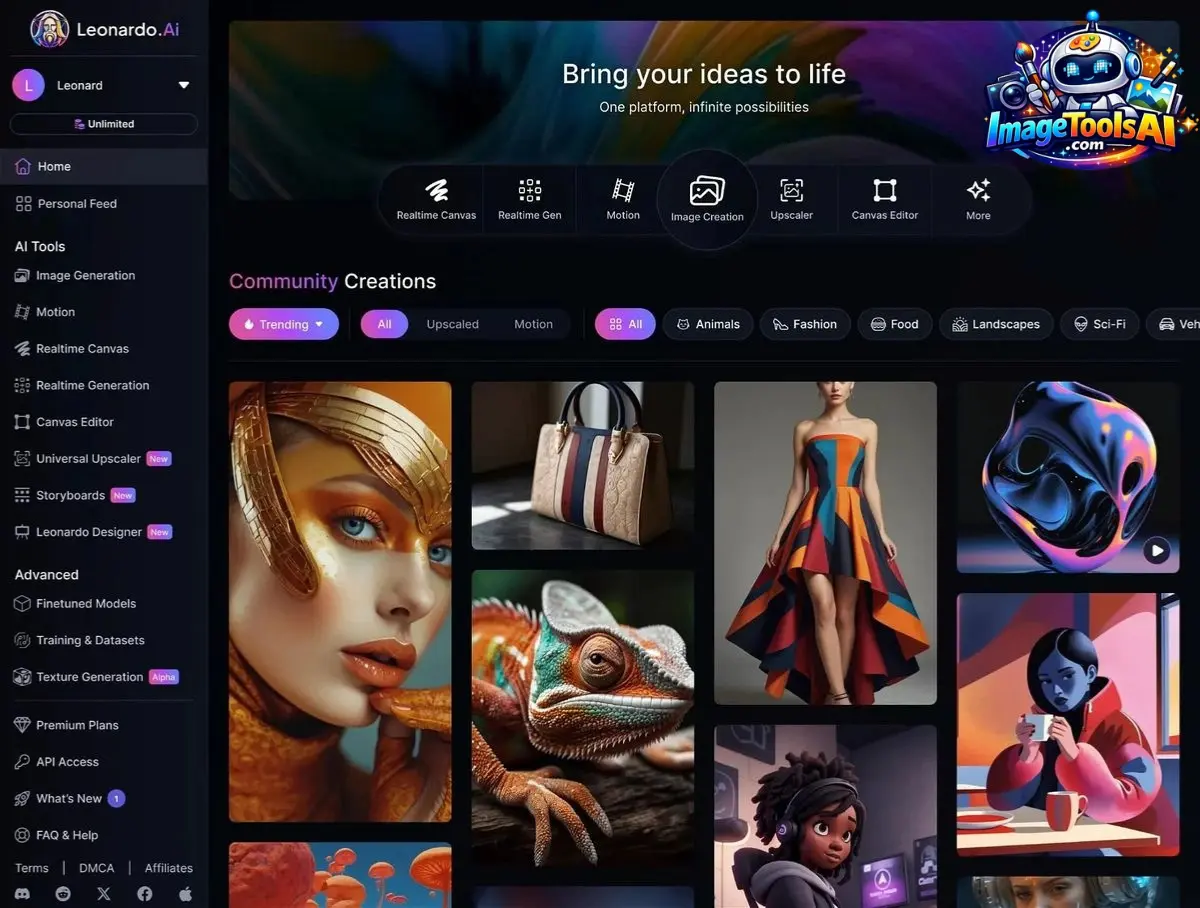
What sets Leonardo AI apart isn’t just turning words into pictures. While most tools do one thing, this platform builds around the whole process. Instead of limiting options, it opens up ways to shape visuals step by step. Not simply generating images from prompts, it supports refining them further. Rather than ending at creation, users can adjust textures, styles, and details afterward. Where others stop short, additional features help fine-tune results. Beyond typing descriptions, creators interact dynamically with their output
- AI image generation
- Realtime generation
- Realtime Canvas
- AI editing
- Image upscaling
- Motion workflows
- Custom model training
- Asset management
Why Leonardo AI Matters in 2026
The AI image market is becoming increasingly competitive.
Creators now require:
- Faster outputs
- Better prompt adherence
- Consistent branding
- Commercial licensing
- Editing flexibility
Leonardo AI addresses these needs by combining multiple generation technologies within a single interface.
Key reasons professionals use Leonardo AI include:
- Fast generation speed
- Strong prompt accuracy
- Multiple model options
- Commercial-friendly workflows
- Built-in editing tools
- Realtime creation features
Mini Summary
Leonardo AI is no longer just an art generator. It has evolved into a professional visual production platform.
Key Features of Leonardo AI Image Generator
Text-to-Image Generation
Convert written descriptions into visuals.
Examples include:
- Product images
- Fantasy art
- Realistic portraits
- Illustrations
- Advertising graphics
Realtime Generation
Watch images evolve while typing prompts.
Benefits:
- Faster ideation
- Better experimentation
- Immediate visual feedback
Realtime Canvas
Draw rough concepts and let AI transform them into polished artwork.
Perfect for:
- Designers
- Concept artists
- Marketing teams
AI Image Editing
Modify existing images using prompts.
Common tasks:
- Background replacement
- Object removal
- Style changes
- Color Adjustments
Upscaling
Improve image resolution without major quality loss.
Motion Workflows
Create animated visual content from generated images.
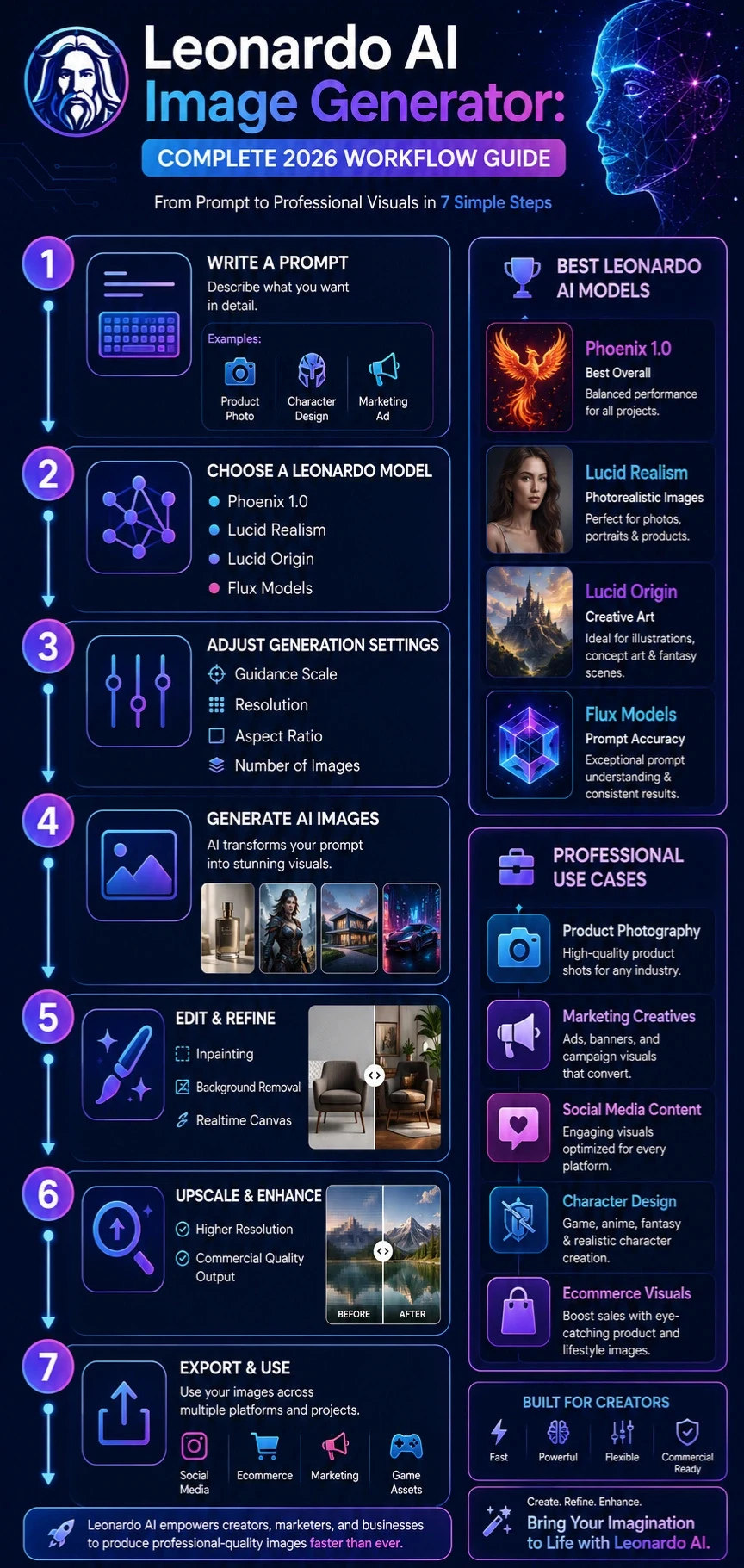
Leonardo AI Models Explained
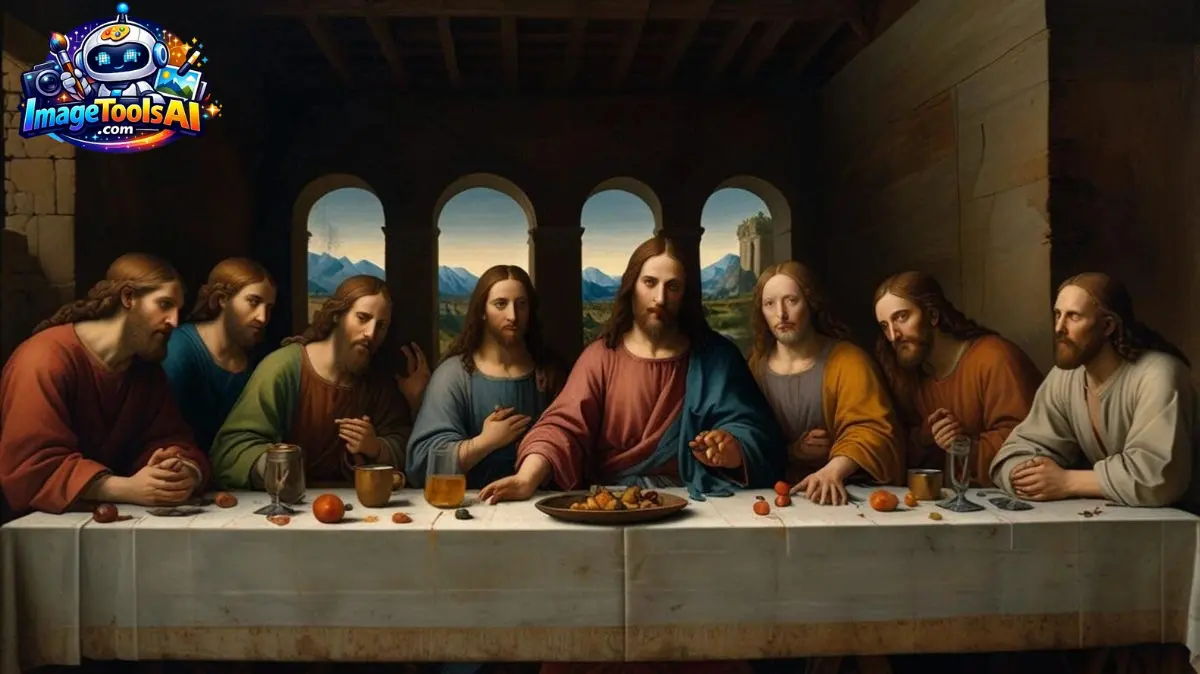
Choosing the correct model often matters more than the prompt itself.
| Model | Best For |
| Phoenix 1.0 | General-purpose generation |
| Lucid Realism | Photorealistic images |
| Lucid Origin | Creative illustrations |
| Flux Models | Prompt accuracy |
| Realtime Models | Live image creation |
Phoenix 1.0
Ideal for:
- Marketing visuals
- Social media graphics
- General image creation
Strengths:
- Balanced performance
- Good prompt adherence
- Versatile outputs
Lucid Realism
Best for:
- Human portraits
- Product photography
- Lifestyle imagery
Lucid Origin
Designed for:
- Concept art
- Fantasy scenes
- Stylized illustrations
Flux Models
Known for:
- Exceptional prompt understanding
- Improved composition
- Consistent outputs
How to Use Leonardo AI Image Generator
Create an Account
Register through Leonardo AI.
Select a Model
Choose a model based on your project goals.
Write a Prompt
Example:
“Luxury skincare bottle on marble countertop, soft natural lighting, premium commercial photography, ultra realistic, 8k”
Adjust Settings
Modify:
- Guidance
- Resolution
- Aspect ratio
- Number of images
Generate
Review outputs.
Refine
Improve results through prompt adjustments.
Edit or Upscale
Finalize professional-quality images.
Best Leonardo AI Settings
| Goal | Recommended Settings |
| Product Photos | High guidance, realism model |
| Character Design | Medium guidance |
| Concept Art | Creative model |
| Marketing Ads | Balanced guidance |
| Social Media | Fast generation |
Recommended Starting Setup
- High-quality model
- Moderate guidance
- 1024×1024 resolution
- Multiple variations
Leonardo AI Prompt Engineering Guide
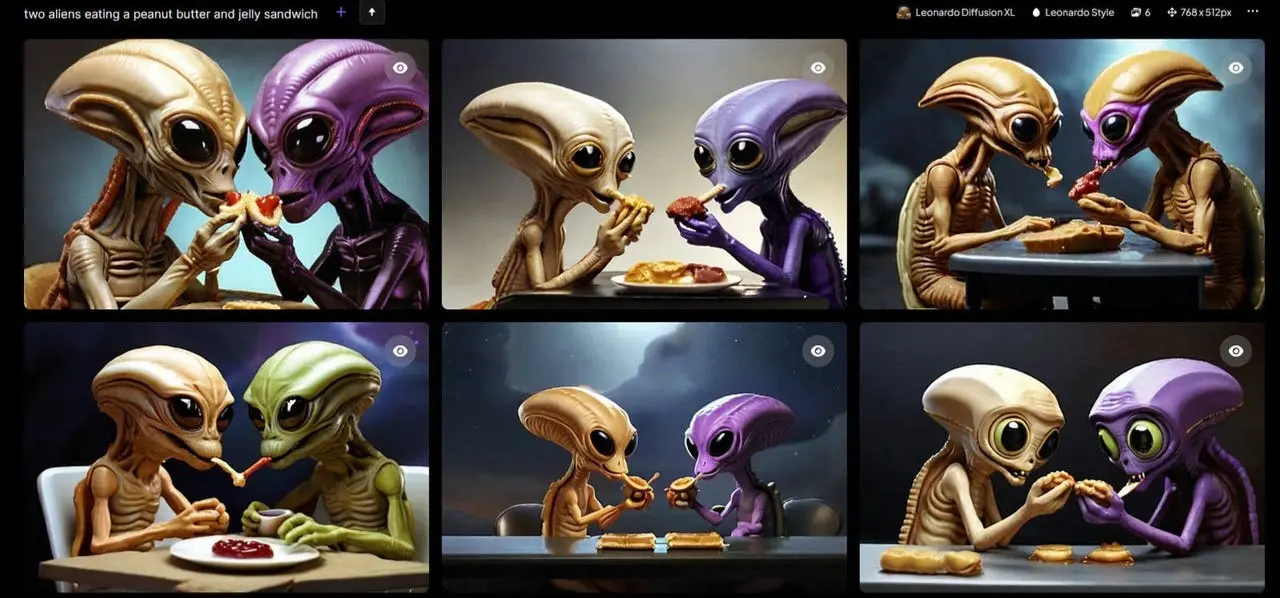
Most users fail because prompts lack structure.
Use this framework:
Subject
What should appear?
Environment
Where is it located?
Lighting
How is it illuminated?
Style
What artistic style?
Quality
How detailed should it be?
Example Formula
Subject + Environment + Lighting + Style + Quality
Example:
“Professional smartwatch, luxury retail store display, cinematic lighting, commercial product photography, ultra-realistic, highly detailed”
15 High-Converting Prompt Templates
Product Photography
Luxury perfume bottle on reflective glass surface, premium studio lighting, ultra-realistic, commercial advertising photography
Fashion
Professional fashion model, editorial photoshoot, dramatic lighting, luxury magazine quality
Social Media
Modern coffee shop interior, Instagram aesthetic, warm natural lighting
Real Estate
Luxury modern villa, sunset lighting, architectural photography
Technology
Futuristic AI workstation, holographic interfaces, cyberpunk design
Food
Gourmet burger, restaurant photography, shallow depth of field
Travel
Tropical beach resort, golden hour photography
Character Design
Female cyberpunk warrior, detailed armor, cinematic lighting
Fantasy Art
Ancient dragon overlooking a mystical kingdom
Logo Concept
Minimalist luxury brand symbol, clean vector style
Ecommerce
Premium headphones, white background product shot
Automotive
Sports car on mountain road, cinematic sunset
Education
Modern digital classroom with AI technology
Healthcare
Professional medical clinic interior
Business
Corporate office environment, executive workspace
Leonardo AI for Product Photography
One of Leonardo AI’s strongest use cases is ecommerce.
Benefits:
- Lower photography costs
- Faster asset creation
- Multiple variations
- Lifestyle scenes
Best industries:
- Fashion
- Beauty
- Electronics
- Home decor
- Jewelry
Leonardo AI for Marketing Creatives
Marketing teams can create:
- Facebook ads
- Google Display ads
- Landing page visuals
- Email graphics
- Promotional Banners
Pro Workflow
- Generate concepts
- Refine prompts
- Edit with Canvas
- Upscale final assets
Leonardo AI for Character Design
Excellent for:
- Game development
- Storytelling
- Animation
- Comics
Generate:
- Character sheets
- Expressions
- Costumes
- Environments
Leonardo AI Image Editing Features
Editing tools include:
- Inpainting
- Outpainting
- Object replacement
- Background editing
- Image expansion
These features reduce dependency on traditional editing software.
Leonardo AI Motion & Video Creation
Motion workflows allow users to animate generated imagery.
Popular applications:
- Social media reels
- Product showcases
- Promotional content
- Creative storytelling
Leonardo AI vs Midjourney
| Feature | Leonardo AI | Midjourney |
| Ease of Use | Excellent | Moderate |
| Editing Tools | Strong | Limited |
| Realtime Features | Yes | Limited |
| Product Photography | Excellent | Good |
| Community | Strong | Very Strong |
Leonardo AI vs ChatGPT Images
| Feature | Leonardo AI | ChatGPT Images |
| Editing Control | Strong | Moderate |
| Model Variety | Higher | Lower |
| Workflow Tools | Extensive | Simpler |
| Canvas Features | Yes | Limited |
Common Leonardo AI Problems and Fixes
Images Look Unrealistic
Use realism-focused models.
Text Appears Incorrect
Generate without text and add typography later.
Faces Look Distorted
Increase quality settings and improve prompts.
Results Ignore Prompt
Use clearer descriptions and reduce conflicting instructions.
Pros and Cons
Pros
- Easy to use
- Multiple models
- Realtime generation
- Canvas editing
- Strong commercial applications
- Frequent updates
Cons
- Learning curve for advanced workflows
- Credit limitations on some plans
- Text rendering is still imperfect
Who Should Use Leonardo AI?
Ideal for:
- Marketers
- Bloggers
- Designers
- Agencies
- E-commerce brands
- Freelancers
- Content creators
Who Should Avoid It?
May not suit:
- Users needing full manual illustration control
- Traditional artists are avoiding AI workflows
- Teams requiring advanced vector design tools
Realistic Expectations and Limitations
Leonardo AI is powerful but not magic.
Expect:
- Multiple prompt iterations
- Occasional inconsistencies
- Editing refinements
The best results come from combining prompt engineering, model selection, and post-processing.
People Also Ask
A: Leonardo AI typically offers a free tier with usage limits and paid plans for higher generation capacity.
A: Phoenix 1.0 is often the best starting point, while Lucid Realism excels for photorealistic content.
A: Commercial rights depend on the plan and current licensing terms. Always verify official documentation.
A: It depends on your workflow. Leonardo AI generally provides stronger editing and production tools, while Midjourney is known for artistic image quality.
A: Yes. The platform is beginner-friendly while still offering advanced tools for professionals.
Conclusion
Picture-making tools have changed a lot by 2026, and Leonardo stands out now. Strong models power the images, yet speed stays high during live creation. Editing happens right on the canvas, so changes feel natural. Prompts can shift easily, while work paths support business needs just as much. People who build visuals – Designers, sellers, online shops, teams – find it useful more days than not.
People get better results when they study how to write prompts well, pick the right models carefully because it matters, then create systems that work every time instead of clicking once and hoping. A single click rarely leads anywhere lasting.
One way to stand out at ImageToolsAI.com? Dive into this subject deeply. Tutorials that show real steps, collections of ready-to-use prompts, side-by-side looks at models – these pieces connect. Think workflows laid bare, examples pulled straight from specific fields. Put them together, and traffic finds its way over time. Trust builds slowly when visitors keep coming back for clear insights on AI imaging tools.
Head over to ImageToolsAI.com for detailed walkthroughs on generating images with AI. Check out how different tools stack up against one another there. Frameworks for crafting better prompts are also covered. New developments in creative AI tech pop up regularly on the site.











