Introduction
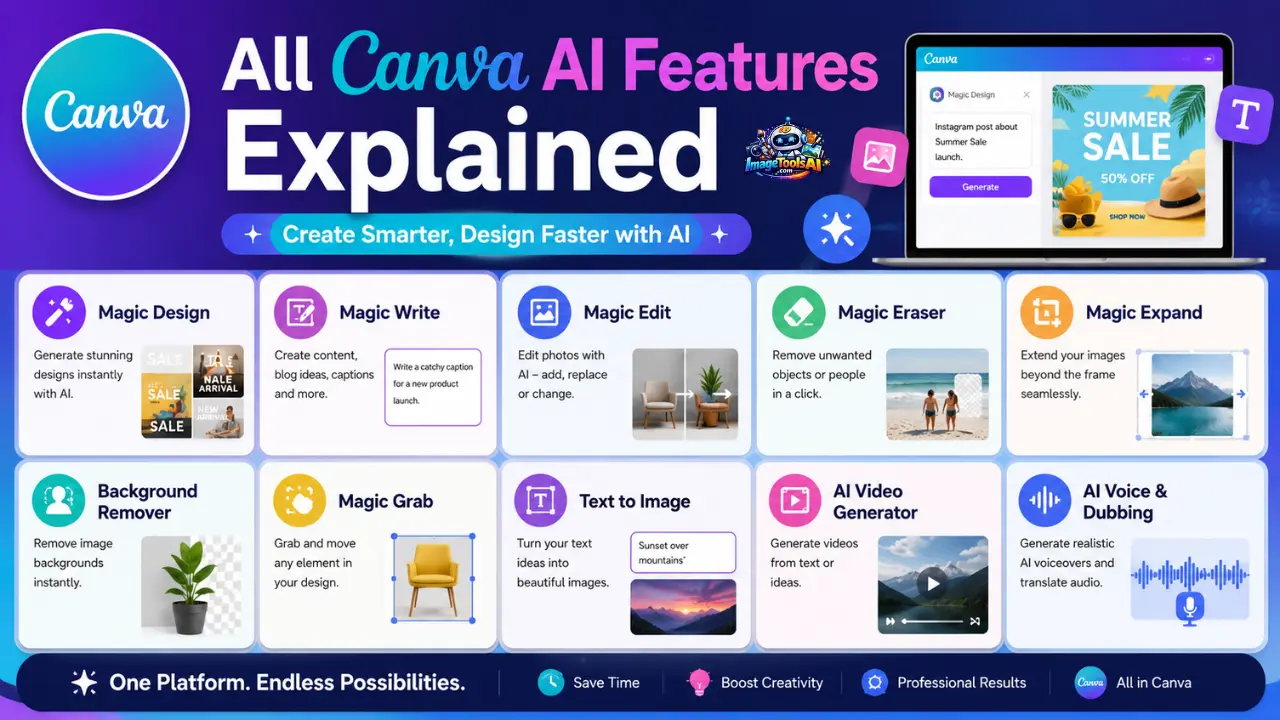
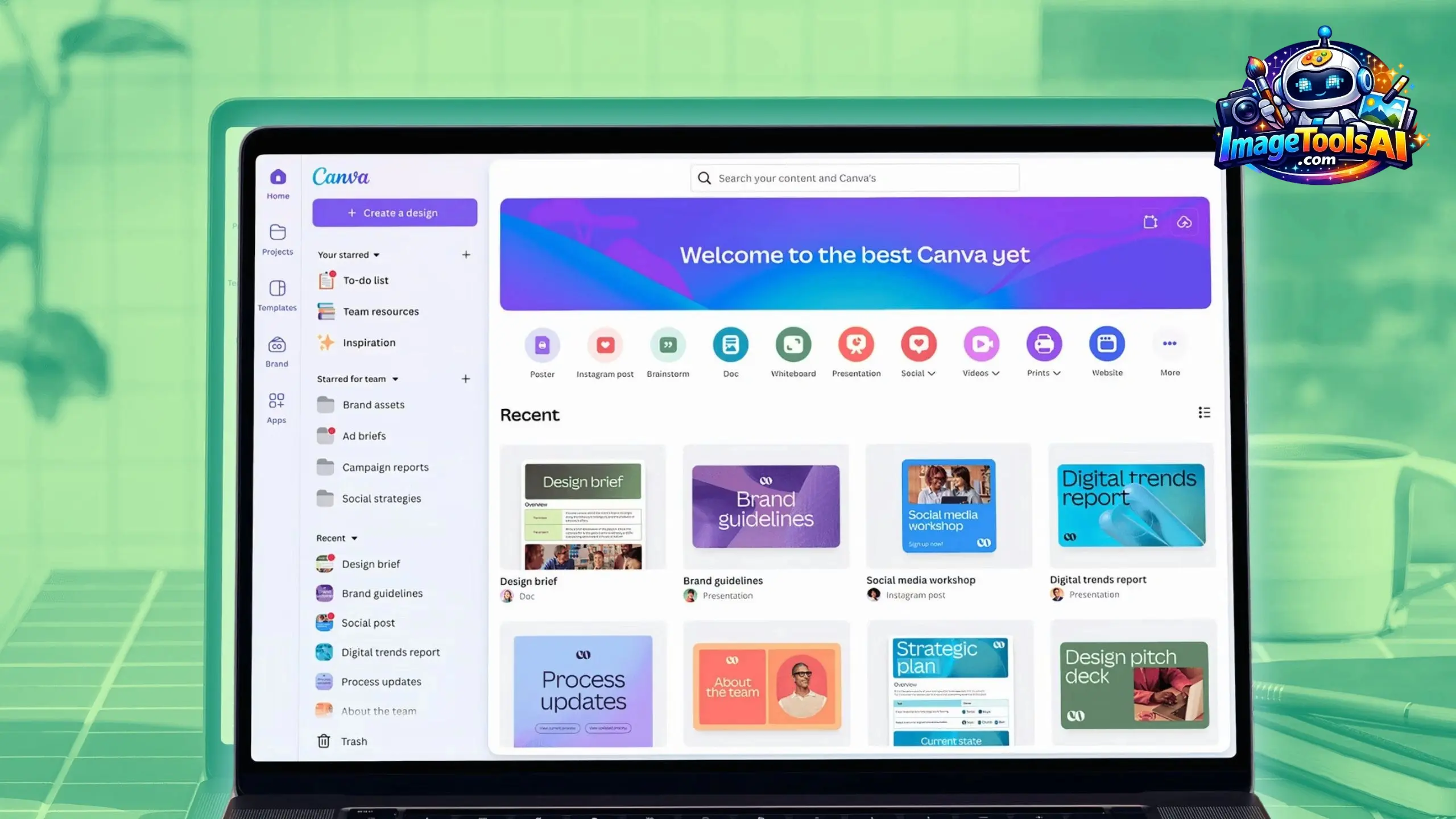
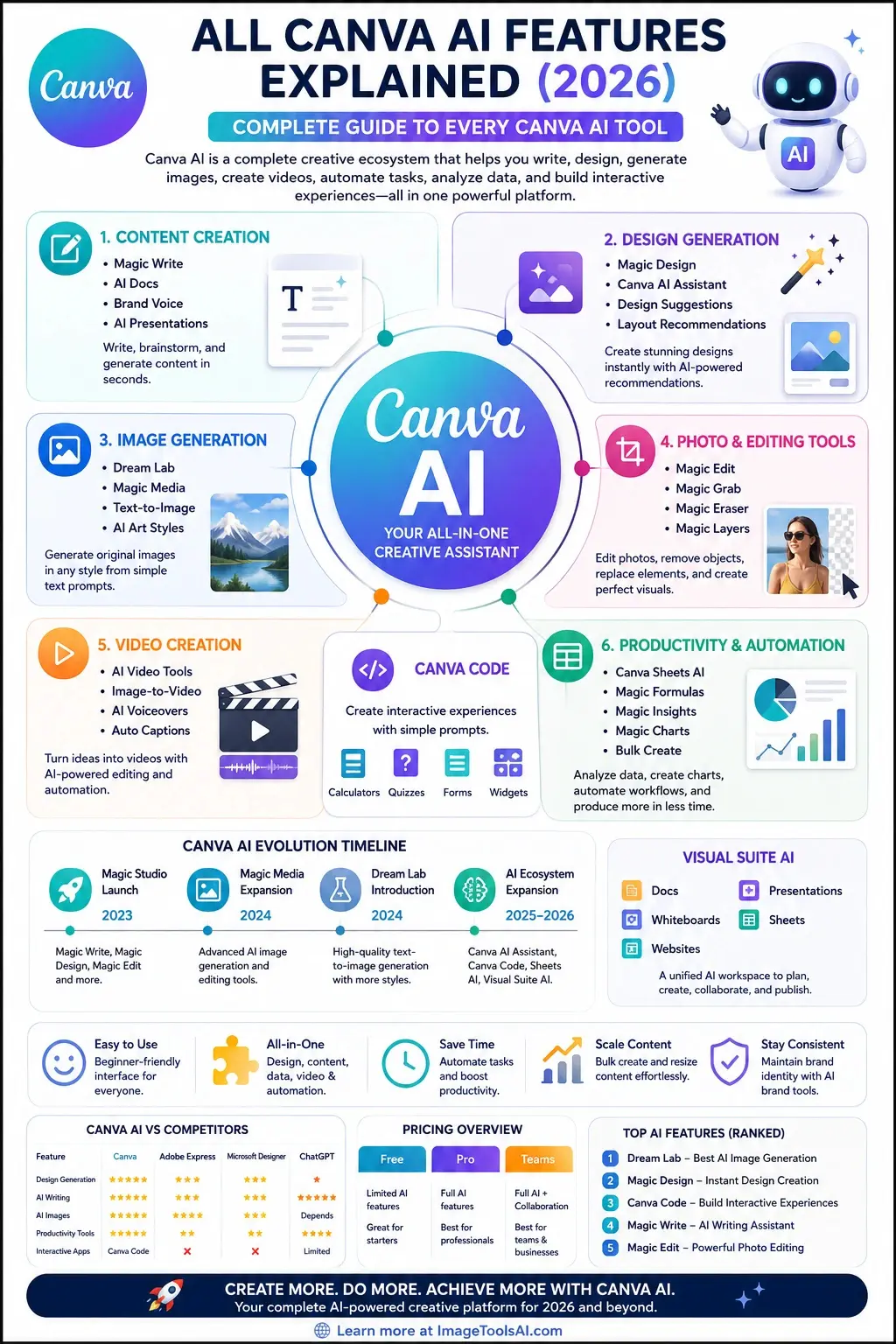
Artificial intelligence (AI) is taking over creative tasks at an unprecedented rate and is becoming one of the most exciting developments in the design space. The graphic design tool Canva has been at the forefront of the AI revolution. From a simple online design tool, Canva has grown to a creative ecosystem that now powers marketers, bloggers, businesses, educators, students, and professionals worldwide. All Canva AI Features Explained.
Canva is currently more than an online design tool; its AI capabilities encompass content writing, image creation, video production, spreadsheet management, coding, and automation. It has indeed become a Swiss knife of graphic design AI tools. However, most Canva guides only reveal a few widely used features, such as the Magic Write or Magic Design tools. Many AI features are often not discovered or underutilized by average Canva users.
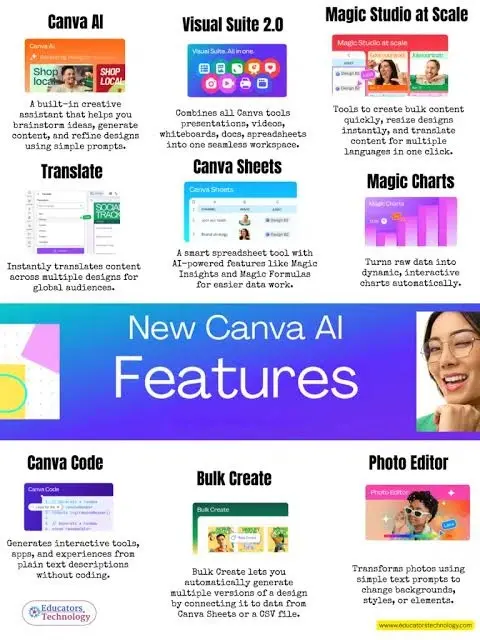
This guide uncovers all the AI tools in Canva in 2026. It highlights Canva AI Assistant, Dream Lab, Canva Code, Magic Studio, Visual Suite AI, Canva video tools, productivity, and automation features. This article reveals what Canva AI can do for you, from a simple student to a professional marketer. Everything you need to know about Canva AI tools is here.
What Is Canva AI?
Canva AI is Canva’s collection of artificial intelligence tools designed to help users create, edit, automate, and optimize content across multiple formats.
Rather than functioning as a single tool, Canva AI acts as an ecosystem that supports:
- Graphic design
- Image generation
- Content writing
- Video creation
- Presentations
- Whiteboards
- Documents
- Websites
- Spreadsheets
- Brand management
The goal is simple: reduce repetitive work while helping users create professional content faster.
AI Overview
Canva AI combines multiple AI technologies into one platform.
These technologies include:
- Large Language Models (LLMs)
- Image Generation Models
- Computer Vision Systems
- Automation Engines
- Data Analysis Models
- AI Productivity Tools
Instead of switching between different software products, users can perform most creative tasks directly inside Canva.
AI vs Magic Studio
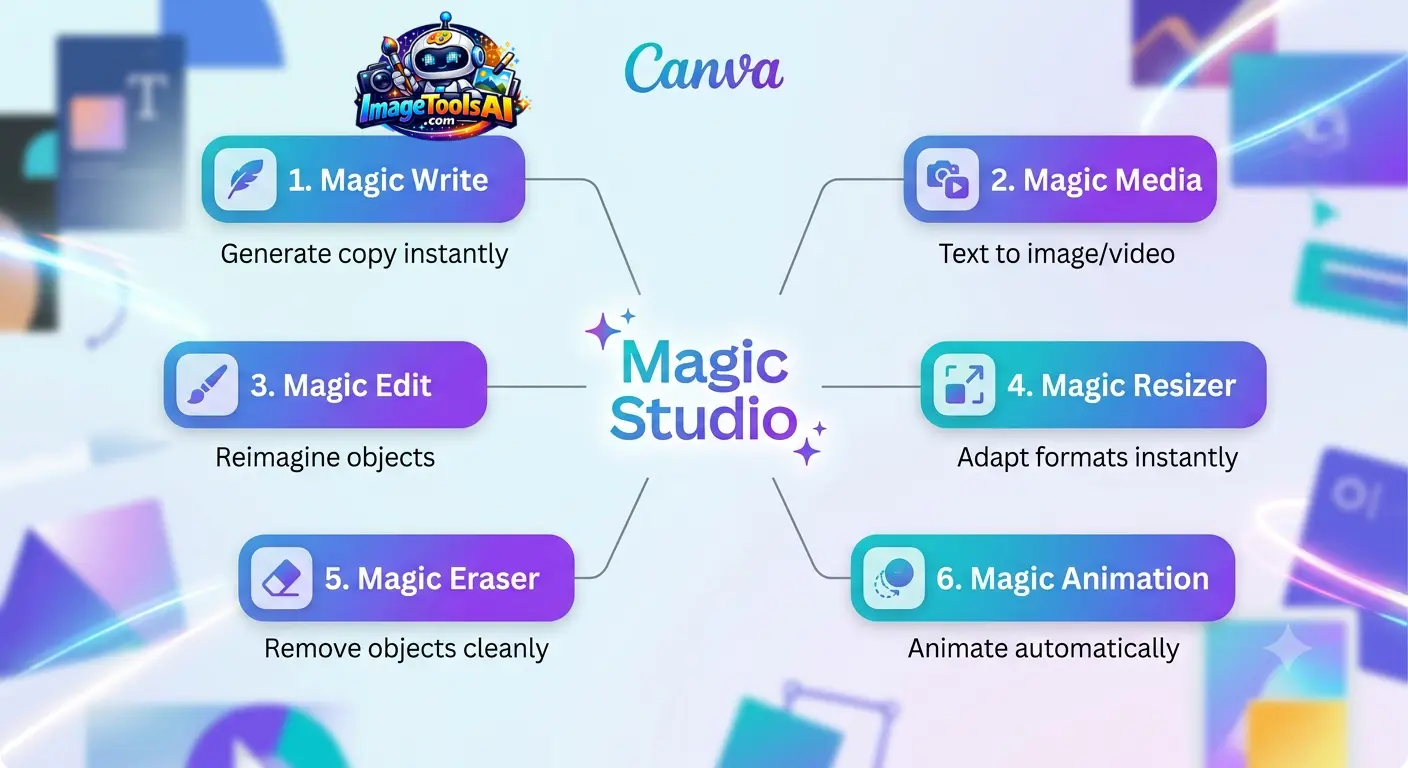
Many users confuse Canva AI with Magic Studio.
The difference is simple:
| Feature | Canva AI | Magic Studio |
| Complete AI Ecosystem | Yes | No |
| Writing Tools | Yes | Yes |
| Design Generation | Yes | Yes |
| AI Productivity Tools | Yes | Limited |
| Canva Code | Yes | No |
| Sheets AI | Yes | No |
| Visual Suite AI | Yes | No |
Magic Studio is a collection of creative AI tools, while Canva AI represents the broader AI ecosystem across the platform.
How Canva AI Works
Most Canva AI features follow a similar process:
- User enters a prompt
- AI analyzes the request
- Canva generates content
- User edits results
- Final design is exported
This workflow dramatically reduces the time needed to create professional content.
Quick Summary
Canva AI is not one tool. It is an entire AI-powered creative workspace that combines design, writing, image generation, video production, productivity, and automation into a single platform.
Canva AI Evolution Timeline
Canva’s AI development has come a long way in recent years. By looking at how far it has come, you can see why Canva has become one of the most complete AI productivity platforms on the market.
Magic Studio Launch
The major AI transformation began with Magic Studio.
Key launches included:
- Magic Write
- Magic Design
- Magic Edit
- Magic Eraser
- Background Remover enhancements
This marked Canva’s shift from a traditional design platform to an AI-assisted creative platform.
Magic Media Expansion
Canva expanded its generative AI capabilities.
New developments included:
- Advanced AI image generation
- Expanded AI editing tools
- Better prompt interpretation
- Improved AI-powered design recommendations
This period positioned Canva as a serious competitor to dedicated AI image tools.
Dream Lab Introduction
Dream Lab represented a major leap forward.
Highlights included:
- Advanced text-to-image generation
- Higher image quality
- More artistic styles
- Better realism
- Faster image rendering
Dream Lab significantly expanded Canva’s AI creative capabilities.
Canva AI + Canva Code + Visual Suite AI
The biggest transformation arrived with:
- Canva AI Assistant
- Canva Code
- Canva Sheets AI
- Magic Insights
- Magic Charts
- Visual Suite AI
These additions moved Canva beyond design into productivity, collaboration, and workflow automation.
Quick Summary
Canva evolved from a design platform into a full AI-powered creative operating system between 2023 and 2026.
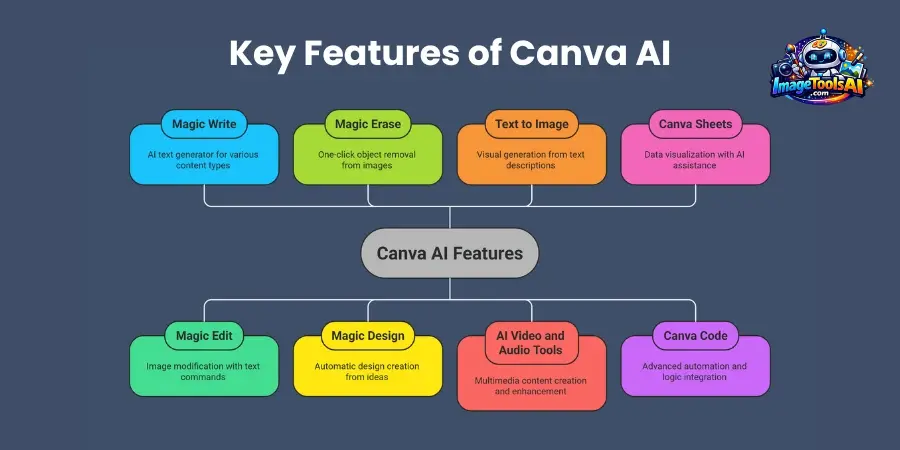
Complete AI Features List
Canva now offers dozens of AI-powered capabilities.
These tools can be grouped into six major categories.
| Category | Main Features |
| Content Creation | Magic Write, Docs AI, Presentations |
| Design Generation | Magic Design, Canva AI Assistant |
| Image Generation | Dream Lab, Magic Media |
| Photo Editing | Magic Edit, Magic Grab, Magic Layers |
| Video Creation | AI Video Tools, Voice AI |
| Productivity | Sheets AI, Insights, Charts |
This structure makes it easier to understand where each feature fits into the broader Canva ecosystem.
AI Content Creation Tools
Content creation remains one of Canva AI’s strongest areas.
These tools help users write, brainstorm, summarize, and create documents faster.
Magic Write
Magic Write is Canva’s AI writing assistant.
Users can generate:
- Blog outlines
- Product descriptions
- Social media captions
- Marketing copy
- Email drafts
- Ad content
Best For
- Bloggers
- Marketers
- Small businesses
- Social media managers
Advantages
- Fast content creation
- Beginner friendly
- Built directly into Canva
Limitations
- May require editing
- Not ideal for highly technical topics
- Sometimes generates generic outputs
Brand Voice
Brand Voice helps maintain consistent messaging across content.
It learns:
- Tone
- Style
- Preferred language
- Brand personality
This ensures AI-generated content aligns with company branding.
Best Use Cases
- Marketing agencies
- Ecommerce stores
- Corporate teams
- Personal brands
AI Docs
Canva Docs integrates AI writing directly into document workflows.
Users can:
- Create reports
- Generate outlines
- Summarize text
- Brainstorm ideas
- Draft business documents
This reduces reliance on separate writing tools.
AI Presentations
Canva AI can automatically generate presentations from prompts.
Example:
Prompt:
“Create a presentation about email marketing trends in 2026.”
Canva generates:
- Slide structure
- Titles
- Content suggestions
- Visual layouts
- Design recommendations
Quick Summary
Canva’s content tools help transform ideas into written content, presentations, and marketing assets within minutes.
Canva AI Design Generation Tools
Design generation is where Canva AI truly stands out.
These tools simplify the design process for users without professional design experience.
Magic Design
Magic Design automatically creates layouts based on user input.
Users can upload:
- Images
- Brand assets
- Text prompts
Canva then generates multiple design options.
Popular Uses
- Social media graphics
- Marketing materials
- Posters
- Presentations
- Advertisements
Advantages
- Fast results
- Beginner friendly
- Multiple design variations
Limitations
- Sometimes repetitive
- Complex designs may require editing
Canva AI Assistant
The Canva AI Assistant acts as a central AI helper.
Users can ask:
- Create a design
- Generate text
- Suggest layouts
- Edit images
- Build presentations
Instead of manually searching for tools, users can simply describe what they want.
Example Prompt
“Create an Instagram carousel about AI marketing trends.”
The assistant can:
- Generate content
- Suggest Images
- Design layouts
- Build the final carousel
Design Suggestions
Canva AI analyzes designs and recommends improvements.
Suggestions may include:
- Better typography
- Improved spacing
- Layout optimization
- Color adjustments
This helps beginners achieve more professional results.
Layout Recommendations
AI can automatically organize content for:
- Presentations
- Infographics
- Social posts
- Reports
- Marketing assets
This significantly speeds up production.
Quick Summary
Canva’s design generation tools reduce the learning curve of graphic design while helping users create polished visuals quickly.
Canva AI Image Generation Tools
Image generation has become one of Canva’s fastest-growing AI categories.
Instead of searching stock libraries, users can create original visuals from text prompts.
Dream Lab
Dream Lab is Canva’s advanced AI image generator.
It converts text descriptions into images within seconds.
Popular Image Types
- Marketing graphics
- Illustrations
- Concept art
- Product mockups
- Social media visuals
- Blog graphics
Strengths
- High-quality outputs
- Multiple artistic styles
- Fast generation
- Beginner friendly
Weaknesses
- Prompt quality affects results
- Complex scenes may require multiple attempts
Magic Media
Magic Media expands Canva’s generative capabilities.
Users can generate:
- Images
- Graphics
- Visual concepts
- Creative assets
directly within projects.
Benefits
- Integrated workflow
- Faster content production
- No need for external AI tools
Text-to-Image Generation
The text-to-image feature works through prompts.
Example:
“Modern AI workspace with holographic screens, futuristic office, cinematic lighting.”
The AI interprets the description and creates unique visuals.
AI Art Styles
Canva supports various artistic styles including:
- Realistic
- Watercolor
- Anime
- 3D Render
- Sketch
- Digital Art
- Fantasy
- Cinematic
These styles give creators flexibility for different projects.
Quick Summary
Dream Lab and Magic Media allow users to generate custom visuals without relying on stock photos, making Canva a strong competitor in the AI image generation space.
Canva AI Productivity Tools
One of Canva’s biggest 2026 innovations is the expansion into productivity and business workflows.
Canva Sheets AI
Canva Sheets combines spreadsheets with AI-powered automation.
Capabilities
- Data organization
- Content generation
- Workflow automation
- Bulk operations
Magic Formulas
Magic Formulas allows users to create spreadsheet formulas using plain English.
Example
Instead of writing a complex formula:
“Calculate total sales growth percentage.”
The AI generates the formula automatically.
Magic Insights
Magic Insights analyzes data and highlights trends.
Useful For
- Marketing reports
- Sales analysis
- Business intelligence
- Campaign performance tracking
Magic Charts
Magic Charts automatically transforms data into visual charts.
Supported formats include:
- Bar charts
- Pie charts
- Line charts
- Infographics
Bulk Create
Bulk Create enables large-scale content production.
Examples
- Personalized marketing assets
- Product catalogs
- Event invitations
- Social media campaigns
Quick Summary
Canva AI is no longer only a design tool. It is increasingly becoming a productivity platform that combines content creation, data analysis, and automation.
Canva AI Automation Tools
Automation is where Canva AI can provide significant time savings for businesses and creators.
Magic Resize
Magic Resize instantly converts designs into multiple formats.
Example
One design can automatically become:
- Instagram Post
- Facebook Post
- LinkedIn Graphic
- Pinterest Pin
- Story Format
This eliminates repetitive resizing work.
Magic Switch
Magic Switch transforms content between formats.
Examples
- Document → Presentation
- Presentation → Summary
- Notes → Report
- Whiteboard → Document
Magic Translate
Magic Translate automatically translates content into multiple languages.
Ideal For
- Global brands
- International marketers
- Educators
- Agencies
Brand Consistency Tools
These AI tools maintain consistency across:
- Colors
- Fonts
- Logos
- Messaging
- Brand guidelines
Quick Summary
Automation features help teams scale content production while maintaining consistency and reducing manual effort.
Canva Code Explained
One of the most talked-about Canva AI innovations is Canva Code.
What Is Canva Code?
Canva Code enables users to generate interactive experiences through natural language prompts.
Instead of writing code manually, users describe what they want.
Example Prompt
“Create an interactive pricing calculator.”
Canva generates a working solution directly inside the design environment.
How Canva Code Works
- Enter a prompt
- AI interprets the request
- Code is generated
- Interactive output is created
- User customizes the experience
Potential Use Cases
- Calculators
- Quizzes
- Interactive forms
- Educational tools
- Business widgets
- Landing page elements
Limitations
- Not a replacement for professional development
- Complex applications may exceed current capabilities
- Requires prompt refinement
Quick Summary
Canva Code lowers technical barriers and allows non-developers to create interactive digital experiences.
Visual Suite AI Explained
Visual Suite AI represents Canva’s vision of a unified creative workspace.
Instead of switching between separate tools, users can work within a single environment.
Components of Visual Suite AI
Docs
AI-assisted document creation and collaboration.
Whiteboards
Brainstorming and planning powered by AI suggestions.
Presentations
AI-generated presentations and slide optimization.
Sheets
Data management with AI automation.
Websites
AI-assisted website creation and publishing.
Unified AI Workspace
Visual Suite AI allows creators to:
- Plan
- Create
- Analyze
- Present
- Publish
Without leaving Canva.
Quick Summary
Visual Suite AI transforms Canva from a design platform into a complete productivity ecosystem.
Canva AI Pricing
| Feature | Free | Pro | Teams |
| Magic Write | Limited | Full | Full |
| Dream Lab | Limited | Full | Full |
| Magic Design | Limited | Full | Full |
| Background Remover | Limited | Full | Full |
| Canva Code | Limited | Full | Full |
| Magic Resize | No | Yes | Yes |
| Brand Kit | Limited | Full | Full |
| Bulk Create | Limited | Full | Full |
Pricing Consideration
Most casual users can start with the free plan, while professionals and businesses benefit significantly from Pro or Teams subscriptions.
Canva AI vs Competitors
| Feature | Canva | Adobe Express | Microsoft Designer | ChatGPT |
| Design Generation | Excellent | Excellent | Good | Limited |
| AI Writing | Good | Moderate | Moderate | Excellent |
| AI Images | Excellent | Good | Good | Depends |
| Presentations | Excellent | Moderate | Moderate | Limited |
| Video Tools | Strong | Strong | Basic | Limited |
| Productivity Tools | Strong | Limited | Limited | Strong |
| Interactive Apps | Canva Code | No | No | Limited |
Winner by Category
- Design: Canva
- Writing: ChatGPT
- Creative Suite: Canva
- Productivity: Canva
- Enterprise Design: Adobe Express
Canva AI Pros and Cons
Advantages
- Easy to use
- Huge AI toolkit
- Excellent for beginners
- Strong design generation
- Integrated workflow
- Regular feature updates
Disadvantages
- Some features require Pro
- AI outputs occasionally need editing
- Advanced users may need specialized software
- Prompt quality affects results
Canva AI Limitations
Despite its strengths, Canva AI is not perfect.
Design Accuracy
Generated designs sometimes require manual refinement.
AI Hallucinations
Written content may contain inaccuracies.
Editing Constraints
Complex creative tasks can still require professional tools.
Commercial Usage Considerations
Users should always verify licensing and commercial rights for generated assets.
Best Canva AI Features Ranked
| Rank | Feature |
| 1 | Dream Lab |
| 2 | Magic Design |
| 3 | Canva Code |
| 4 | Magic Write |
| 5 | Magic Edit |
| 6 | Magic Resize |
| 7 | Magic Switch |
| 8 | Magic Grab |
| 9 | Magic Layers |
| 10 | Magic Media |
Future of Canva AI
Based on Canva’s development direction, future innovations may include:
- AI agents that complete projects automatically
- Real-time design collaboration assistants
- Advanced video generation
- Personalized AI brand managers
- Autonomous marketing workflows
- Multi-modal content creation systems
- Smarter business intelligence features
Canva appears to be evolving into an AI-powered operating system for creative work rather than simply a design platform.
People Also Ask
A: Yes. Canva offers several AI features through its free plan, but many advanced capabilities such as Dream Lab, Magic Resize, and premium AI tools have usage limits or require a Pro subscription.
A: Dream Lab is Canva’s AI image generation platform. It creates original images from text prompts and supports multiple artistic styles, marketing visuals, illustrations, and concept designs.
A: Canva Code allows users to generate interactive experiences through natural language prompts. It helps non-technical users create calculators, quizzes, widgets, and interactive content.
A: Yes. Canva includes AI-powered video features such as video generation, image-to-video animation, AI voiceovers, automatic captions, and smart animations.
A: Not entirely. Canva AI can dramatically speed up content creation and handle many everyday design tasks, but experienced designers still provide strategic thinking, advanced creativity, and custom branding expertise.
Conclusion
Canva is no longer just a graphic design tool. Canva in 2026 offers content creation, AI image generation, video editing, productivity, workflow automation, collaboration, presentation, and interactive design solutions.
For bloggers, marketers, agencies, educators, ecommerce, and small business owners, Canva AI is one of the most powerful suites of creative AI tools in 2026. Canva has some shortcomings, and it will never be the primary design software for serious professionals. However, Canva AI is surprisingly good and serves well as an alternative to increase productivity and scale creative work.
If you want to learn more about the future of creative AI software in 2026 – continue exploring ImageToolsAI.com. We have in-depth guides about Canva, including Dream Lab, Canva Code, AI image generators, photo editors, Productivity Tools, and other exciting innovations.