Introduction
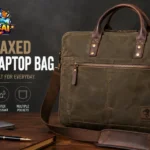
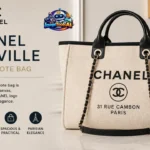
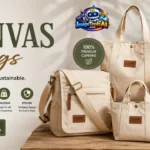
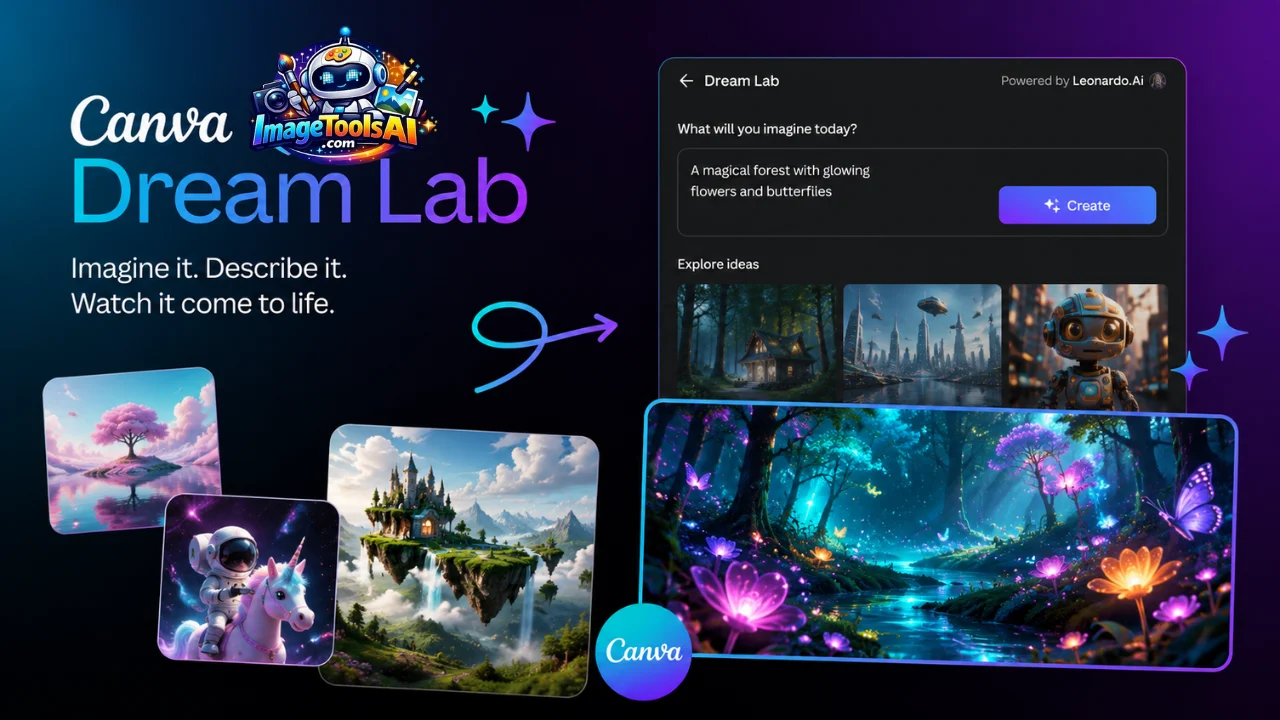
Artificial intelligence is transforming visual content creation faster than ever, and Canva Dream Lab has emerged as one of the most accessible AI image generation tools available today.
Instead of learning complex software or spending hours creating graphics manually, users can describe an idea in plain language and generate unique visuals within seconds. Whether you’re a marketer, blogger, freelancer, student, entrepreneur, or designer, Dream Lab aims to make professional-quality image creation significantly easier.
What makes Canva Dream Lab particularly interesting is its integration with Leonardo AI technology, one of the most respected AI image-generation platforms in the industry. This combination brings advanced AI capabilities directly into Canva’s design ecosystem, allowing users to move seamlessly from image generation to editing and publishing.
In this guide, we’ll explore how Canva Dream Lab works, its features, pricing, strengths, weaknesses, commercial use considerations, prompt strategies, and how it compares with major competitors such as Midjourney, ChatGPT Images, Adobe Firefly, and Leonardo AI itself.
By the end, you’ll know exactly whether Canva Dream Lab deserves a place in your creative workflow.
What Is Canva Dream Lab?
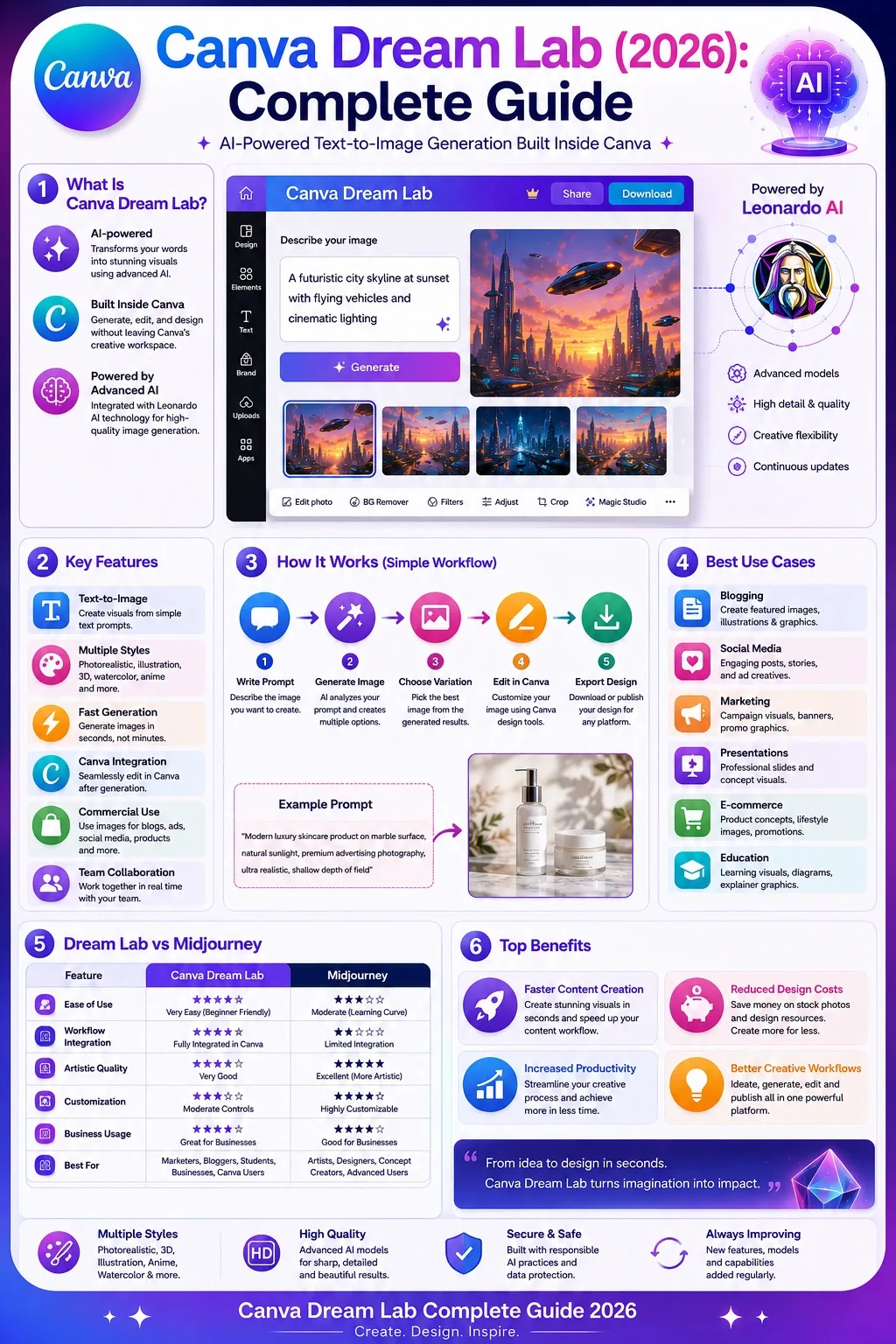
Picture something. Canva Dream Lab turns words into visuals using smart tech. This tool builds fresh images just from written ideas. Instead of searching for photos, people describe what they want. The system then generates unique artwork on the spot. It works inside Canva’s design environment. No need to draw by hand. Words guide the whole process. Each result comes straight from imagination fed through text. What you write shapes what appears.
Picture this. A person types a thought. Out comes an image never seen before. No more scrolling through piles of photos online. Ideas turn into pictures using words alone. This happens in seconds. The result? Something made just now. Not picked from somewhere else. Fresh. Unique. Real time creation swaps the hunt for existing files.
For example:
Prompt:
A futuristic city skyline at sunset with flying vehicles and cinematic lighting
Dream Lab can generate multiple original interpretations of that concept in seconds.
The tool is integrated directly inside Canva, eliminating the need to switch between separate AI image platforms and design software.
Key Purpose
Dream Lab is designed to help users create:
- Marketing graphics
- Blog visuals
- Social media content
- Product mockups
- Illustrations
- Concept art
- Educational graphics
- Presentation visuals
- Brand assets
Quick Definition
Canva Dream Lab is an AI-powered text-to-image generator built into Canva that uses advanced image-generation models to transform written prompts into original visual content.
Mini Summary
Dream Lab isn’t just another Canva feature.
It represents Canva’s attempt to become a complete AI-powered creative platform where image generation, editing, and publishing happen in one workflow.
How Canva Dream Lab Works
Understanding the underlying workflow helps users generate better results.
At its core, Dream Lab follows a simple process:
User Writes Prompt
The user describes the desired image.
Example:
Luxury coffee shop interior, natural lighting, Scandinavian design, ultra-realistic photography
AI Interprets Intent
The system analyzes:
- objects
- environment
- style
- lighting
- colors
- composition
Image Generation Model Creates Visuals
Using Leonardo AI-powered technology, the system predicts and generates visual elements based on learned patterns from large training datasets.
Multiple Variations Are Produced
Instead of creating one image, Dream Lab often provides several alternatives.
Users can choose the strongest version.
Canva Editing Workflow Begins
After generation, users can immediately:
- resize
- crop
- remove backgrounds
- add text
- create social posts
- design presentations
This workflow integration is a major competitive advantage.
Why Canva Dream Lab Matters in 2026
AI image generation has moved beyond novelty.
Businesses increasingly rely on AI-assisted creative production.
Several trends make Dream Lab particularly relevant.
Rising Demand for Visual Content
Brands now publish:
- social media posts
- advertisements
- blogs
- videos
- presentations
at unprecedented rates.
Visual demand continues growing.
Faster Production Cycles
Teams need content faster.
Traditional design processes can become bottlenecks.
Dream Lab dramatically reduces ideation and production time.
Lower Creative Costs
Hiring designers for every visual asset isn’t practical for many small businesses.
Dream Lab helps reduce production costs while maintaining quality.
Democratization of Design
People without design experience can now create compelling visuals using simple language.
This expands creative capabilities across organizations.
Mini Summary
Dream Lab aligns perfectly with the broader trend toward AI-assisted content creation, making it increasingly valuable for creators and businesses alike.
Key Features of Canva Dream Lab
The feature set is where Dream Lab starts separating itself from basic AI image generators.
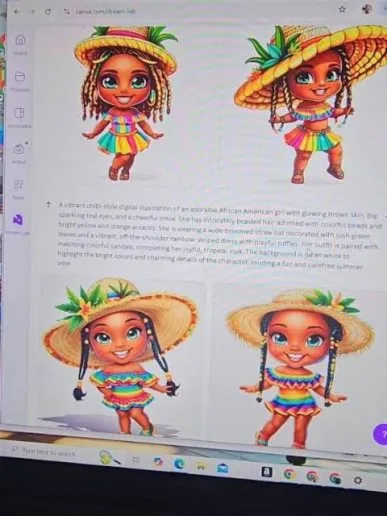
Text-to-Image Generation
Users can generate visuals from simple prompts.
Examples include:
- landscapes
- portraits
- products
- illustrations
- marketing assets
Multiple Artistic Styles
Supported styles include:
- photorealistic
- cinematic
- watercolor
- digital art
- illustration
- fantasy
- anime-inspired visuals
- concept art
Canva Workflow Integration
Perhaps the biggest advantage.
Generated images immediately become editable Canva assets.
This eliminates software switching.
Fast Generation Speed
Most images appear within seconds.
This supports rapid experimentation.
Multiple Variations
Instead of one result, users can compare several generated versions.
This improves creative flexibility.
Commercial Content Creation
Businesses can generate assets for:
- blogs
- ads
- social posts
- Presentations
- websites
AI-Powered Creative Exploration
Dream Lab helps users visualize concepts before committing resources to full production.
This is especially useful for agencies and marketers.
Canva Dream Lab Features Table
| Feature | Canva Dream Lab |
| Text-to-Image | Yes |
| Multiple Styles | Yes |
| Canva Integration | Yes |
| Commercial Creation | Yes |
| Fast Generation | Yes |
| Multiple Variations | Yes |
| Design Editing Tools | Yes |
| Team Collaboration | Yes |
| Brand Asset Integration | Yes |
Benefits for Creators and Businesses
Dream Lab isn’t only for designers.
Its benefits extend across multiple professions.
Bloggers
Create:
- featured images
- illustrations
- article graphics
- social previews
without relying solely on stock photos.
Marketers
Generate:
- ad concepts
- campaign visuals
- social media graphics
- promotional materials
quickly and affordably.
E-commerce Brands
Create:
- lifestyle imagery
- product concepts
- promotional graphics
- seasonal campaigns
faster than traditional production methods.
Students
Produce:
- presentations
- educational visuals
- reports
- creative projects
without advanced design skills.
Freelancers
Expand service offerings by creating visual assets for clients efficiently.
Agencies
Reduce creative production bottlenecks while increasing content output.
Business Benefits Table
| Benefit | Impact |
| Faster Design Production | High |
| Reduced Creative Costs | High |
| Better Content Scalability | High |
| Improved Experimentation | Medium |
| Enhanced Workflow Efficiency | High |
| Increased Content Output | High |
Step-by-Step: How to Use Canva Dream Lab
Step 1
Open Canva and access Dream Lab.
Step 2
Click Generate Image.
Step 3
Enter a detailed prompt.
Step 4
Choose preferred style.
Step 5
Generate images.
Step 6
Review variations.
Step 7
Select the strongest output.
Step 8
Edit inside Canva.
Step 9
Export for your intended use.
Example Prompt
Modern luxury skincare product on marble surface, natural sunlight, premium advertising photography, ultra realistic, shallow depth of field
Best Use Cases for Canva Dream Lab
One reason Canva Dream Lab is gaining attention among creators is its versatility. Unlike many AI image generators that focus mainly on artistic images, Dream Lab is built to support real-world content creation workflows.
Let’s explore where it delivers the most value.
Blog Featured Images
Many bloggers struggle to find unique visuals.
Stock photos often appear generic and overused.
Dream Lab allows you to create custom article images that match your topic perfectly.
Example
For an article about AI marketing:
AI marketing dashboard with futuristic analytics screens, professional business environment, realistic lighting
This creates a unique visual that helps improve engagement and brand identity.
Benefits
- Unique content visuals
- Better branding
- Reduced stock photo dependence
- Faster publishing workflow
Social Media Content
Social media platforms reward eye-catching visuals.
Dream Lab can generate:
- Instagram graphics
- Pinterest images
- Facebook creatives
- LinkedIn Visuals
- X (Twitter) graphics
Popular Prompt Example
Modern social media marketing workspace, laptop dashboard, vibrant blue lighting, professional photography
YouTube Thumbnails
Content creators can generate unique thumbnail concepts before final editing.
Useful For
- Tech channels
- AI channels
- Educational creators
- Finance creators
- Business content
Custom-generated visuals often stand out more than generic stock imagery.
E-Commerce Marketing
Online stores need visual content constantly.
Dream Lab can help generate:
- Product concepts
- Lifestyle scenes
- Promotional graphics
- Seasonal campaigns
- Ad creatives
While AI-generated product imagery should be reviewed carefully, it can dramatically accelerate marketing ideation.
Presentation Design
Professionals spend significant time searching for presentation visuals.
Dream Lab helps create:
- Business illustrations
- Concept graphics
- Industry visuals
- Educational imagery
Because Dream Lab lives inside Canva, generated images can instantly be added to presentation slides.
Brand Mood Boards
Before launching a project, agencies often create mood boards.
Dream Lab helps visualize:
- Brand styles
- Color directions
- Creative concepts
- Advertising themes
This speeds up client approvals and creative planning.
Educational Content
Teachers, trainers, and students can create:
- Learning visuals
- Historical scenes
- Scientific illustrations
- Concept explanations
Visual learning continues to outperform text-only instruction in many environments.
Mini Summary
The strongest Dream Lab use cases are content marketing, blogging, social media, presentations, e-commerce, and creative concept development.
Canva Dream Lab Pricing and Credits
Pricing is one of the most searched topics surrounding Canva Dream Lab.
Because Canva continuously evolves its AI offerings, plans, and credit allocations may change over time.
Always verify current pricing directly through Canva’s official website.
How Canva Uses AI Credits
Dream Lab typically operates using a credit-based generation system.
Credits are consumed when generating images.
Factors that may affect credit usage include:
- Number of generations
- Image variations
- AI model usage
- Premium AI features
Typical Access Levels
| Plan Type | Dream Lab Access |
| Free Plan | Limited |
| Canva Pro | Expanded Access |
| Canva Teams | Higher Usage Limits |
| Enterprise | Custom Allocation |
Is Canva Dream Lab Free?
Yes, Canva generally provides limited access to Dream Lab for free users.
However, frequent creators, marketers, and businesses will likely benefit from Canva Pro or Teams plans because of higher AI usage limits.
Is It Worth Paying For?
For users who already rely on Canva daily, Dream Lab often provides strong value because it eliminates the need for:
- Separate AI image tools
- Additional subscriptions
- External editing workflows
The workflow efficiency alone can justify the upgrade.
Mini Summary
Dream Lab offers the most value when integrated into a broader Canva workflow rather than as a standalone AI image generator.
Canva Dream Lab Pros and Cons
No AI tool is perfect.
Understanding both strengths and weaknesses helps set realistic expectations.
Pros
Easy to Use
Beginners can generate images without learning complex software.
Canva Integration
The seamless design workflow is one of Dream Lab’s biggest advantages.
Fast Generation
Results typically appear quickly.
Multiple Styles
Users can experiment across various artistic directions.
Business-Friendly
Useful for marketers, creators, freelancers, and small businesses.
Collaborative Environment
Works naturally within Canva Teams workflows.
Cons
Less Control Than Midjourney
Professional artists may find Dream Lab less customizable.
Prompt Sensitivity
Small wording changes can produce dramatically different results.
AI Artifacts
Occasional visual errors still occur.
Examples include:
- Hands
- Text rendering
- Fine details
- Complex objects
Credit Limits
Heavy users may encounter generation restrictions.
Not Ideal for Every Professional Workflow
High-end advertising agencies may still prefer specialized AI platforms.
Pros vs Cons Table
| Pros | Cons |
| Easy learning curve | Less advanced controls |
| Integrated with Canva | Credit limitations |
| Fast generation | Prompt sensitivity |
| Good business workflows | Occasional AI errors |
| Beginner friendly | Limited compared to specialist tools |
| Multiple styles | Less customization |
Mini Summary
Dream Lab prioritizes accessibility and workflow efficiency over maximum creative control.
Comparison Table
| Feature | Dream Lab | Midjourney |
| Ease of Use | Excellent | Moderate |
| Artistic Quality | Very Good | Excellent |
| Workflow Integration | Excellent | Limited |
| Customization | Moderate | Excellent |
| Business Usage | Excellent | Good |
| Beginner Friendly | Excellent | Moderate |
Who Should Choose Midjourney?
- Professional artists
- Concept designers
- Creative studios
- Advanced AI creators
Who Should Choose Dream Lab?
- Bloggers
- Marketers
- Businesses
- Students
- Canva users
Future AI Image Trends and Canva Dream Lab’s Role
AI image generation is evolving rapidly.
The next few years will likely introduce major improvements.
Better Prompt Understanding
Future models will interpret natural language more accurately.
Users will spend less time refining prompts
Improved Text Rendering
One of AI image generation’s biggest challenges is readable text.
Future systems will continue improving.
Consistent Characters
Brands increasingly need recurring visual identities.
Future AI models will improve character consistency.
AI Video Integration
Image generation and video creation are beginning to merge.
Dream Lab may eventually become part of larger multimedia workflows.
Real-Time Design Assistance
Future Canva AI systems could suggest:
- Layout improvements
- Color palettes
- Branding enhancements
- Marketing recommendations
Mini Summary
Dream Lab is not just an image generator. It represents Canva’s broader move toward becoming a complete AI-powered creative platform.
People Also Ask
Yes, Canva generally provides limited access to Dream Lab for free users. Higher usage limits and additional AI capabilities are typically available through paid Canva plans.
Canva has integrated advanced AI image-generation technology associated with Leonardo AI, helping improve image quality and generation capabilities within the Canva ecosystem.
It depends on your goals. Midjourney often produces more artistic and cinematic results, while Dream Lab offers a much simpler workflow through direct Canva integration.
In many cases, Canva-generated images can be used for business purposes, but users should always verify the latest licensing and commercial usage terms through Canva’s official policies.
Dream Lab can generate marketing graphics, illustrations, concept art, social media visuals, blog images, product concepts, educational graphics, and more
Conclusion
AI image generation has evolved from a novelty into a practical creative tool, and Canva Dream Lab is one of the most accessible solutions available in 2026.
Its biggest strength is not necessarily producing the most artistic images on the market. Instead, its real advantage lies in combining AI image generation with Canva’s design ecosystem. Users can move from idea to finished design without jumping between multiple tools, saving time and simplifying creative workflows.
For bloggers, marketers, freelancers, educators, content creators, and small businesses, Dream Lab offers an excellent balance of simplicity, speed, and functionality. While advanced artists may still prefer tools such as Midjourney or standalone Leonardo AI, Canva users will likely find Dream Lab a valuable addition to their workflow.
If your goal is to create visual content faster, Reduce Design Bottlenecks, and leverage AI without a steep learning curve, Canva Dream Lab is absolutely worth exploring.
For more in-depth AI image tool reviews, prompt engineering guides, and creative workflow resources, continue exploring ImageToolsAI.com.