Introduction
The Remini 2.x Series has become one of the most talked-about upgrades in AI photo enhancement technology. As users demand more realistic and high-quality image restoration, tools like Remini have evolved far beyond simple “beautify filters” into advanced neural reconstruction systems.
But here’s the real question users ask in 2026:
Is Remini 2.x actually better, or just another incremental update?
In this guide from ImageToolsAI.com, we break down everything — from how the AI works behind the scenes to what actually changed in version 2.x compared to older builds. You’ll also see real-world use cases, limitations, and whether it is worth using for creators, businesses, or casual users.
Let’s dive deep into the technology powering modern AI photo restoration.
What is Remini 2.x Series?
The Remini 2.x Series is an upgraded generation of the AI-powered photo enhancement app developed by Remini.
It includes versions such as:
- 2.0
- 2.5
- 2.10+
- Latest cloud-optimized builds (2026 updates)
Unlike earlier versions, the 2.x series focuses heavily on:
- Deep neural face reconstruction
- Cloud-based image processing
- AI-driven detail recovery
- Improved realism in outputs
Core Idea
Instead of just “sharpening images,” Remini 2.x tries to recreate missing visual information using learned AI patterns.
Quick Summary
Remini 2.x is not a filter — it is a neural reconstruction system trained on large-scale face and image datasets.
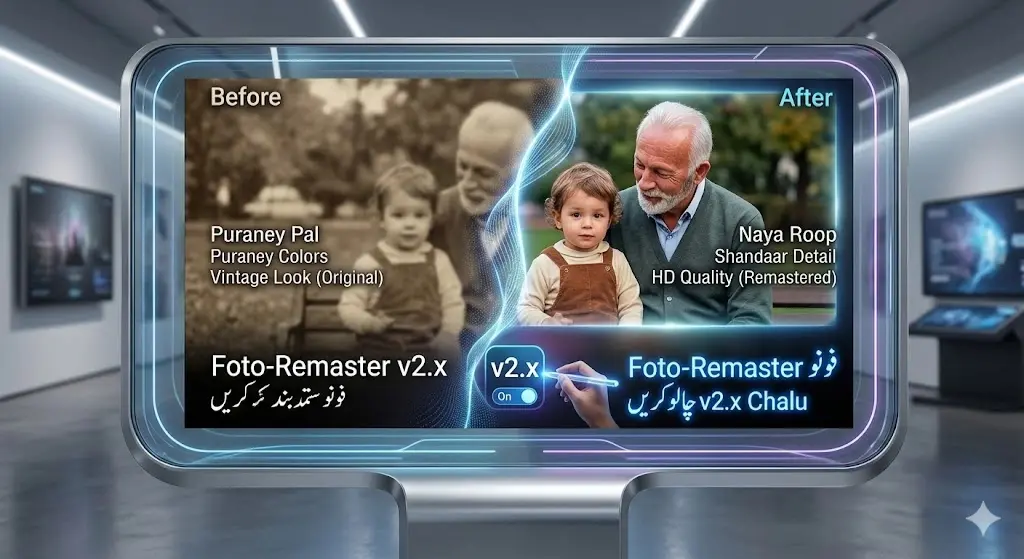
How Remini 2.x AI Works
Remini 2.x uses a combination of:
- GAN-based reconstruction models
- Neural feature mapping
- Face segmentation systems
- Cloud rendering pipelines
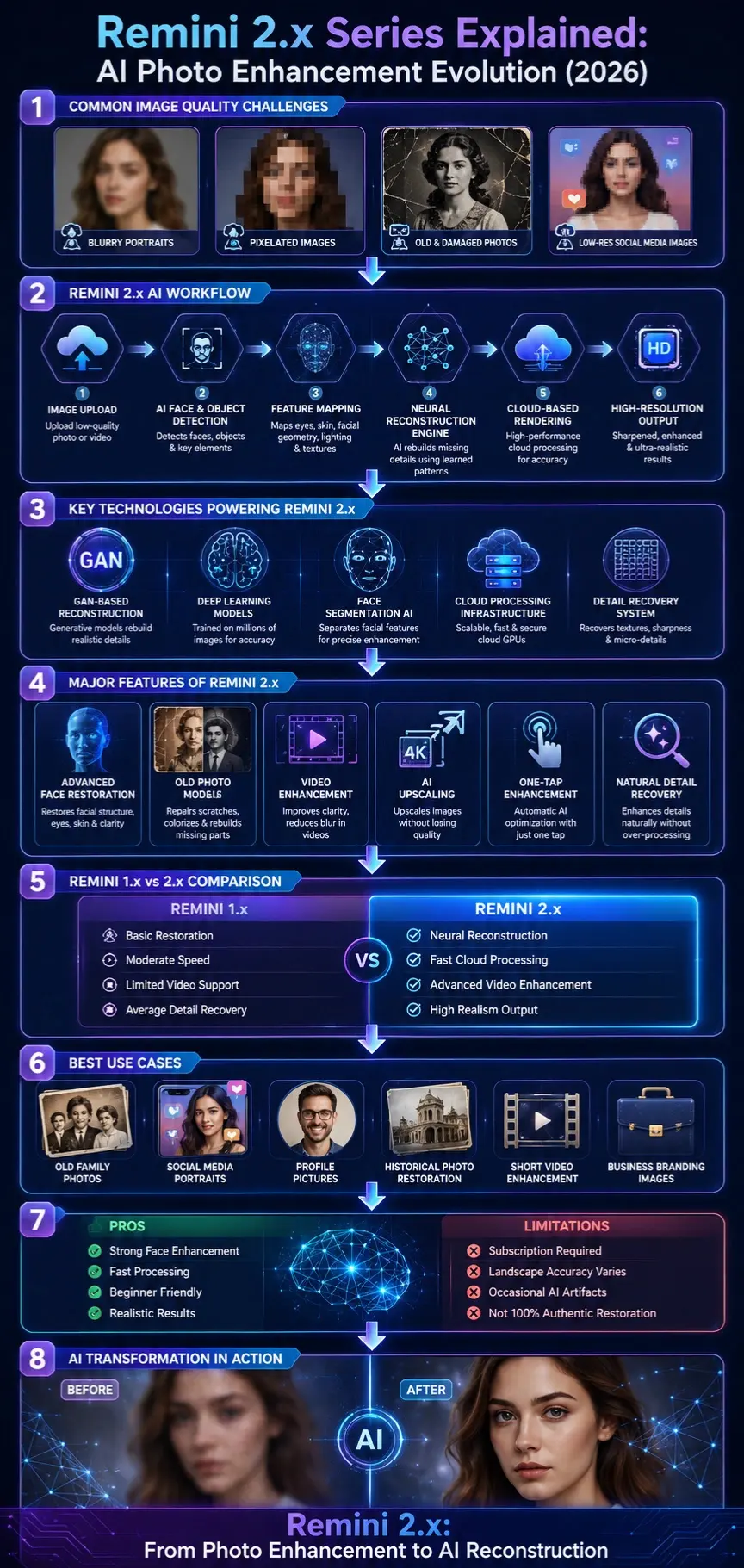
🧩 Step-by-Step Process
Image Input
User uploads a low-quality or blurry image.
AI Detection
The system identifies:
- Faces
- Objects
- Background elements
Feature Mapping
AI maps:
- Eye structure
- Skin texture
- Lighting conditions
- Facial geometry
Neural Reconstruction
Missing details are reconstructed using trained data patterns.
Output Generation
Final image is:
- Sharpened
- Enhanced
- Rebuilt in high resolution
Why It Works So Well on Faces
Faces follow predictable structures. AI systems can reconstruct them more accurately than random objects.
Why Remini 2.x Matters in 2026
AI image tools have exploded in recent years, but Remini 2.x stands out because:
- It focuses on realism instead of over-editing
- Uses cloud-powered processing
- Delivers faster results than earlier generations
- Reduces “AI fake face” artifacts significantly
Key Shift in 2026 AI Trend
We moved from:
“Make it look better.”
To:
“Rebuild it as if it were originally high quality.”
✨ Key Features of Remini 2.x Series
Advanced Face Reconstruction
- Restores facial structure
- Improves eye clarity
- Fixes blur and pixel damage
Old Photo Restoration
- Repairs scratches
- Colorizes black & white photos
- Rebuilds missing facial areas
Video Enhancement Engine
- Frame-by-frame upscaling
- Motion blur reduction
- Improved clarity for old clips
Cloud Processing Upgrade
- Faster rendering
- Less device strain
- Better scalability
One-Tap Enhancement
- No editing skills required
- Automatic AI optimization

Feature Summary Table
| Feature | 1.x Series | 2.x Series |
| Face Restoration | Basic | Advanced AI Reconstruction |
| Processing Speed | Moderate | Fast Cloud Processing |
| Detail Quality | Average | High Precision |
| Video Enhancement | Limited | Fully Upgraded |
| Realism | Slightly Artificial | Highly Natural |
Benefits for Creators & Businesses
Content Creators
- Instagram/TikTok visuals
- Thumbnail improvement
- Profile image upgrades
Personal Users
- Restore Family Photos
- Repair old memories
- Enhance scanned images
Business Users
- Improve branding visuals
- Upgrade profile photos
- Enhance marketing assets
Video Editors
- Upscale old footage
- Improve clarity for social media content
How to Use Remini 2.x Series
Install App
Download from the official store.
Upload Image/Video
Choose low-quality media.
Select AI Tool
- Face Enhance
- Photo Restore
- Video Enhance
Let AI Process
Wait for cloud rendering.
Download Result
Save the enhanced version.
Best Use Cases
- Old family photo restoration
- Low-resolution social media images
- Profile picture enhancement
- Historical image cleanup
- Short video sharpening

Pricing Overview
Remini uses a freemium model:
| Plan | Features |
| Free | Limited enhancements, watermarks |
| Premium | Full AI access, faster processing |
| Pro | High-volume editing for creators |
Pros and Cons
Pros
- Extremely strong face enhancement
- Fast Cloud Processing
- Beginner-friendly interface
- High-quality output
Cons
- Subscription required for full features
- Over-smoothing in some cases
- Weak performance on landscapes
- Occasional AI artifacts
Best Alternatives to Remini 2.x
- Adobe Photoshop AI (Firefly)
- Canva AI Photo Enhancer
- Lensa AI
- Topaz Photo AI
- Pixelup AI
Remini vs Other AI Tools
| Tool | Strength | Weakness |
| Remini 2.x | Face restoration | Limited landscape accuracy |
| Photoshop AI | Professional control | Complex usage |
| Canva AI | Easy editing | Less advanced AI |
Expert Tips for Best Results
- Use high-contrast images when possible
- Avoid heavily compressed sources
- Prefer portrait images for the best output
- Don’t over-enhance multiple times
Common Mistakes Users Make
- Uploading extremely damaged images, expecting perfect results
- Using AI for non-face-heavy images
- Overusing enhancement filters
- Expecting “real photography replacement.”
Realistic Expectations
Remini 2.x is powerful, but not magic.
It:
- Reconstructs based on patterns
- Predicts missing details
- Enhances realism but may hallucinate fine details
Future of Remini 2.x Series
We can expect:
- Better object reconstruction (not just faces)
- Real-time video enhancement
- Lower subscription dependency
- More realistic AI outputs
Who Should Use It?
- Content creators
- Social media users
- Photo restoration enthusiasts
- Small businesses
- Designers
Who Should Avoid It?
- Users needing 100% authentic restoration accuracy
- Scientific/forensic imaging users
- Users expecting manual-level control
People Also Ask
A: Yes, especially in face reconstruction and processing speed. The 2.x series delivers more realistic outputs with fewer artifacts.
A: It uses deep learning models (GAN-based systems), not traditional filters.
A: Yes, but results depend on image quality. Heavily damaged images may still show missing details.
A: Yes, it improves clarity and reduces blur, but it works best on short clips.
A: Yes, but users should always check privacy policies for uploaded images.
🖼️ Featured Image Prompt
“Futuristic AI photo restoration system enhancing a blurred portrait into an ultra-sharp, realistic image, neural network visuals, blue-purple tech theme, 4K digital art.”
Social Captions
- “Remini 2.x is not just an upgrade — it’s a full AI reconstruction engine.”
- “Blurry photos? AI now rebuilds them like magic in 2026.”
- “See how Remini 2.x transforms old memories into ultra-clear portraits.”
Pinterest Title
Remini 2.x Series Explained: AI Photo Enhancement Revolution (2026)
YouTube Title
Remini 2.x Series Full Explained | AI Photo Enhancement Technology (2026 Guide)
AI Overview Snippet
The Remini 2.x Series is an AI-powered photo enhancement system that uses deep learning and neural reconstruction models to restore and upscale images. It improves facial details, reduces blur, and enhances old photos using cloud-based processing, making images appear more realistic and high-quality compared to earlier versions.
CONCLUSION
The Remini 2.x Series represents a major leap in AI-driven image enhancement, focusing on realistic reconstruction rather than simple beautification.
It is best suited for:
- Content creators
- Social Media Users
- Photo restoration needs
- Lightweight business visuals
While it has limitations, especially in non-face images and extreme damage cases, it remains one of the strongest AI enhancement tools in 2026.
To explore more AI tools, guides, and comparisons, visit ImageToolsAI.com — your hub for AI image technology insights











