Introduction
Back then, spotting fake faces made by machines took little effort. Features twisted in odd ways, gazes seemed off, and small bits stood out as clearly unreal. Now? Everything shifts without warning. Reality blurs where lines once held firm.
Out of nowhere, realistic faces now emerge from code – no camera needed. Diffusion tricks breathe life into pixels, shaping what looks like a studio shoot. Instead of film, math sculpts expressions, guided by vast oceans of learned patterns. These aren’t sketches – they’re sharp, detailed, sometimes uncanny likenesses born in seconds. Once trained, machines mirror human features with eerie precision. Behind each image? Layers of digital intuition fine-tuned on millions of examples. Creativity slips through algorithms usually reserved for logic. Portraits appear – not drawn, not captured – but grown inside circuits.
A person who makes things might care about this. So could someone selling products online. Or working alone on projects. Even if just interested in how pictures come from machines. Knowing what happens inside AI faces matters more now than before.
This deep dive covers how AI Portrait Generation – what drives it, where it works best, its weak spots, real-world applications, ways to shape prompts effectively, plus what’s coming next in 2026 and after – all laid out clearly without jargon piling up.
What Is AI Portrait Generation?
AI portrait generation is the process of creating human portraits using machine learning algorithms trained on large image datasets.
Instead of capturing an image through a camera, AI systems synthesize a completely new portrait based on:
- Text descriptions
- Reference photographs
- Style instructions
- Facial training data
- User personalization inputs
The resulting image may be:
- Photorealistic
- Artistic
- Stylized
- Cartoon-inspired
- Fantasy-based
- Professional business quality
Modern portrait systems can generate entirely fictional people or create portraits that closely resemble real individuals.
Quick Definition
AI portrait generation is the use of artificial intelligence models to create realistic or artistic human portraits from prompts, photos, or learned identity data.
Why AI Portrait Generation Matters in 2026
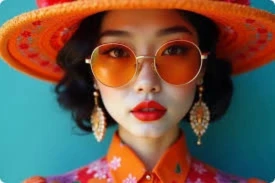
Portraits are one of the most valuable forms of visual content online.
Businesses need:
- Employee headshots
- Brand imagery
- Marketing visuals
Creators need:
- Profile pictures
- Thumbnails
- Social media assets
Designers need:
- Character concepts
- Client mockups
- Visual references
Traditional photography remains valuable, but AI introduces speed, affordability, scalability, and creative flexibility that were previously impossible.
Today, a single prompt can generate dozens of professional-quality portraits within minutes.
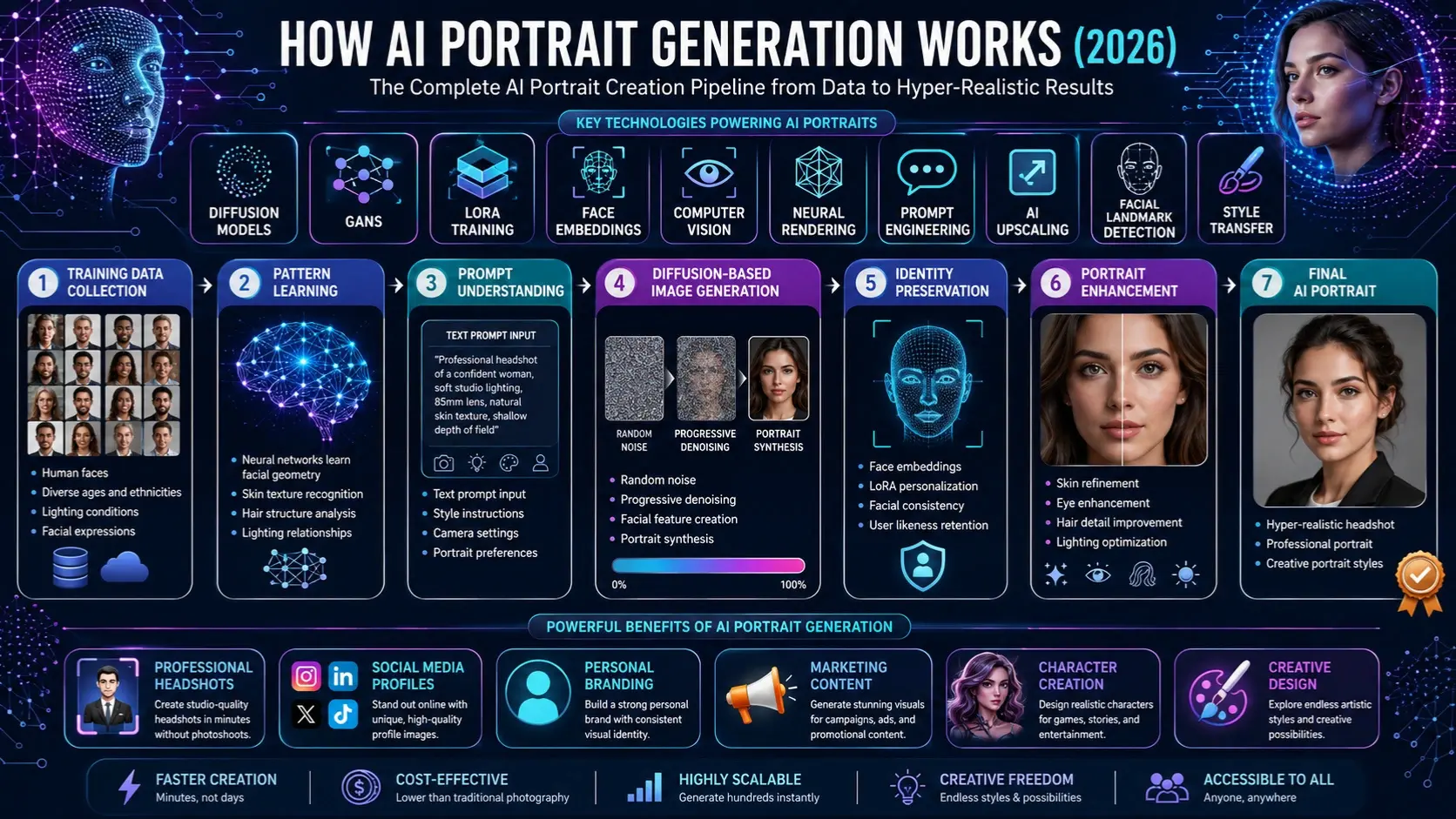
How AI Portrait Generation Works
At its core, AI portrait generation is a process of teaching machines how faces, lighting, expressions, and visual patterns work.
Training Data Collection
AI models learn from enormous image datasets containing:
- Human faces
- Different ages
- Ethnic diversity
- Hairstyles
- Camera angles
- Lighting conditions
- Expressions
The larger and more diverse the dataset, the better the model becomes at understanding portrait structures.
Pattern Learning
Neural networks analyze millions of examples and learn:
- Facial geometry
- Eye placement
- Skin texture
- Hair behavior
- Lighting relationships
- Color composition
Rather than memorizing images, the model learns visual patterns.
Text Understanding
When users enter a prompt such as:
“Professional corporate headshot, realistic skin texture, natural lighting, 85mm lens, clean background”
The AI converts language into mathematical representations.
The model understands concepts like:
- Professional appearance
- Studio lighting
- Camera styles
- Depth of field
- Realism
Image Synthesis
Modern systems typically begin with random visual noise.
The AI gradually transforms that noise into a portrait through hundreds or thousands of refinement steps.
This process is called diffusion.
Enhancement
Additional processing improves:
- Facial symmetry
- Skin details
- Eye quality
- Hair realism
- Background consistency
The final result appears natural and coherent.
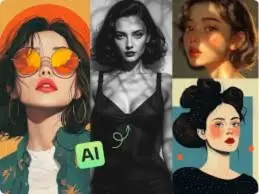
Evolution of AI Portrait Technology
First Generation
Early portrait systems relied heavily on GANs.
Common issues included:
- Distorted faces
- Missing facial features
- Blurry details
- Poor realism
Despite limitations, GANs proved that machines could generate convincing human faces.
Second Generation
The arrival of StyleGAN transformed portrait generation.
Improvements included:
- Better facial structure
- Higher resolution
- Controlled attributes
- Increased realism
For the first time, AI portraits became commercially useful.
Third Generation
Diffusion models revolutionized the field.
Today’s systems deliver:
- Superior realism
- Better prompt understanding
- Improved consistency
- Stronger Personalization
- Higher image quality
This technological shift created the modern AI portrait ecosystem.
GANs vs Diffusion Models
Understanding this difference is essential because nearly every modern portrait generator uses one of these approaches.
| Feature | GANs | Diffusion Models |
| Image Quality | High | Very High |
| Prompt Understanding | Limited | Excellent |
| Personalization | Moderate | Strong |
| Stability | Lower | Higher |
| Training Complexity | Difficult | Easier |
| Realism | Strong | Industry Leading |
How GANs Work
GAN stands for Generative Adversarial Network.
Two networks compete:
Generator
Creates portraits.
Discriminator
Evaluates realism.
The competition gradually improves image quality.
Advantages
- Fast generation
- Efficient outputs
- Strong face creation
Drawbacks
- Training instability
- Less flexibility
- Reduced prompt control
How Diffusion Models Work
Diffusion models reverse the process of noise creation.
The system starts with random noise and gradually transforms it into a portrait.
Advantages include:
- Better realism
- Superior prompt adherence
- Rich details
- Enhanced Consistency
This is why modern tools increasingly rely on diffusion technology.
Key Technologies Behind AI Portrait Generation
Diffusion Models
Diffusion models are the foundation of many modern image generators.
Popular examples include:
- Stable Diffusion
- FLUX
- DALL-E
- Midjourney-inspired architectures
These systems excel at generating highly realistic portraits.
LoRA Training
LoRA (Low-Rank Adaptation) is one of the most important developments in personalized portrait creation.
It allows users to teach an AI model:
- Their face
- Their style
- Their brand identity
using only a small set of training images.
Benefits
- Faster training
- Lower costs
- Better consistency
- Personalized outputs
Face Embeddings
Face embeddings convert facial features into numerical representations.
This enables:
- Identity preservation
- Similarity matching
- Consistent portrait creation
Without embeddings, AI would struggle to maintain recognizable faces.
Computer Vision
Computer vision helps AI understand:
- Facial landmarks
- Expressions
- Pose estimation
- Lighting direction
These capabilities improve realism significantly.
Neural Rendering
Neural rendering combines machine learning with advanced graphics techniques.
Benefits include:
- Better realism
- Improved shadows
- Natural skin appearance
- More accurate lighting
AI Portrait Generation Workflow
Input Collection
Users provide:
- Text prompts
- Selfies
- Reference images
- Style references
Identity Analysis
The AI extracts:
- Facial geometry
- Key landmarks
- Expressions
- Structural characteristics
Style Selection
The system applies:
- Lighting styles
- Artistic effects
- Camera simulations
- Color grading
Portrait Synthesis
The model generates the image using diffusion or related techniques.
Refinement
Post-processing enhances:
- Sharpness
- Realism
- Eyes
- Hair
- Texture quality
Mini Summary
A successful AI portrait is not created in a single step. It results from data analysis, identity preservation, prompt interpretation, image synthesis, and enhancement working together.
Types of AI Portraits
Professional Headshots
Common uses include:
- LinkedIn profiles
- Company websites
- Corporate branding
- Executive profiles
Social Media Portraits
Popular for:
- TikTok
- YouTube
- X profiles
Artistic Portraits
Styles may include:
- Oil painting
- Watercolor
- Anime
- Digital Illustration
- Fantasy art
Character Portraits
Useful for:
- Game development
- Storytelling
- Creative projects
- Virtual influencers
Historical Reconstructions
Researchers increasingly use AI to visualize historical figures based on available references.
Benefits of AI Portrait Generation
Significant Cost Savings
Professional photoshoots can be expensive.
AI portraits often cost a fraction of traditional photography.
Incredible Speed
Portraits can be generated within minutes rather than days.
Unlimited Creative Freedom
Users can experiment with:
- Locations
- Clothing
- Lighting
- Camera styles
without physical limitations.
Massive Scalability
Organizations can generate:
- Hundreds of employee portraits
- Multiple campaign variations
- Large creative libraries
efficiently.
Accessibility
Professional-looking portraits are now available to almost anyone with internet access.
Benefits for Businesses and Creators
| User Type | Key Benefits |
| Marketers | Fast campaign visuals |
| Bloggers | Affordable profile images |
| Freelancers | Personal branding |
| Startups | Team headshots |
| Agencies | Client content creation |
| Designers | Concept development |
| Educators | Visual storytelling |
Step-by-Step: How to Create Better AI Portraits
Choose a Quality Model
The model influences realism more than any other factor.
Look for systems focused on portrait generation.
Use Detailed Prompts
Weak Prompt:
“Portrait of a woman”
Strong Prompt:
“Ultra-realistic portrait of a confident businesswoman, natural skin texture, professional attire, soft studio lighting, 85mm lens, shallow depth of field”
Add Camera Information
Useful terms include:
- 85mm lens
- DSLR photography
- shallow depth of field
- cinematic lighting
Specify Lighting
Examples:
- Golden hour
- Studio lighting
- Soft natural light
- Rembrandt lighting
Generate Multiple Variations
Professional creators rarely use the first result.
Generate several versions before selecting the best image.
Best Use Cases of AI Portrait Generation
Corporate Headshots
Companies can create consistent employee portraits without scheduling expensive photoshoots.
Personal Branding
Creators can build stronger online identities with professional-looking images.
Marketing Campaigns
Businesses can produce custom visuals quickly.
Entertainment
Film studios and game developers use portrait generation for character ideation.
Education
Teachers and content creators use portraits for storytelling and visual learning.
Pricing Models in AI Portrait Platforms
| Pricing Type | Typical Structure |
| Free Tier | Limited generations |
| Subscription | Monthly access |
| Credit-Based | Pay per image |
| Enterprise | Custom licensing |
| API Access | Usage-based pricing |
Different platforms offer different commercial rights, so always review licensing terms before business use.
Pros and Cons of AI Portrait Generation
| Pros | Cons |
| Fast creation | Identity drift |
| Lower costs | Bias concerns |
| Highly scalable | Prompt sensitivity |
| Creative flexibility | Occasional artifacts |
| Easy access | Legal uncertainties |
| Professional quality | Not always perfectly accurate |
People Also Ask
A: AI portrait generation is the process of creating human portraits using artificial intelligence models trained on large image datasets. These systems can generate realistic or artistic portraits from text prompts, reference photos, or personalized training data.
A: Yes. Modern diffusion-based AI models can produce highly realistic portraits with natural skin textures, detailed facial features, realistic lighting, and professional photography-style compositions. In many cases, AI-generated portraits are difficult to distinguish from traditional photographs.
A: AI portrait generators use machine learning models that understand facial structures, lighting, colors, and image composition. Most modern systems rely on diffusion models that gradually transform random noise into a detailed portrait based on user instructions.
A: GANs use two competing neural networks to generate and evaluate images, while diffusion models create images by progressively refining random noise. Diffusion models generally offer better realism, stronger prompt understanding, and improved image consistency.
A: Absolutely. AI portrait generation is widely used for professional headshots, LinkedIn profiles, company websites, resumes, and personal branding. Many businesses use AI-generated headshots to maintain a consistent visual identity across teams.
Conclusion
Out of nowhere, artificial intelligence now crafts lifelike portraits once thought impossible. Driven not just by code but layers of learning, these tools shape images that feel both personal and precise. Instead of old methods, modern approaches rely on pattern recognition and gradual refinement. Results show up sharp, detailed, and often indistinguishable from photos. Whether for branding or self-expression, outputs meet real-world needs without fuss. Behind each face lies math, training data, and visual logic working quietly together.
Picture-making tech powered by artificial intelligence works quickly, costs less, and stands up well at big sizes. Whether it is work photos, how someone presents themselves online, ads on screens, or artwork born in code – this tool adapts easily. Still, people using it must pay attention. Privacy slips can happen. Unfair patterns might show up. Who owns the image matters. So does what you’re allowed to do with it.
One step ahead, tech moves fast – real-time creation, three-dimensional faces, smarter custom details. Not far off, artificial intelligence shapes how we see images tomorrow. A shift quietly takes hold: machine-made portraits become common. Change arrives without warning, driven by deeper learning, sharper results. Soon, what feels human comes from code. Little by little, new methods replace old ways of making visuals. Speed matters more now than before. Each improvement pulls us further into a different kind of image world.











