Introduction
Back when making sharp visuals meant learning complex tools, spending big money, and then grinding through edits by hand. Now? Smarter machines handle much of the heavy lifting – turning what took days into tasks done in moments.
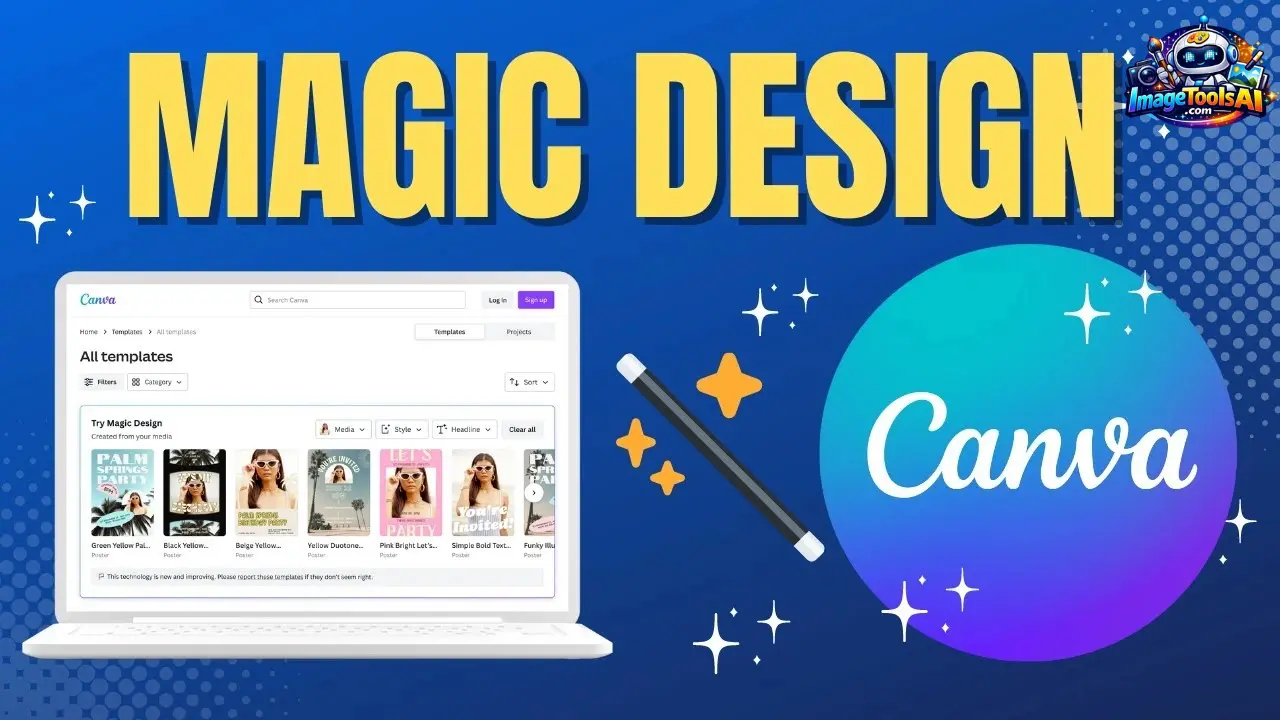
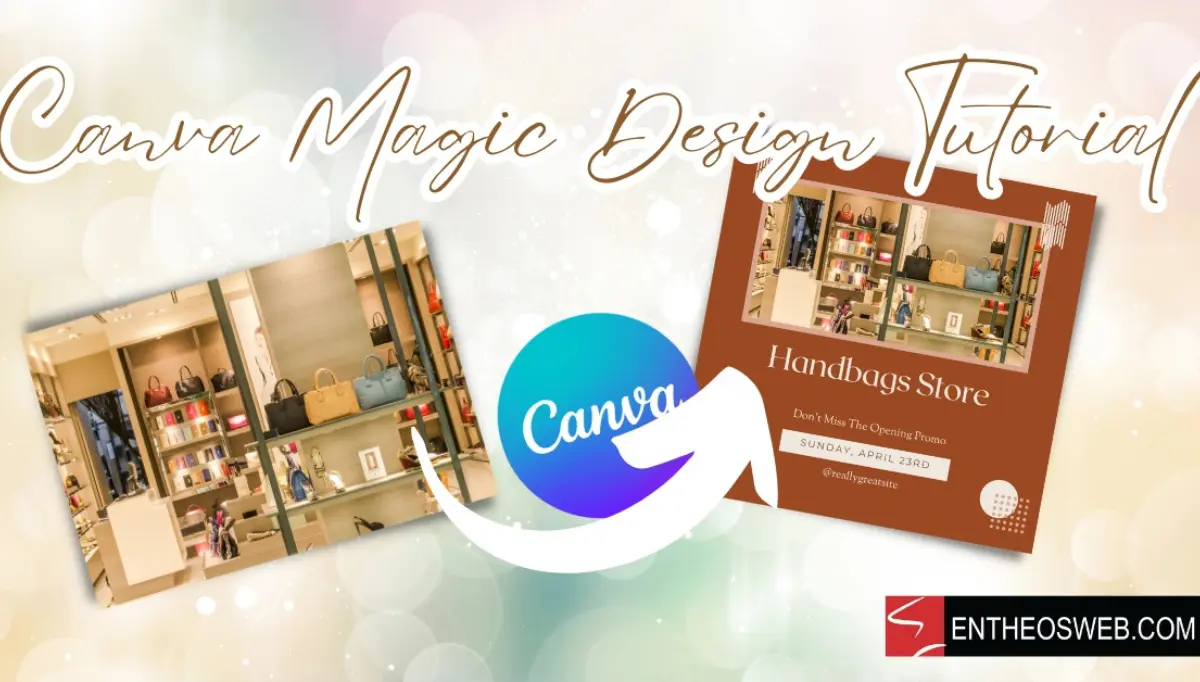
Picture this: Canva Magic Design works like a smart helper, turning rough thoughts, quick notes, or even basic pictures into clean slides, online visuals, ads, and eye-catching images – fast. It uses artificial intelligence to shape raw inputs into ready-to-use designs within moments.
Starting with Pinterest posts? Crafting ads for campaigns? Maybe you’re putting together slides for investors. Could be you run a local shop and need flyers fast. Whatever the task, Magic Design shortens how long it takes to turn ideas into finished work. Each step moves more quickly when templates shape your flow. Even first drafts come alive faster than before.
Yet what’s the truth behind its performance?
Can it replace professional design tools?
Canva Pro Worth the Cost?
Magic Design Compared to Adobe Express and Microsoft Designer?
Jump into this full walkthrough of Canca Magic Design in 2026 – discover tools, costs, examples, how it fits daily tasks, where companies apply it, what holds it back, smart moves pros use, plus live scenarios. Yet clarity stays front and center throughout each part. Because details matter just as much as results here. Though some hurdles pop up now and then. Since real usage shapes what works best over time. Even small tweaks can shift outcomes noticeably ahead.
Once finished, you will understand clearly how Canva’s artificial intelligence helps design improve work speed.
What Is Canva Magic Design?
Quick Answer
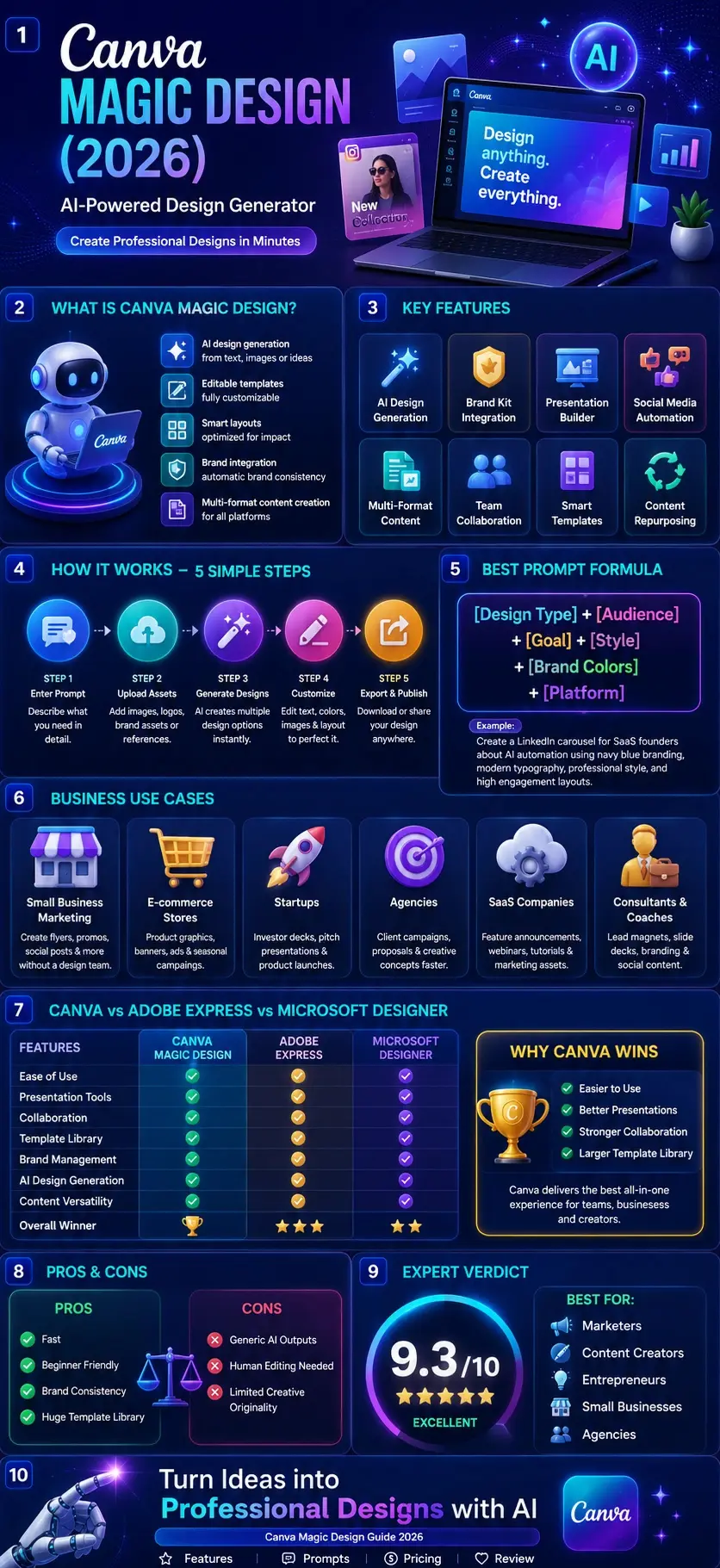
Canva Magic Design is an AI-powered design generator that automatically creates editable visual content from text prompts, uploaded images, documents, or creative ideas.
It helps users generate:
- Social media graphics
- Presentations
- Marketing materials
- Posters
- Flyers
- Videos
- Whiteboards
- Documents
- Brand assets
Instead of designing from scratch, users describe what they need, and Canva’s AI generates multiple professionally designed options.
The Evolution of Canva AI
Canva started primarily as a drag-and-drop design platform.
Over time, the company expanded into a complete creative ecosystem that combines:
- Design
- Collaboration
- Content creation
- Branding
- Artificial intelligence
Out of nowhere, Magic Design started shaping how things look across the platform, simply by cutting down the work needed to make visuals appear polished. Though not obvious at first, its role grew quietly, letting people skip complex steps without losing quality. Step by step, it shifted from an optional tool to a central piece, mainly because clean output used to take far more time. Today, that same result shows up faster, almost like it sorts itself out behind the scenes.
Instead of picking designs by hand, people might let artificial intelligence create fitting formats on its own. Automatically generated arrangements could appear when needed, replacing old ways of choosing each look one at a time.
Where Magic Design Fits Inside Canva’s AI Ecosystem
Magic Design is part of Canva’s broader AI suite known as Magic Studio.
Magic Studio includes multiple AI-powered tools, such as:
| Canva AI Tool | Purpose |
| Magic Design | Generate complete designs |
| Magic Write | AI writing assistant |
| Text to Image | AI image generation |
| Magic Edit | Modify images with AI |
| Magic Eraser | Remove objects |
| Magic Expand | Extend image backgrounds |
| Magic Switch | Convert content formats |
| Magic Animate | Generate animations |
Together, these tools create a highly automated creative workflow.
Why Canva Created Magic Design
Most people are not professional designers.
Common challenges include:
- Choosing layouts
- Selecting colors
- Organizing content
- Maintaining brand consistency
- Creating multiple content formats
Magic Design addresses these issues by using AI to automate much of the creative process.
Instead of spending hours experimenting with templates, users receive design suggestions almost instantly.
What Can Canva Magic Design Create?
One of the biggest strengths of Magic Design is versatility.
It can generate content for many different purposes.
Social Media Content
Examples include:
- Instagram posts
- Reels covers
- Story graphics
- LinkedIn carousels
- Facebook ads
- Pinterest pins
- TikTok visuals
Business Marketing Materials
Examples include:
- Brochures
- Flyers
- Product promotions
- Sales materials
- Lead magnets
- Email graphics
Presentations
Examples include:
- Investor decks
- Sales presentations
- Training slides
- Educational materials
- Workshop presentations
Branding Assets
Examples include:
- Brand visuals
- Campaign graphics
- Marketing kits
- Promotional materials
Why Users Love Canva Magic Design
The primary reason is speed.
Traditional design process:
- Choose template
- Edit layout
- Select fonts
- Adjust colors
- Add images
- Refine content
AI-assisted workflow:
- Enter prompt
- Review suggestions
- Customize result
- Export
This can reduce production time dramatically.
Why Canva Magic Design Matters in 2026
Artificial intelligence is rapidly transforming creative work.
Organizations now face increasing pressure to produce:
- More Content
- Faster
- Across multiple channels
- With smaller teams
Magic Design directly addresses these challenges.
Content Demand Has Exploded
Modern businesses publish content on:
- Websites
- Blogs
- Social media
- Email campaigns
- Video platforms
- Advertising networks
Creating visuals for every channel manually is difficult.
AI-assisted design dramatically improves productivity.
Design Skills Are No Longer a Barrier
In the past, creating professional graphics often required expertise in software like:
- Photoshop
- Illustrator
- InDesign
Today, beginners can create impressive visuals using AI-powered tools.
This democratization of design is one of Canva’s biggest advantages.
Businesses Need Faster Creative Workflows
Marketing teams increasingly prioritize:
- Speed
- Scalability
- Consistency
Magic Design helps teams produce more assets without dramatically increasing costs.
Mini Summary
Canva Magic Design is more than a template generator. It serves as an AI-powered creative assistant that helps users transform ideas into professional visual content with minimal effort. Its growing integration with Canva’s broader AI ecosystem makes it one of the most influential design productivity tools available in 2026.
Key Features of Canva Magic Design
AI-Powered Design Generation
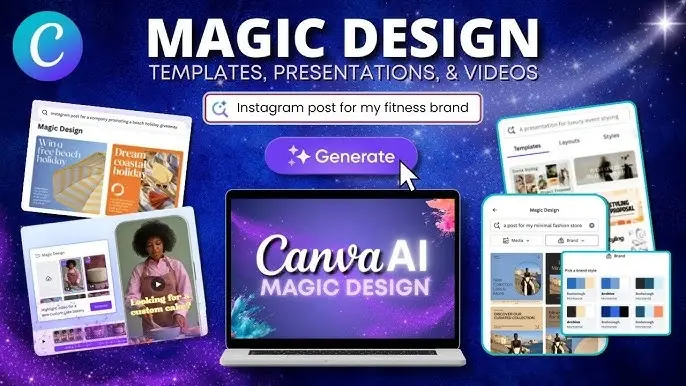
The core capability is generating complete designs from simple prompts.
Users can describe:
- Campaigns
- Products
- Events
- Social posts
- Presentations
The AI creates multiple design concepts automatically.
Smart Layout Suggestions
Magic Design recommends layouts optimized for readability, engagement, and platform requirements.
Brand Kit Integration
Automatic application of:
- Colors
- Fonts
- Logos
- Visual identity
Presentation Generation
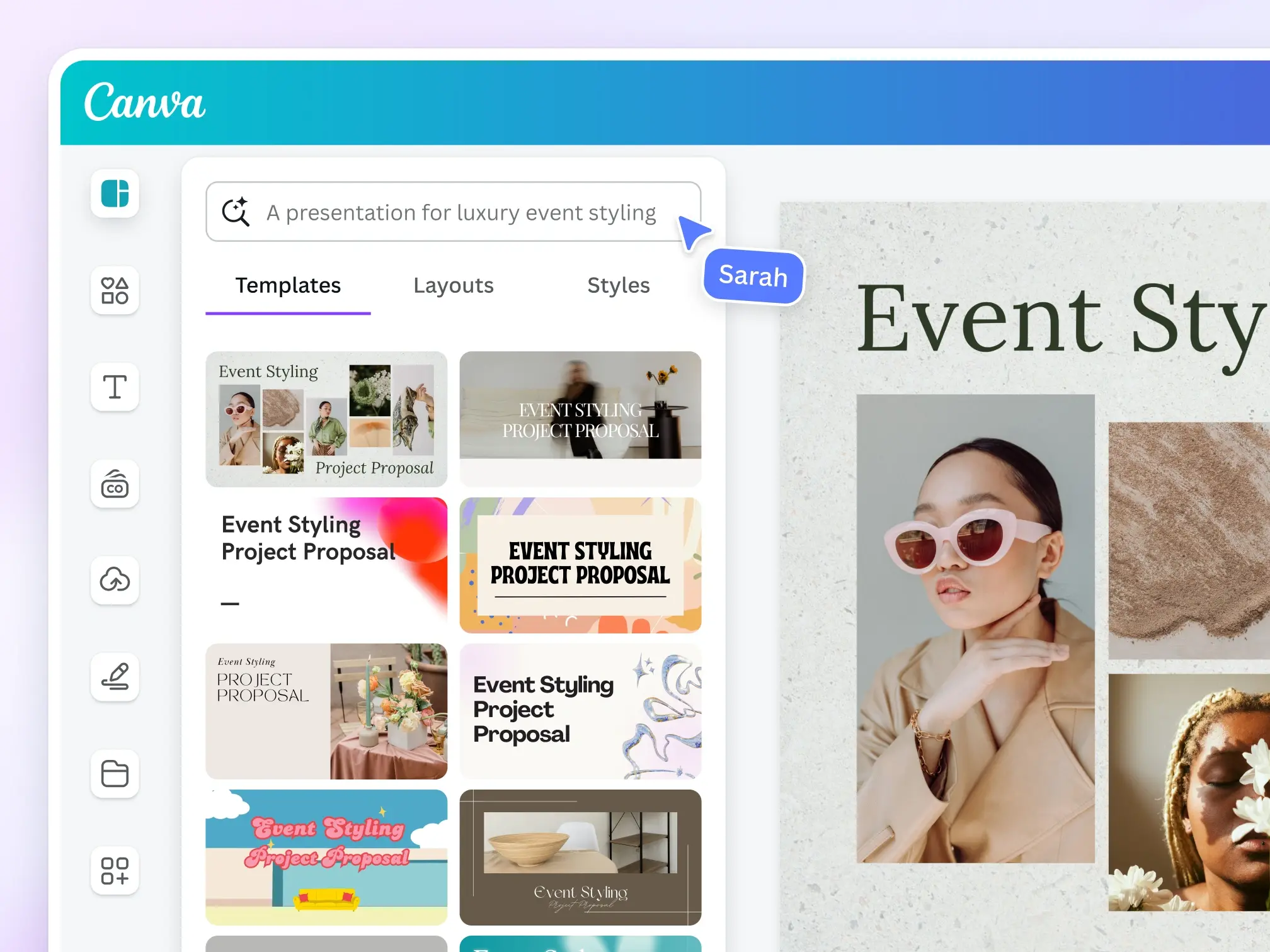
AI can help structure and design slide decks significantly faster than traditional methods.
Social Media Design Automation
Generate content for:
- TikTok
- YouTube
Multi-Format Content Creation
A single concept can be adapted into multiple content formats.
Editable AI Designs
Unlike many AI generators, Canva outputs remain fully editable, giving users greater creative control.
How to Use Canva Magic Design Step by Step
Most folks find Canva Magic Design easy because it skips the steep learning curve. Instead of wrestling with tools meant for experts, users get polished designs fast – sometimes in under a minute.
From social media images to slideshows, ads, or outreach efforts – each one moves through nearly the same steps. A shared path shapes how they take form, no matter the purpose behind them. Each begins quietly, then builds in much the same way. Even when goals differ, the rhythm stays familiar. Slide by slide, post by post, they grow along matching lines.
Step 1: Create or Log Into Your Canva Account
Start by signing in to Canva.
If you’re new to Canva:
- Visit Canva.com
- Create a free account
- Choose your account type
- Verify your email
Free users can access many AI features, although usage limits may apply.
Step 2: Open Magic Design
Navigate to Canva’s homepage.
Look for:
- Magic Studio
- Magic Design
- Create with AI
Depending on updates, Canva may periodically adjust the location of AI tools within its interface.
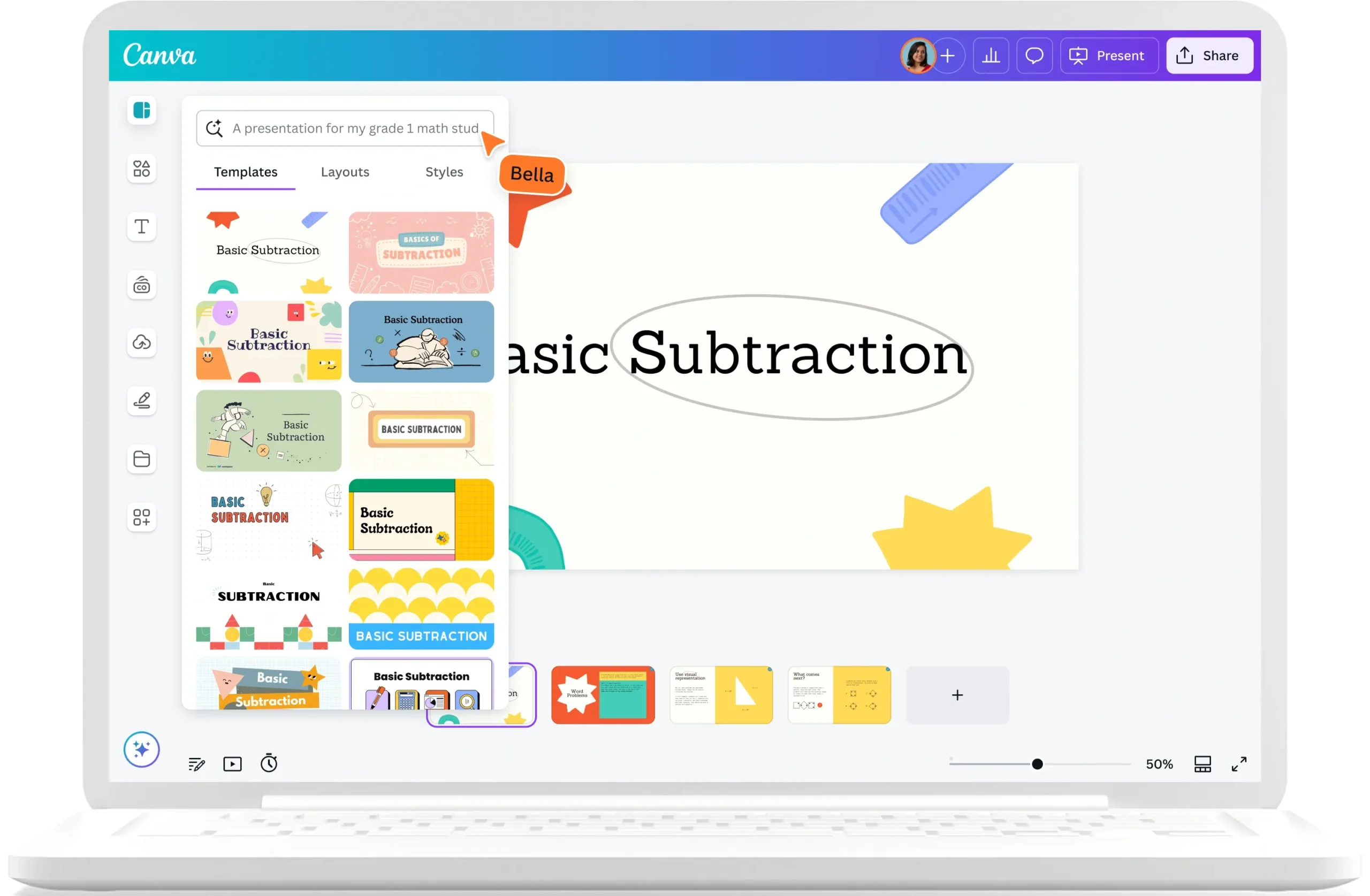
Step 3: Enter a Detailed Prompt
This is where the magic happens.
Instead of simply typing:
Create a social media post
Use:
Create a modern Instagram promotion for a digital marketing agency using blue branding, bold typography, and a professional business style.
The more context you provide, the better the output.
Step 4: Upload Assets
You can improve results by uploading:
- Product photos
- Team images
- Logos
- Brand assets
- Screenshots
- Reference designs
Magic Design analyzes these assets and creates more relevant layouts.
Step 5: Select a Design Style
Canva may ask you to choose a preferred style:
- Modern
- Minimalist
- Corporate
- Luxury
- Creative
- Professional
- Educational
- Tech-focused
This helps AI generate more accurate designs.
Step 6: Generate Design Concepts
After processing your request, Canva generates multiple variations.
You’ll typically receive:
- Different layouts
- Typography options
- Color combinations
- Visual structures
Review all suggestions before selecting one.
Step 7: Customize the Design
AI gives you a strong starting point.
Now improve it by:
- Editing text
- Adjusting colors
- Replacing images
- Adding icons
- Refining spacing
- Improving calls-to-action
This human editing step is often what separates average designs from excellent ones.
Step 8: Export Your Final Design
Once satisfied, export in your preferred format:
- PNG
- JPG
- MP4
- GIF
- Presentation formats
Your design is ready for publishing.
Social Media Prompts
Prompt #1
Create a modern Instagram post promoting a productivity app for remote workers using blue gradients, clean typography, and minimalist design.
Prompt #2
Design a motivational LinkedIn carousel about business growth with professional visuals and bold headlines.
Prompt #3
Create a Facebook ad promoting a summer sale for an e-commerce clothing store.
Prompt #4
Generate a Pinterest pin for a healthy recipe blog with bright food photography and engaging typography.
Prompt #5
Create a TikTok cover graphic for AI productivity tips.
E-commerce Prompts
Prompt #6
Create a luxury skincare product promotion using premium branding, gold accents, and clean product photography.
Prompt #7
Design a product launch campaign for wireless headphones targeting young professionals.
Prompt #8
Create a Black Friday sale graphic with urgency-driven messaging.
Prompt #9
Design a product comparison infographic for smart home devices.
Prompt #10
Create a Shopify banner for a new product collection.
Presentation Prompts
Prompt #11
Create an investor pitch deck for an AI startup focused on marketing automation.
Prompt #12
Design a sales presentation for a SaaS company targeting enterprise clients.
Prompt #13
Generate an employee onboarding presentation.
Prompt #14
Create an educational slide deck explaining machine learning fundamentals.
Prompt #15
Build a professional webinar presentation about content marketing.
Branding Prompts
Prompt #16
Create a modern brand identity presentation for a fintech startup.
Prompt #17
Design a visual style guide for a luxury fashion brand.
Prompt #18
Generate social media branding assets for a personal brand.
Prompt #19
Create promotional materials for a fitness coaching business.
Prompt #20
Design a startup launch kit using modern technology aesthetics.
YouTube Prompts
Prompt #21
Create a YouTube thumbnail about AI tools with bold text and high click-through potential.
Prompt #22
Design a thumbnail for a digital marketing tutorial.
Prompt #23
Generate a podcast cover image focused on entrepreneurship.
Prompt #24
Create a thumbnail for a Canva tutorial video.
Prompt #25
Design a technology review thumbnail using futuristic graphics.
Industry-Specific Prompts
Prompt #26
Create a real estate listing promotion featuring luxury properties.
Prompt #27
Design a restaurant promotional flyer with modern food photography.
Prompt #28
Generate a healthcare awareness campaign graphic.
Prompt #29
Create a travel agency promotional package for European vacations.
Prompt #30
Design an agency proposal presentation for social media marketing services.
Pro Prompt Formula
Advanced users often follow this structure:
[Design Type] + [Audience] + [Goal] + [Style] + [Brand Colors] + [Platform]
Example:
Create a LinkedIn carousel for SaaS founders about AI automation using navy blue branding, modern typography, professional style, and high engagement layouts.
This formula consistently generates stronger results.
Canva Magic Design for Businesses
Businesses increasingly need content at scale.
Magic Design helps solve this challenge.
Small Businesses
Small business owners often lack:
- Design teams
- Large budgets
- Creative resources
Magic Design enables them to create:
- Flyers
- Promotions
- Social Posts
- Product announcements
without hiring professional designers.
Agencies
Marketing agencies can accelerate:
- Client content production
- Campaign development
- Creative brainstorming
- Proposal design
Many agencies use AI-generated concepts as starting points before refinement.
Startups
Startups benefit from speed.
Magic Design helps create:
- Investor presentations
- Product launches
- Marketing campaigns
- Brand materials
without large design investments.
E-commerce Stores
Online stores can generate:
- Product graphics
- Promotional banners
- Seasonal campaigns
- Social advertisements
This improves content production efficiency.
SaaS Companies
Software companies often require:
- Product announcements
- Educational graphics
- Feature launch campaigns
- Webinar materials
Magic Design simplifies these workflows.
Consultants and Coaches
Create:
- Lead magnets
- Workshop slides
- Social media content
- Professional presentations
while maintaining consistent branding.
Canva Magic Design vs Adobe Express
Adobe Express is often considered Canva’s closest competitor.
Both platforms offer AI-powered design assistance, but they target users differently.
Quick Comparison Table
| Feature | Canva Magic Design | Adobe Express |
| AI Design Generation | ✅ | ✅ |
| Ease of Use | Excellent | Good |
| Template Library | Excellent | Very Good |
| Presentation Tools | Excellent | Limited |
| Collaboration Features | Excellent | Good |
| Brand Management | Excellent | Good |
| Learning Curve | Very Low | Moderate |
| Team Workflows | Strong | Moderate |
Where Canva Wins
Simplicity
Canva remains one of the easiest creative platforms for beginners.
Most users can start creating within minutes.
Presentation Creation
Canva’s presentation tools remain stronger and more widely adopted.
Businesses frequently use Canva for:
- Sales decks
- Investor presentations
- Training materials
Team Collaboration
Canva offers highly streamlined collaboration features.
This makes it attractive for:
- Agencies
- Marketing teams
- Startups
- Educational institutions
Where Adobe Express Wins
Adobe Express may appeal more to users already working within Adobe’s ecosystem.
Especially:
- Photoshop Users
- Illustrator users
- Creative Cloud subscribers
Winner
For most non-designers and marketing teams:
🏆 Canva Magic Design wins due to usability, collaboration, and broader content creation capabilities.
Canva Magic Design vs Microsoft Designer
Microsoft Designer has grown rapidly thanks to AI integration.
However, its focus differs from Canva.
Comparison Table
| Feature | Canva Magic Design | Microsoft Designer |
| AI Design Suggestions | ✅ | ✅ |
| Template Variety | Excellent | Moderate |
| Presentations | Excellent | Limited |
| Collaboration | Strong | Moderate |
| Brand Management | Strong | Basic |
| Content Repurposing | Strong | Moderate |
| Marketing Assets | Excellent | Good |
Canva Magic Design Pros and Cons
No AI tool is perfect.
Understanding strengths and weaknesses helps set realistic expectations.
Pros
Beginner-Friendly
One of the easiest AI design tools available.
Extremely Fast
Generate concepts in minutes.
Huge Template Library
Millions of assets support virtually every content type.
Excellent Collaboration
Strong support for teams and organizations.
Powerful Branding Features
Brand Kit integration is a major advantage.
Presentation Creation
One of Canva’s strongest capabilities.
Multi-Format Content Generation
Repurpose content efficiently.
Cons
AI Results Can Feel Generic
Some outputs resemble common template designs.
Not a Replacement for Professional Designers
Complex creative projects still benefit from expert design skills.
Limited Originality
AI often builds upon existing design patterns.
Human Editing Still Required
The best results usually come after customization.
Occasional Brand Inconsistencies
AI may not perfectly follow every branding requirement.
People Also Ask
A: Yes, Canva offers limited access through its free plan. Advanced AI capabilities and higher usage limits are typically available through paid plans.
A: Yes. It can generate presentation layouts, slide structures, and visual themes, making it one of Canva’s strongest AI features.
A: Absolutely. Businesses can use it for social media graphics, marketing campaigns, presentations, branding materials, and promotional content.
A: Detailed prompts that include audience, goals, style preferences, and branding requirements generally produce the best results.
A: For most marketers, content creators, and small businesses, Canva offers stronger collaboration tools, presentation features, and content creation workflows.
Conclusion:
Out here, companies, artists, and promoters face pressure to churn out endless material – into that space steps Canva Magic Design, a tool running on artificial intelligence that actually fits real-world needs. Instead of wrestling with complex software, users drop in basic thoughts, photos, or rough sketches; seconds later, Clean Graphics Emerge. What once took hours now shrinks to moments, thanks to smart automation shaping raw inputs into sharp results.
One reason Canva Magic Design stands out? It doesn’t stop at generating images with AI. Instead, smart layout ideas flow into slide building, brand guidance weaves through templates, post drafts form quickly for social platforms, and then tasks link together behind the scenes. When crafting visuals for Instagram stories, LinkedIn sequences, video previews on YouTube, outreach materials, free offers, or pitch decks for backers, effort shrinks noticeably – yet quality stays sharp, voice remains unified across every piece.
Picture making gets quicker for those who create online stuff. Instead of waiting weeks, ideas turn into visuals almost right away. Small companies find relief here – no need to bring on design staff for each new task. Costs stay low while output stays high. Teams pushing ads or running campaigns move faster than before. Thinking up concepts feels smoother when tools respond quickly. Everyone involved still shares control. Rules about how things should look remain intact even at speed.











