Introduction
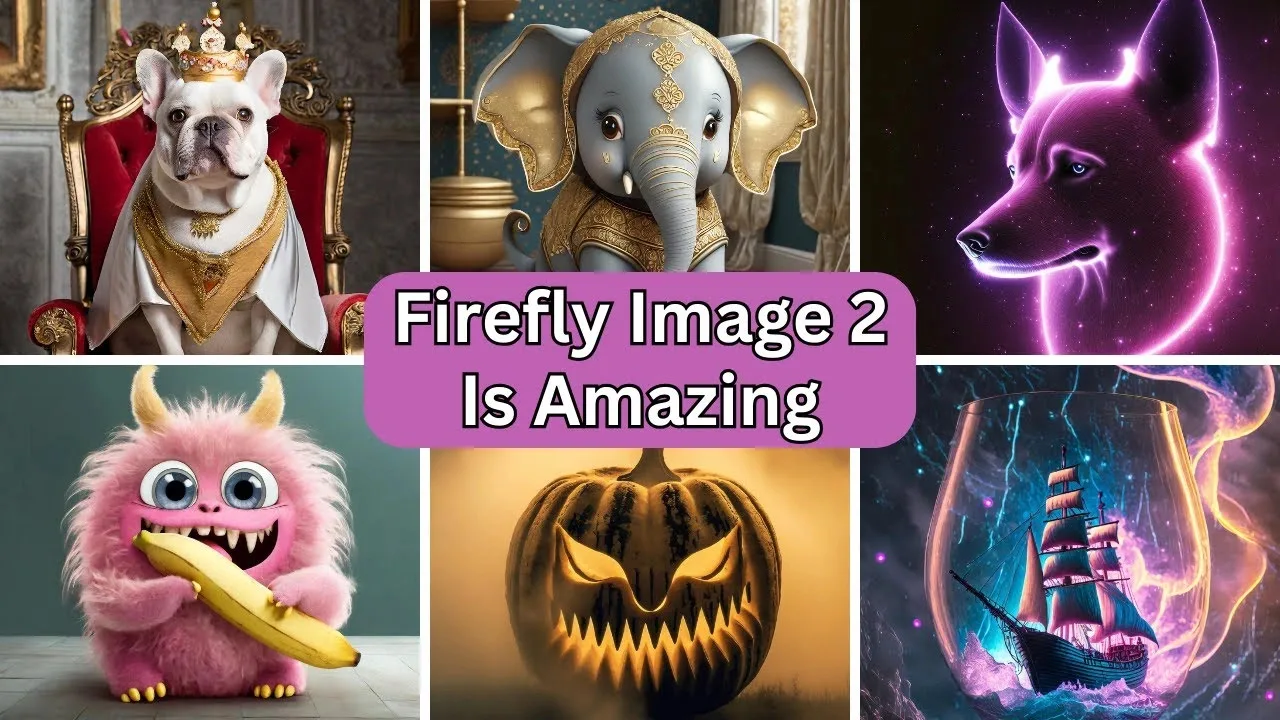
Out of nowhere, visuals made by machines started changing fast. Most stayed under the radar. Then came Firefly Image Model 2 – suddenly, creatives were paying close attention.
Picture this – Adobe built the system to tackle a real headache for creators, brands, and teams. One where getting sharp AI visuals doesn’t mean risking legal issues or breaking rhythm in serious design work. It fits right into how pros already build their projects, without hiccups or extra steps.
Picture-making tools often chase art for art’s sake. Yet this one took shape where work happens. Quality jumped sharply. Understanding what users ask grew sharper, too. Faces look more like people now. Control feels less rigid, more fluid. Real scenes come through clearer than before.
Even in 2026, knowing how Firefly Image Model 2 works still matters – especially if design tasks fill your days. Picture this: ads take shape under your hand, while social posts come alive through careful planning. Clients wait for deliverables that start as ideas, then grow into visuals. Or maybe curiosity drives you, pulling you toward fresh tools just because they exist. For those who build, test, tweak, or dream up images using machines, it stays relevant. Time passes, yet this knowledge holds ground.
Firefly Image Model 2 vs Firefly Image Model 1
Folks using creative tools started asking questions once Adobe dropped Firefly Image Model 2 – was it different enough to shake up how they worked? Turns out, for nearly everyone, things did shift a bit.
Starting with Firefly Image Model 1, Adobe showed how AI could create images without legal risks. Then came Image Model 2 – smarter, sharper, fixing what didn’t work before.
Image Quality Comparison
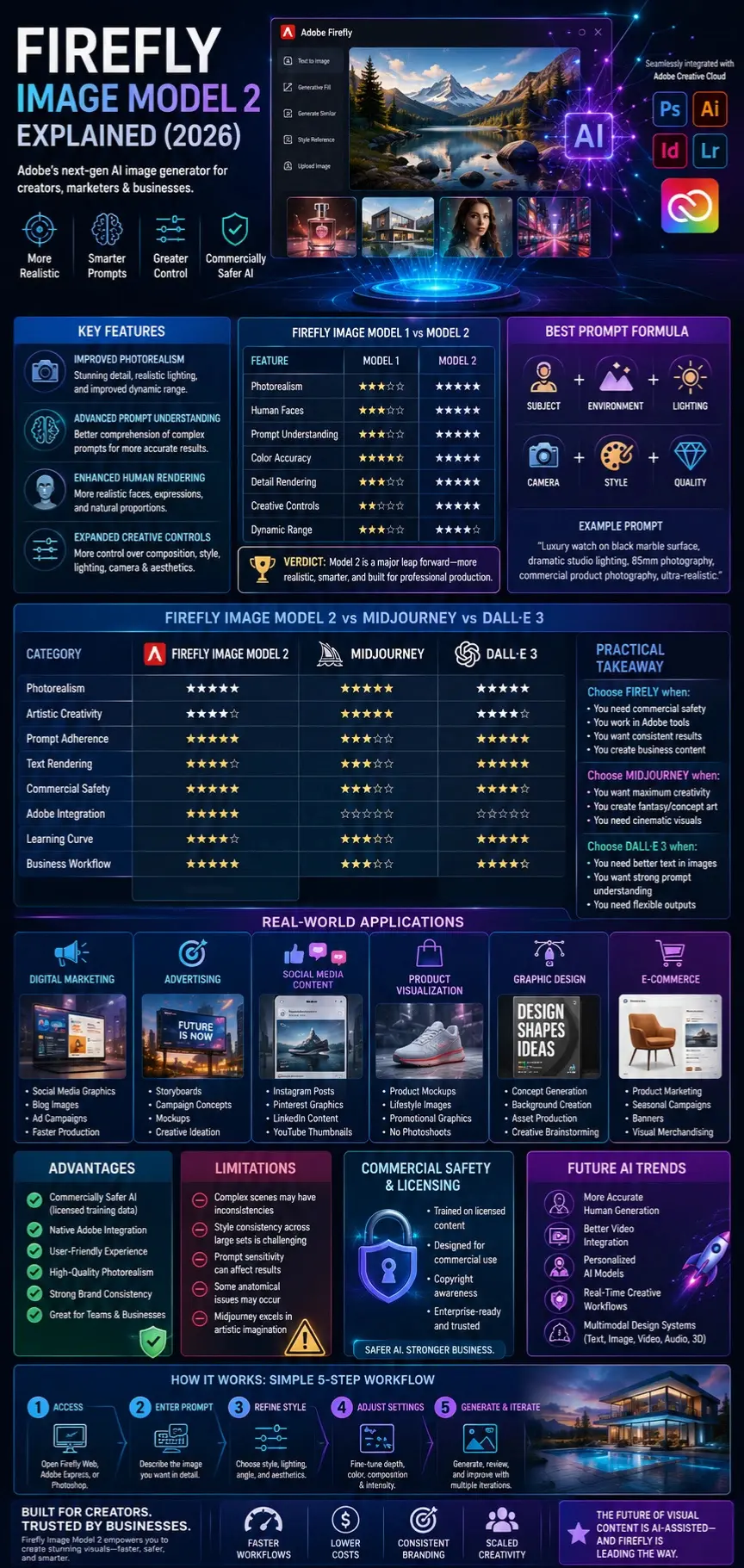
| Feature | Firefly Image Model 1 | Firefly Image Model 2 |
| Photorealism | Good | Excellent |
| Human Faces | Average | Much Improved |
| Prompt Understanding | Moderate | Advanced |
| Color Accuracy | Good | Better |
| Detail Rendering | Basic | Enhanced |
| Creative Controls | Limited | Expanded |
| Dynamic Range | Moderate | Improved |
Key Improvements
Better Prompt Adherence
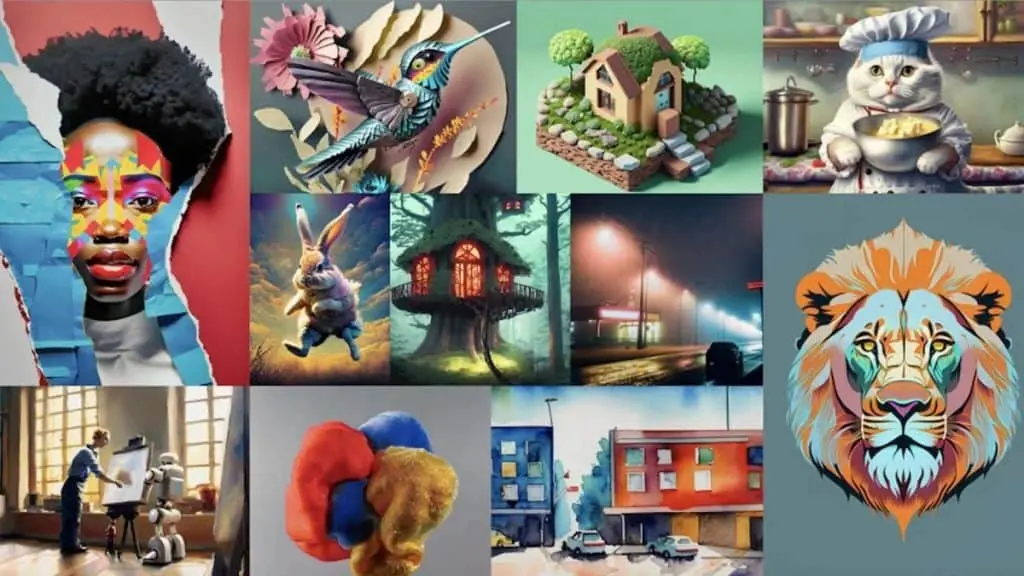
Image Model 2 follows instructions more accurately. Complex prompts involving multiple subjects, lighting styles, camera angles, and artistic directions produce more predictable results.
Enhanced Human Rendering
One of the biggest improvements was the generation of people. Facial expressions became more realistic, proportions improved, and common AI artifacts were reduced.
Greater Creative Control
Users gained more control over composition, visual style, photography settings, and overall aesthetics.
Verdict
If Image Model 1 established Adobe as a serious AI image generation competitor, Image Model 2 transformed Firefly into a practical production tool for designers, marketers, and businesses.
Firefly Image Model 2 vs Midjourney
Midjourney remains one of the most popular AI image generators in the world. However, the two tools serve somewhat different audiences.
Feature Comparison
| Category | Firefly Image Model 2 | Midjourney |
| Photorealism | Excellent | Excellent |
| Artistic Creativity | Good | Outstanding |
| Prompt Adherence | Strong | Moderate |
| Commercial Safety | Excellent | Moderate |
| Adobe Integration | Native | None |
| Learning Curve | Easy | Moderate |
| Brand Consistency | Strong | Moderate |
Where Firefly Wins
- Better commercial safety
- Easier workflow integration
- More predictable outputs
- Strong business applications
- Simpler learning process
Where Midjourney Wins
- Artistic imagination
- Cinematic Scenes
- Fantasy artwork
- Concept art generation
- Visual creativity
Best Use Cases
Choose Firefly when:
- Creating marketing assets
- Producing business visuals
- Building branded content
- Working within Adobe Creative Cloud
Choose Midjourney when:
- Creating fantasy art
- Producing concept artwork
- Designing cinematic scenes
- Exploring highly creative visuals
Practical Takeaway
For businesses and agencies, Firefly often provides a safer option. For artists seeking maximum creativity, Midjourney may still have the edge.
Firefly Image Model 2 vs DALL·E 3
DALL·E 3 significantly improved prompt understanding and image quality, making it one of Firefly’s strongest competitors.
Comparison Table
| Feature | Firefly Image Model 2 | DALL·E 3 |
| Prompt Understanding | Excellent | Excellent |
| Text Rendering | Good | Excellent |
| Commercial Safety | Excellent | Good |
| Adobe Integration | Native | None |
| Creative Flexibility | Strong | Strong |
| Business Workflow | Excellent | Good |
Text Generation
DALL·E 3 generally performs better when generating readable text within images.
Examples include:
- Posters
- Advertisements
- Signs
- Social media graphics
Workflow Integration
Firefly’s integration into Photoshop, Illustrator, and Adobe Express provides advantages for professional creative teams.
Commercial Applications
Businesses focused on risk reduction often prefer Firefly because of Adobe’s emphasis on licensed training data and commercial usability.
How to Use Firefly Image Model 2
Getting started is straightforward.
Access Adobe Firefly
Visit Adobe Firefly through:
- Adobe Firefly Web App
- Adobe Express
- Photoshop integrations
- Creative Cloud tools
Enter a Prompt
Describe the image you want.
Example:
“Luxury smartwatch product photography on a black reflective surface with dramatic studio lighting, ultra realistic.”
Refine Your Style
Select:
- Photography style
- Artistic style
- Lighting preferences
- Camera perspective
Adjust Settings
Experiment with:
- Depth of field
- Color tone
- Composition
- Visual intensity
Generate and Iterate
The best results typically come from multiple iterations rather than a single prompt.
Best Prompting Techniques for Firefly Image Model 2
Prompt engineering can dramatically improve image quality.
Formula for Better Prompts
Use this framework:
Subject + Environment + Lighting + Camera + Style + Quality
Example:
“A luxury perfume bottle on a marble countertop, surrounded by roses, soft cinematic lighting, 85mm photography, commercial product photography, ultra-realistic.”
Photography Prompts
Product Photography
Luxury leather wallet on a dark wooden desk, professional studio lighting, shallow depth of field, premium advertising photography.
Food Photography
Fresh Italian pasta served in a modern restaurant, warm natural lighting, and magazine-quality food photography.
Portrait Prompts
Professional businesswoman standing in a modern office, natural daylight, realistic skin texture, corporate portrait photography.
Marketing Prompts
Modern digital marketing dashboard displayed on a futuristic computer screen, clean branding, professional commercial design.
Architectural Prompts
Luxury modern villa overlooking the ocean at sunset, architectural visualization, ultra-realistic rendering.
Fantasy Art Prompts
An ancient floating city above the clouds, cinematic lighting, epic fantasy artwork, and a highly detailed environment.

Real-World Applications
Digital Marketing
Marketing teams use Firefly for:
- Social media graphics
- Blog images
- Advertising visuals
- Campaign concepts
Benefits
- Faster production
- Reduced design costs
- Consistent branding
Advertising
Agencies increasingly use AI-generated visuals during concept development.
Applications include:
- Storyboards
- Mockups
- Campaign testing
- Creative ideation
Social Media Content
Content creators use Firefly to generate:
- Instagram visuals
- Pinterest graphics
- LinkedIn content
- YouTube thumbnails
Product Visualization
E-commerce brands create:
- Product mockups
- Lifestyle images
- Promotional graphics
- Marketing campaigns
without organizing expensive photoshoots.
Graphic Design
Designers use Firefly to accelerate:
- Concept generation
- Creative brainstorming
- Background creation
- Asset production
E-Commerce
Online stores use AI-generated imagery for:
- Product marketing
- Seasonal campaigns
- Banner Creation
- Visual merchandising
Advantages of Firefly Image Model 2
Commercially Safer AI
Adobe’s licensing-focused approach remains one of Firefly’s strongest advantages.
Adobe Ecosystem Integration
The ability to move seamlessly between Firefly and Creative Cloud tools increases productivity.
User-Friendly Experience
Beginners can generate professional-looking images with minimal training.
High-Quality Photorealism
Firefly Image Model 2 significantly improved realism compared to earlier versions.
Strong Brand Consistency
Businesses can maintain visual standards more easily.

Limitations and Challenges
No AI image generator is perfect.
Complex Scenes
Crowded scenes can still produce inconsistencies.
Style Consistency
Maintaining exact visual consistency across hundreds of images can be difficult.
Prompt Sensitivity
Small prompt changes can dramatically affect outputs.
Competition
Midjourney and newer AI models may outperform Firefly in certain artistic scenarios.
Human Anatomy
Although improved, occasional anatomical issues still occur.
Pricing and Availability
Adobe’s pricing structure has evolved.
Most plans include:
- Free generative credits
- Paid subscription options
- Creative Cloud integration
Pricing may vary by region and Adobe subscription package.
Always verify current plans directly through Adobe’s official website.

Who Should Use Firefly Image Model 2?
Designers
Perfect for accelerating creative workflows.
Marketers
Useful for campaigns, ads, and content creation.
Businesses
Valuable for producing scalable visual assets.
Freelancers
Helps reduce production time and client costs.
Content Creators
Ideal for blogs, YouTube, and social media.
Who Should Avoid the Firefly Image Model 2?
It may not be the ideal choice for:
- Artists seeking maximum experimental creativity
- Users wanting open-source customization
- Researchers requiring model-level control
- Users focused solely on fantasy artwork
Alternative platforms may be more suitable for these scenarios.
Privacy, Safety & Commercial Use
One of Firefly’s most attractive features is its focus on responsible AI development.
Adobe emphasizes:
- Licensed training data
- Copyright awareness
- Commercial usability
- Enterprise adoption
Businesses should still review current licensing policies before large-scale commercial deployment.
Future AI Image Trends
The AI image generation industry continues to evolve rapidly.
Major trends include:
More Accurate Human Generation
Future models will continue improving anatomy and realism.
Better Video Integration
Image and video generation are becoming increasingly connected.
Personalized AI Models
Brands will train customized visual models for consistent content creation.
Real-Time Creative Workflows
Generation speeds will continue improving.
Multimodal Design Systems
Future platforms will combine:
- Text
- Images
- Video
- Audio
- 3D assets
within unified workflows.
Realistic Expectations
Firefly Image Model 2 is powerful, but it is not magic.
Users should expect:
- Some trial and error
- Prompt refinement
- Occasional artifacts
- Creative experimentation
The best results come from treating AI as a creative assistant rather than a replacement for human creativity.
People Also Ask
A: Adobe typically offers limited free generative credits, but advanced usage often requires a paid plan or Creative Cloud subscription.
A: Adobe designed Firefly with commercial usability in mind. However, businesses should always review Adobe’s latest licensing terms before deploying content professionally.
A: It depends on the goal. Firefly excels in business workflows and commercial safety, while Midjourney often produces more artistic and imaginative imagery.
A: Detailed prompts that specify subject, environment, lighting, camera settings, style, and quality tend to generate stronger results.
A: Yes. Adobe has integrated Firefly-powered features into Photoshop and other Creative Cloud applications.
Featured Image Prompt
“Adobe Firefly Image Model 2 futuristic interface generating ultra-realistic images, holographic AI visuals, professional creative workspace, glowing neural network effects, photorealistic artwork examples, modern blue and purple technology theme, cinematic lighting, high detail, 16:9 composition”
Social Media Caption
Firefly Image Model 2 changed the way businesses approach AI image generation. Discover features, prompting tips, comparisons, and real-world workflows in our complete 2026 guide.
Social Media Caption
Is Firefly Image Model 2 still worth learning in 2026? We compared it against Midjourney and DALL·E to find out. Read the full analysis.
Social Media Caption
From commercial licensing to advanced prompt engineering, this is the most complete Firefly Image Model 2 guide for creators, marketers, and designers.
Pinterest Title
Firefly Image Model 2 Complete Guide (2026): Features, Prompts & Comparisons
YouTube Video Title
Firefly Image Model 2 Explained: Features, Prompting Tips & Midjourney Comparison (2026)
AI Overview Snippet
Firefly Image Model 2 is Adobe’s second-generation AI image generator that significantly improved photorealism, prompt understanding, creative controls, and commercial usability. Designed for creators, marketers, and businesses, it integrates directly with Adobe Creative Cloud and emphasizes commercially safer AI-generated content through licensed training data.
Conclusion:
Still remembered years later, Firefly Image Model 2 changed how people think about AI-made visuals. Though recent versions exist now, alongside rivals from other companies, it was this version that quietly set new standards. Because of its Approach, Adobe started gaining real ground where before they’d been behind. Subtle shifts in quality and speed made users take notice. Even now, some core ideas trace back to what this model first proved possible.
Picture-making isn’t its only talent. What stands out is how real the images look, thanks to sharper reading of prompts and better handling of human figures. Creative tweaks now feel more natural, working smoothly inside Adobe’s suite of tools. Trust grows because Adobe uses training data built with business safety in mind – this matters most. Companies, design studios, ad teams, and pros lean on Firefly precisely for that reason.
Still, it helps to keep things grounded. Much like any tool of its kind, getting the most out of Firefly Image Model 2 means putting in time – crafting clear prompts, trying different approaches, and adding personal vision. Think of it as a capable partner in making visuals, yet one that doesn’t take the place of those who truly shape ideas into design.
Firefly Image Model 2 remains a key player in 2026 – should you be exploring how Adobe weaves AI into its tools? Picture sharper prompt crafting, brought to life through hands-on practice instead of theory. Comparing top image-generating systems. Efficiency takes center stage when shaping visuals, streamlining each step along the way. Relevance holds strong, even as new models emerge from the shadows.











