Introduction
Most folks who try Leonardo AI have had moments when the picture just missed the mark. Got a weird result after typing your idea? That happens to plenty of people.
Surprisingly few pay attention to the prompt – yet it shapes everything. The model grabs headlines, sure. Still, without a clear direction, results drift off track. A tiny shift in wording changes outcomes dramatically. Think about that next time. Clarity matters more than code sometimes.
A single tweak in your Leonardo AI prompt might be what turns a flat image into something sharp and polished. Creating anything from lifelike photos to bold anime styles often hinges on how clearly the idea is shaped at the start. Realistic ads, sweeping movie-like shots, building designs, and online posts – each relies less on luck and more on precise wording. The way details unfold in the prompt tends to echo in the outcome.
Most guides stick to basics. What does a prompt do? Covered. Yet real-world use by pros slips through cracks. Marketers shape visuals daily. Designers rely on precision. Agencies demand repeatable results. None of that shows up in starter lessons. How experts apply Leonardo AI stays hidden. Simple ideas get taught. Consistent quality doesn’t.
This isn’t just another intro to prompts. Master reliable structures through real examples instead of theory. Discover how subtle tweaks using reverse cues reshape outputs completely. Move past guesswork with step-by-step sequences used by experienced operators. Fix common errors before they derail responses entirely. Swap ineffective habits for plug-and-play frameworks built around actual performance.
You will understand ways to craft prompts that produce stronger visuals more quickly, while cutting down on repeated attempts. What matters is learning through doing – each try sharpens your sense.
What Is a Leonardo AI Image Prompt?
Picture a note you write so the machine knows what scene to create. That note? It’s your guide for shaping visuals with Leonardo AI. Words there act like directions, steering how pixels form. Think of it as a map drawn in sentences. Each line helps decide colors, shapes, or mood. The way you phrase things shifts what appears on screen. Not just listing items, but guiding vibes too. How detailed you get changes outcomes subtly. Phrasing matters more than dumping terms. A well-built message sets clear expectations. What shows up links directly to how you describe it.
A picture forms when the system reads what you describe, using knowledge built from words, looks, things, places, and art ideas. What shows up comes from how it connects those pieces, shaped by past examples without copying them exactly.
Simple Example
Prompt:
Golden retriever running through a sunflower field at sunset, realistic photography
Result:
The AI creates an image matching those instructions.
The more specific and structured your prompt is, the more accurate your results become.
How Leonardo AI Interprets Prompts
Leonardo AI doesn’t “see” images the way humans do.
Instead, it interprets relationships between words.
For example:
Golden Retriever
Subject
Running
Action
Sunflower Field
Environment
Sunset
Lighting
Realistic Photography
Style
The AI combines these elements into a single visual composition.
Why Prompt Quality Matters
A weak prompt creates uncertainty.
A detailed prompt creates clarity.
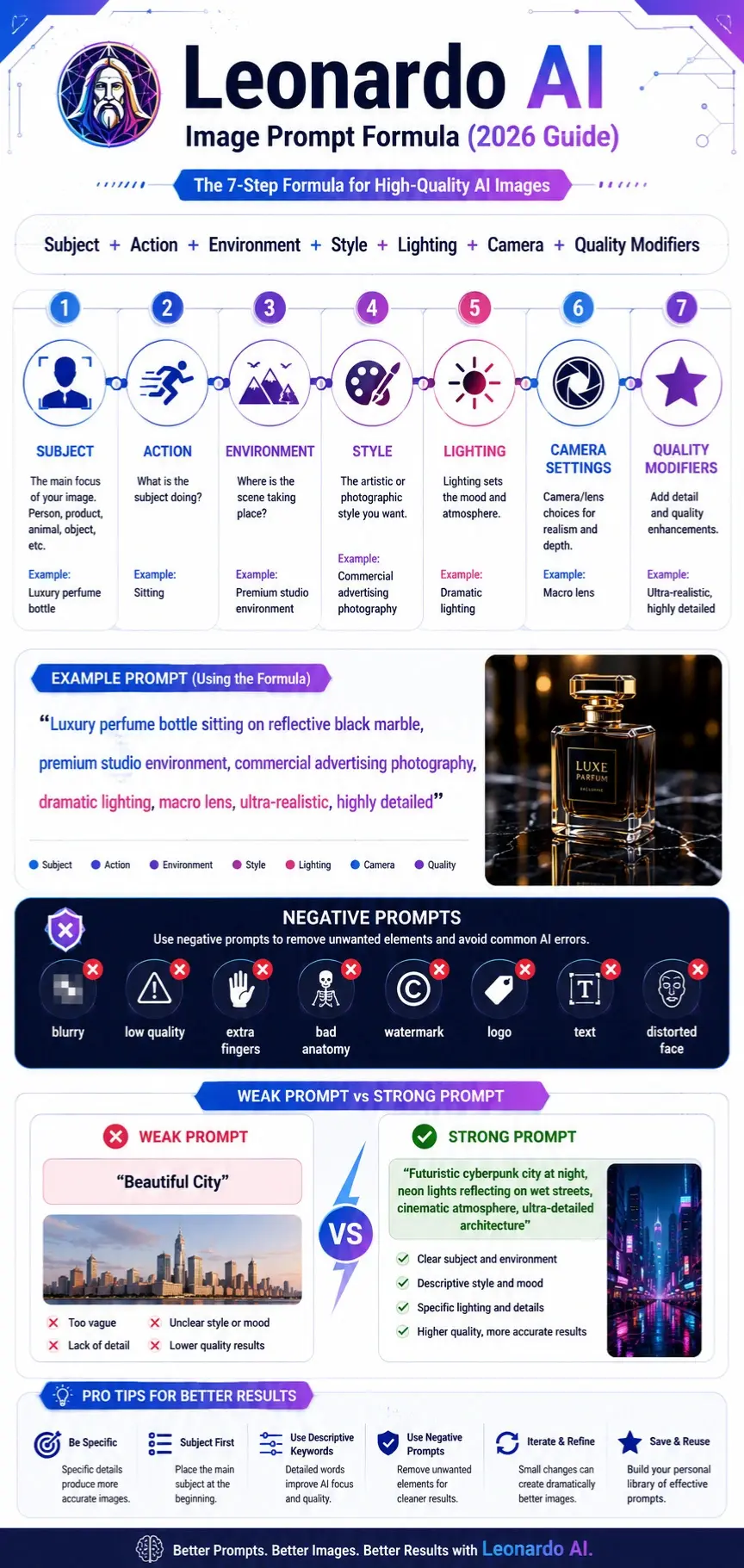
Weak Prompt
Beautiful city
Strong Prompt
Futuristic cyberpunk city at night, neon lights reflecting on wet streets, cinematic atmosphere, ultra-detailed architecture, realistic photography
The second prompt provides:
- Subject
- Environment
- Lighting
- Mood
- Style
This dramatically improves image quality.
Quick Takeaway
The prompt is essentially the blueprint for your image.
Better blueprints produce better visuals.
How Leonardo AI Prompting Works
Professional prompts usually contain six core components.
Subject
The subject is the most important part of the image.
Examples:
- Woman
- Luxury Car
- Mountain
- Product bottle
- Dragon
Always place the primary subject first.
Example:
Luxury perfume bottle
Not:
Beautiful lighting, realistic photography, perfume bottle
Style
Style determines visual appearance.
Examples:
- Realistic photography
- Anime
- Concept art
- Watercolor
- Digital painting
- Editorial photography
Example:
Luxury perfume bottle, premium advertising photography
Environment
The environment establishes context.
Examples:
- Forest
- Studio
- Beach
- Futuristic city
- Luxury penthouse
Example:
Luxury watch displayed inside a premium studio environment
Lighting
Lighting dramatically affects mood.
Examples:
- Golden hour
- Soft studio light
- Dramatic shadows
- Volumetric lighting
- Neon lighting
Example:
Luxury watch, dramatic studio lighting
Camera Settings
Photography terms improve realism.
Examples:
- 35mm lens
- 50mm lens
- 85mm portrait lens
- Macro photography
- Shallow depth of field
Example:
Professional portrait, 85mm lens, shallow depth of field
Composition
Composition controls image arrangement.
Examples:
- Centered composition
- Rule of thirds
- Symmetrical framing
- Wide shot
- Close-up
Example:
Luxury sports car, centered composition
The Perfect Leonardo AI Prompt Formula
Professional prompt engineers rarely write prompts randomly.
Instead, they follow repeatable formulas.
Recommended Formula
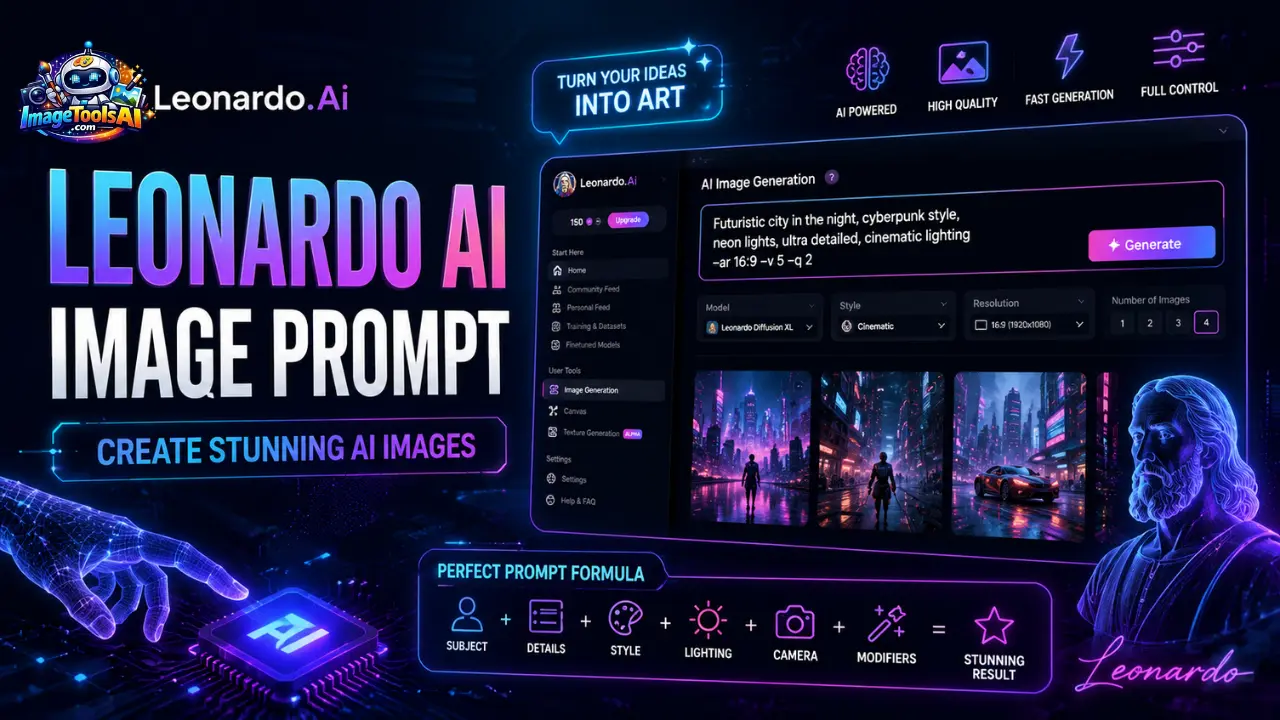
[Subject] + [Action] + [Environment] + [Style] + [Lighting] + [Camera] + [Quality Modifiers]
Example
Luxury perfume bottle sitting on reflective black marble, premium studio environment, commercial advertising photography, dramatic lighting, macro lens, ultra-realistic, highly detailed, award-winning product photography
This formula consistently produces better results because every critical visual component is included.
Why This Formula Works
It helps the AI understand:
- What the image is about
- What is happening
- Where it takes place
- How it should look
- How it should be photographed
- What quality level is expected
Mini Summary
Professional prompts are structured.
Random prompts create random results.
Use the formula every time.
Leonardo AI Prompt Engineering Fundamentals
Prompt engineering is the process of optimizing prompts to improve image quality, consistency, and accuracy.
Subject Priority
Leonardo gives greater importance to words appearing earlier.
Good Example
Luxury sports car driving through the Monaco streets
Poor Example
Beautiful lighting, ultra realistic, cinematic, sports car
The subject should always appear first.
Prompt Weighting
Important elements should receive more descriptive detail.
Example:
Premium luxury Swiss watch, handcrafted titanium case, sapphire crystal glass, luxury product photography
The more detail you provide, the stronger the AI focuses on that object.
Descriptive Keywords
Specific words outperform generic words.
Generic
Nice house
Detailed
Modern luxury villa with floor-to-ceiling glass walls, infinity pool, and contemporary architecture
Prompt Sequencing
The ideal order:
- Subject
- Action
- Environment
- Style
- Lighting
- Camera
- Quality
This sequence aligns with how image-generation models process context.
Prompt Clarity
Avoid conflicting instructions.
Bad Example:
realistic anime watercolor photography
The styles conflict.
Choose one clear visual direction.
Mini Summary
Prompt engineering is not about writing longer prompts.
It’s about writing clearer prompts.
Best Leonardo AI Prompt Structure for Consistent Results
Different projects require different prompt depths.
Basic Prompt Structure
Ideal for beginners.
Formula:
Subject + Style
Example:
Golden retriever, realistic photography
Intermediate Prompt Structure
Formula:
Subject + Environment + Style + Lighting
Example:
Golden retriever running through a forest, realistic photography, golden hour lighting
Professional Prompt Structure
Formula:
Subject + Action + Environment + Style + Lighting + Camera + Quality Modifiers
Example:
Golden retriever running through a forest trail, realistic wildlife photography, golden hour lighting, 85mm lens, shallow depth of field, ultra-realistic, highly detailed
Prompt Structure Comparison Table
| Level | Complexity | Quality Potential |
| Basic | Low | Moderate |
| Intermediate | Medium | High |
| Professional | High | Very High |
Leonardo AI Negative Prompts Explained
Many users focus entirely on positive prompts and ignore one of the most powerful features available.
Negative prompts.
What Are Negative Prompts?
Negative prompts tell Leonardo AI what should NOT appear in the image.
This helps reduce common generation errors.
Why Negative Prompts Improve Results
They help eliminate:
- Extra fingers
- Extra limbs
- Distorted faces
- Watermarks
- Logos
- Low-quality details
- Blurry outputs
- Cropped compositions
Universal Negative Prompt Formula
blurry, low quality, extra fingers, extra limbs,
bad anatomy, distorted face, duplicate,
watermark, logo, text, cropped,
oversaturated, artifacts
Portrait Negative Prompt
bad anatomy, extra fingers, asymmetrical eyes,
deformed face, blurry skin, duplicate features
Product Photography Negative Prompt
watermark, logo, text, blurry,
distorted reflections, poor lighting,
cropped product
Architecture Negative Prompt
crooked walls, distorted geometry,
low-quality textures, blurry windows,
poor perspective
Mini Summary
Positive prompts tell Leonardo what to create.
Negative prompts tell Leonardo what to avoid.
Professional users always use both.
Best Leonardo AI Realistic Photography Prompts
Realistic photography remains one of Leonardo AI’s most popular use cases.
These prompts work exceptionally well for commercial-quality images.
Luxury Fashion Portrait
Professional fashion model walking through downtown Manhattan, luxury editorial photography, natural daylight, realistic skin texture, 85mm lens, shallow depth of field, Vogue magazine style
Business Portrait
Confident CEO standing inside modern office, professional business portrait photography, natural window light, ultra-realistic
Travel Photography
Scenic mountain lake at sunrise, realistic landscape photography, cinematic atmosphere, highly detailed reflections
Food Photography
Gourmet steak dinner on an elegant restaurant table, premium food photography, soft studio lighting, ultra-detailed
Automotive Photography
Luxury sports car parked outside modern villa, commercial automotive photography, sunset lighting, ultra-realistic
Lifestyle Photography
Young entrepreneur working in a modern coworking space, realistic lifestyle photography, natural lighting.
People Also Ask
A: The best Leonardo AI prompts are specific, descriptive, and structured. Prompts that include the subject, environment, style, lighting, camera settings, and quality modifiers typically generate more accurate and visually appealing images.
A: You can improve image quality by writing detailed prompts, using negative prompts, selecting the right AI model, increasing image resolution, and including photography or artistic style keywords.
A: Blurry images are often caused by vague prompts, low-quality settings, insufficient detail, or missing negative prompts. Adding terms such as “ultra-detailed,” “sharp focus,” and “high resolution” can help improve clarity.
A: Yes. Leonardo AI can interpret photography-related terms such as 35mm lens, 50mm lens, 85mm portrait lens, macro photography, shallow depth of field, and cinematic framing to influence the final image style.
A: Yes. Leonardo AI supports anime-style image generation. Including keywords such as anime illustration, manga art style, cel shading, vibrant colors, and detailed character design can help achieve better anime results.
Conclusion
Start strong with how you describe images to Leonardo AI – this shapes everything. A solid prompt lays out the details so the result more closely matches what you imagine. Instead of messy guesses, clarity pulls the outcome into focus. Vague descriptions? They invite chaos, leaving you stuck with flat or odd-looking pictures.
Starting with clear prompt structures, tossing in some negative cues, then picking a suitable model – this mix shapes reliable outcomes across photo work, Brand Visuals, layout tasks, and even experimental art pieces.
Start by sharpening your prompt writing if clearer AI visuals matter to you – tweak the controls only after.
Try again and again, experiment with changes, and slowly build a personal collection of prompts that work.











